Office 365 User Provisioning
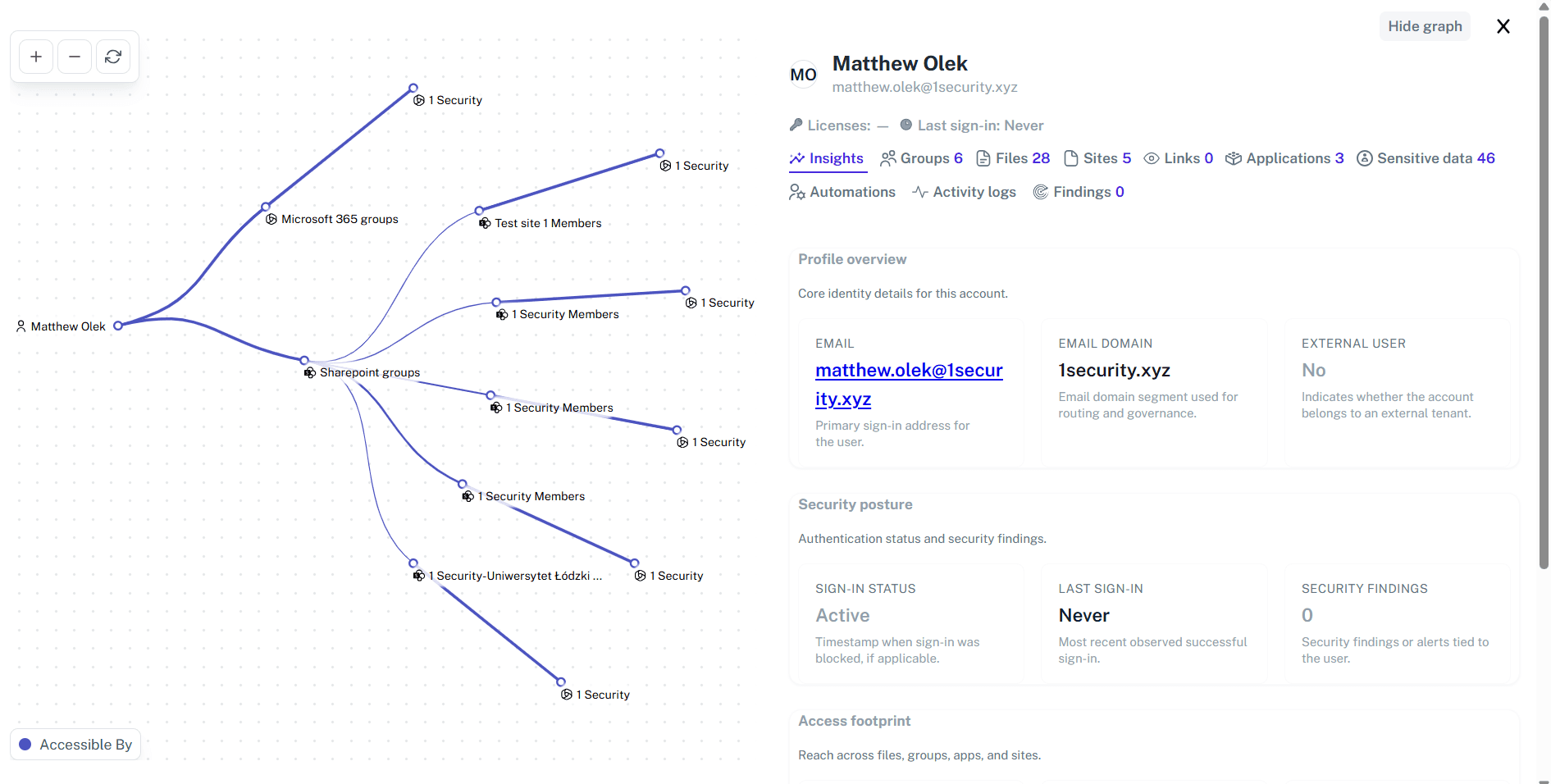
Adding a user often feels like giving a house sitter the master key. Suddenly, they are checking your safe instead of just watering the plants. 1Security reduces risk by giving admins full visibility into user permissions, external access, and sensitive data exposure so access can be granted or adjusted with confidence.
Why Office 365 User Provisioning Matters?
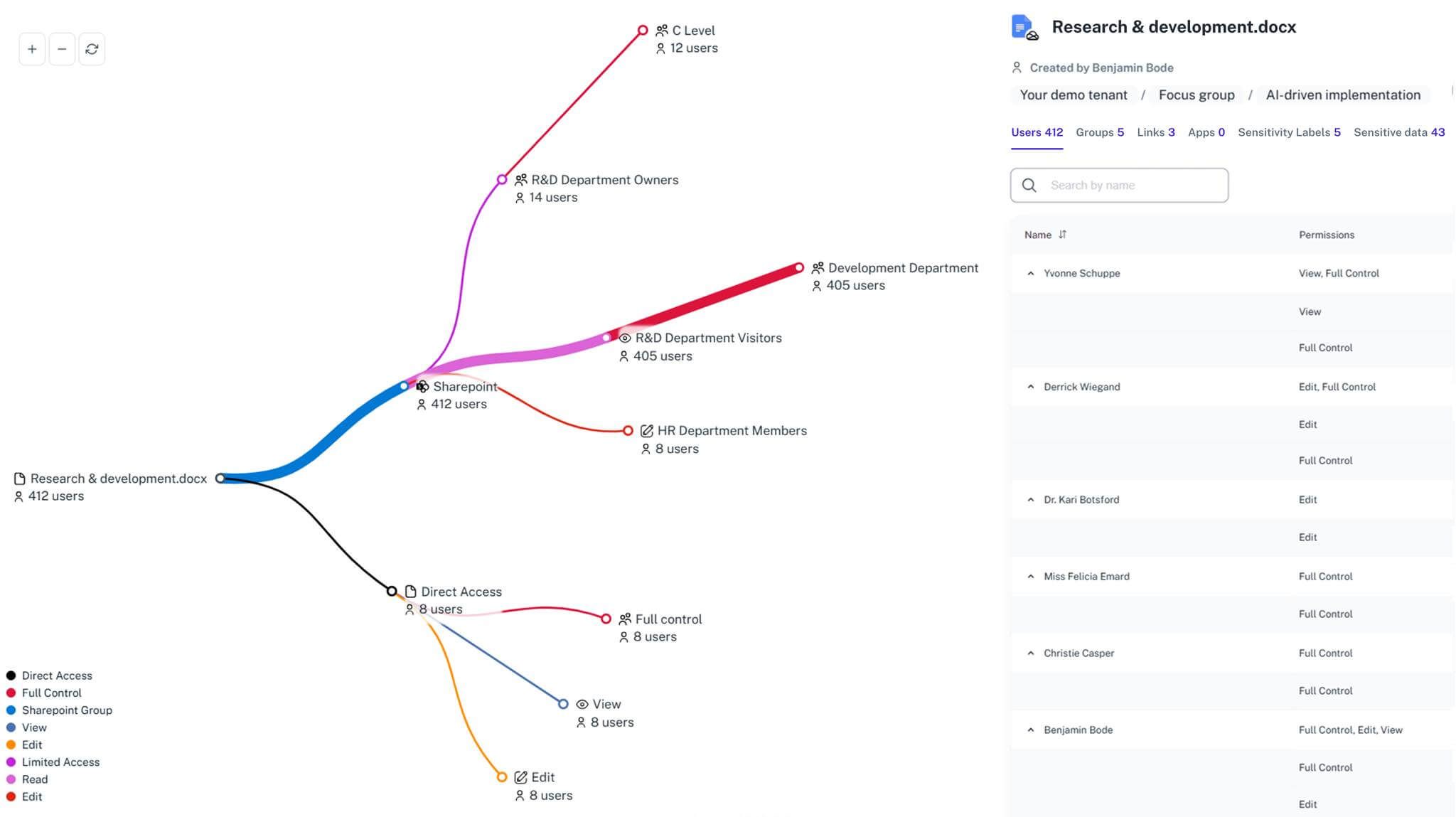
1Security gives Microsoft 365 the kind of map you wish it came with—permissions, activity, and sensitive data all labeled. Admins can follow the right path to verify new user access without stumbling into places they didn’t mean to visit.
Stop overprovisioning
Ensure users only get the permissions they need, preventing accidental leaks.
Save admin time
Save admin time by replacing multiple Microsoft 365 admin centers with one unified view.
Fix permission creep
Ensure access rights don't pile up as employees move between different teams.
Audit usage clearly
See exactly who gave access to whom and when it happened for easy reporting.
Secure offboarding
Identify inactive or orphaned accounts, so admins can remove access safely and cleanly.
Improve consistency
Use clear visibility into permissions and activity to support consistent access practices across teams.
Capabilities
Manual provisioning often feels like patching holes without seeing the whole wall. 1Security fixes that by showing admins exactly how user access and risks spread across Microsoft 365, keeping decisions consistent, compliant, and confidently under control.
Single source of truth
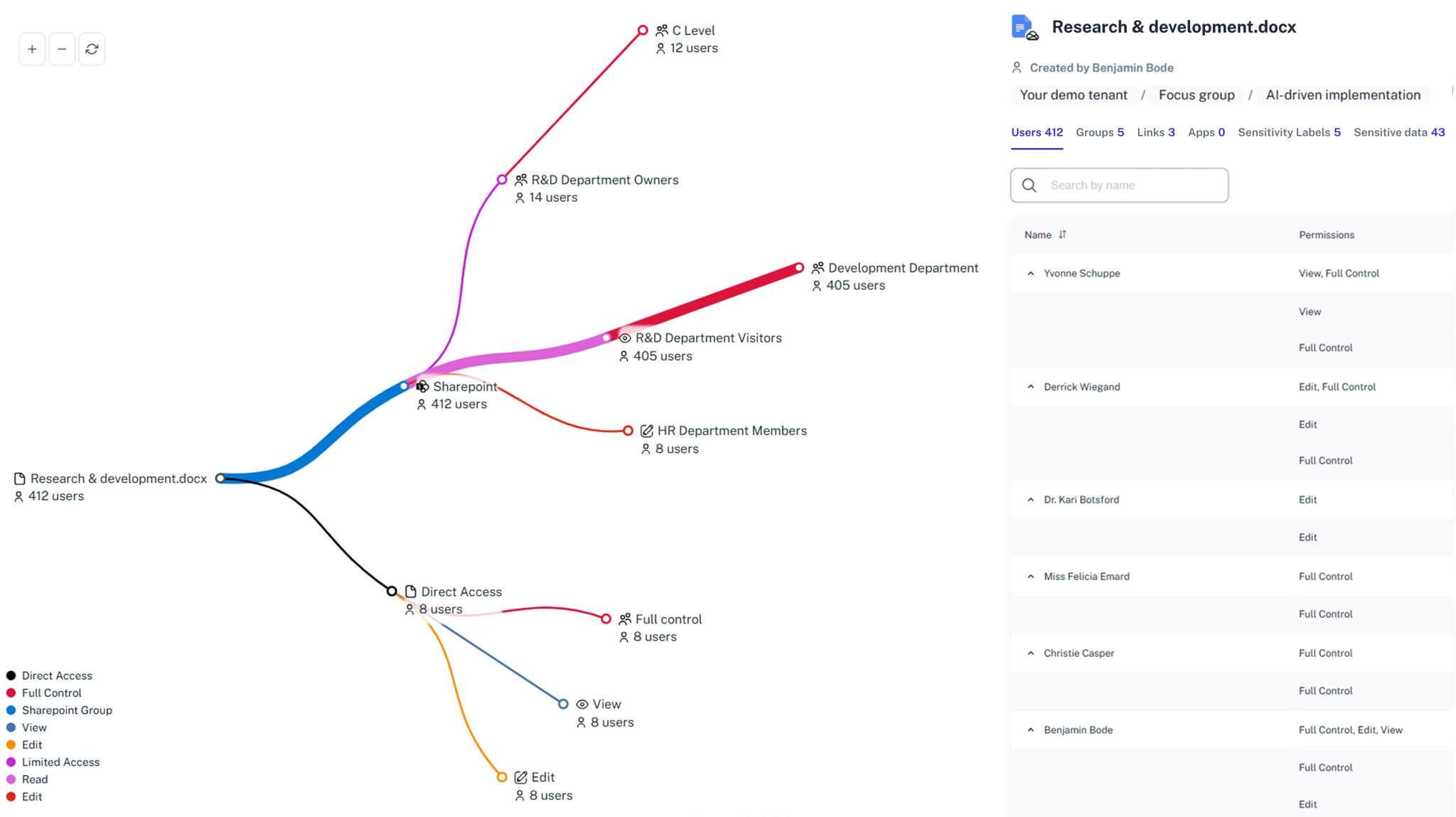
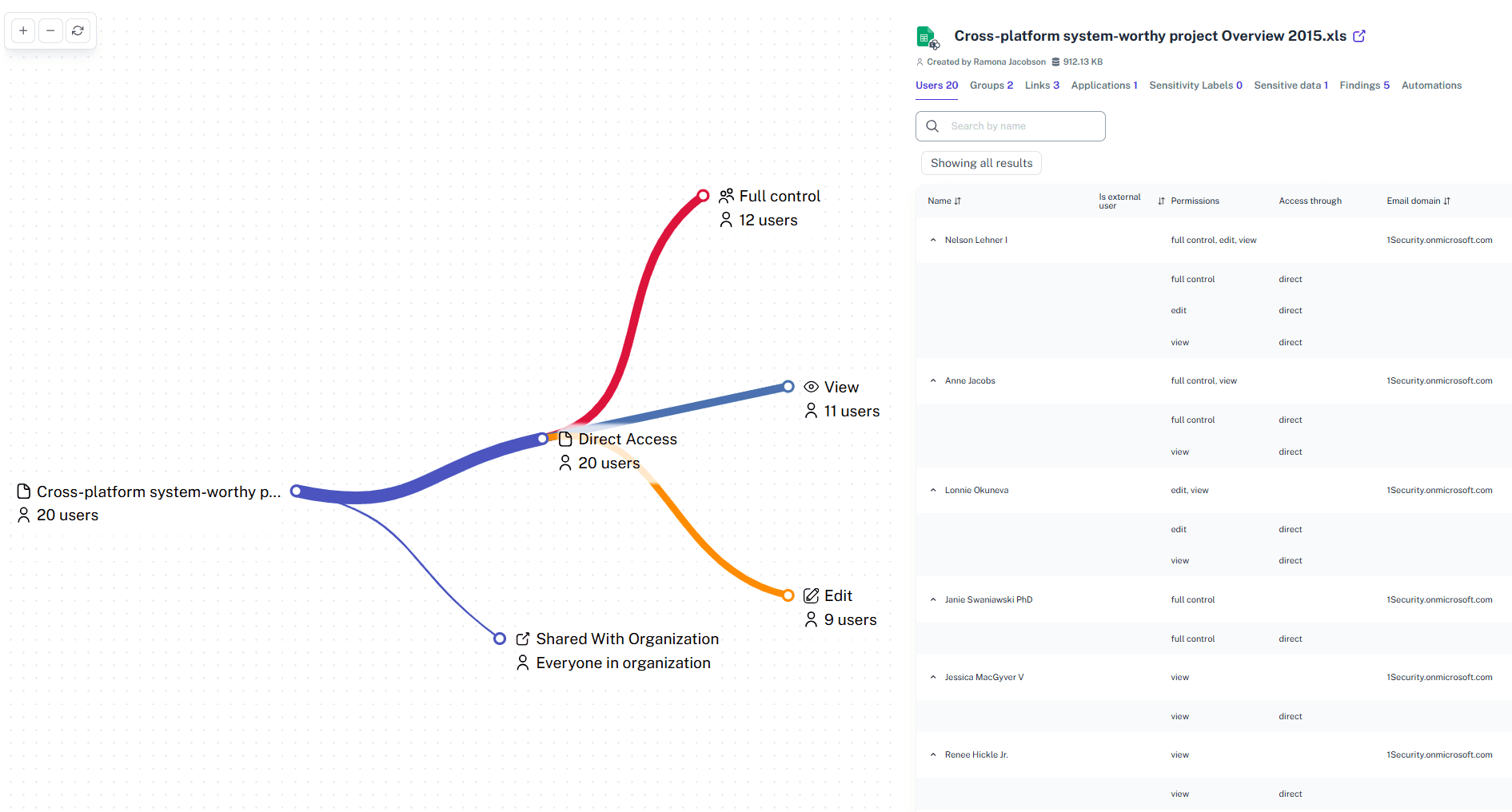
See user access across SharePoint, Teams, OneDrive, and Exchange in one place.
Instant access review
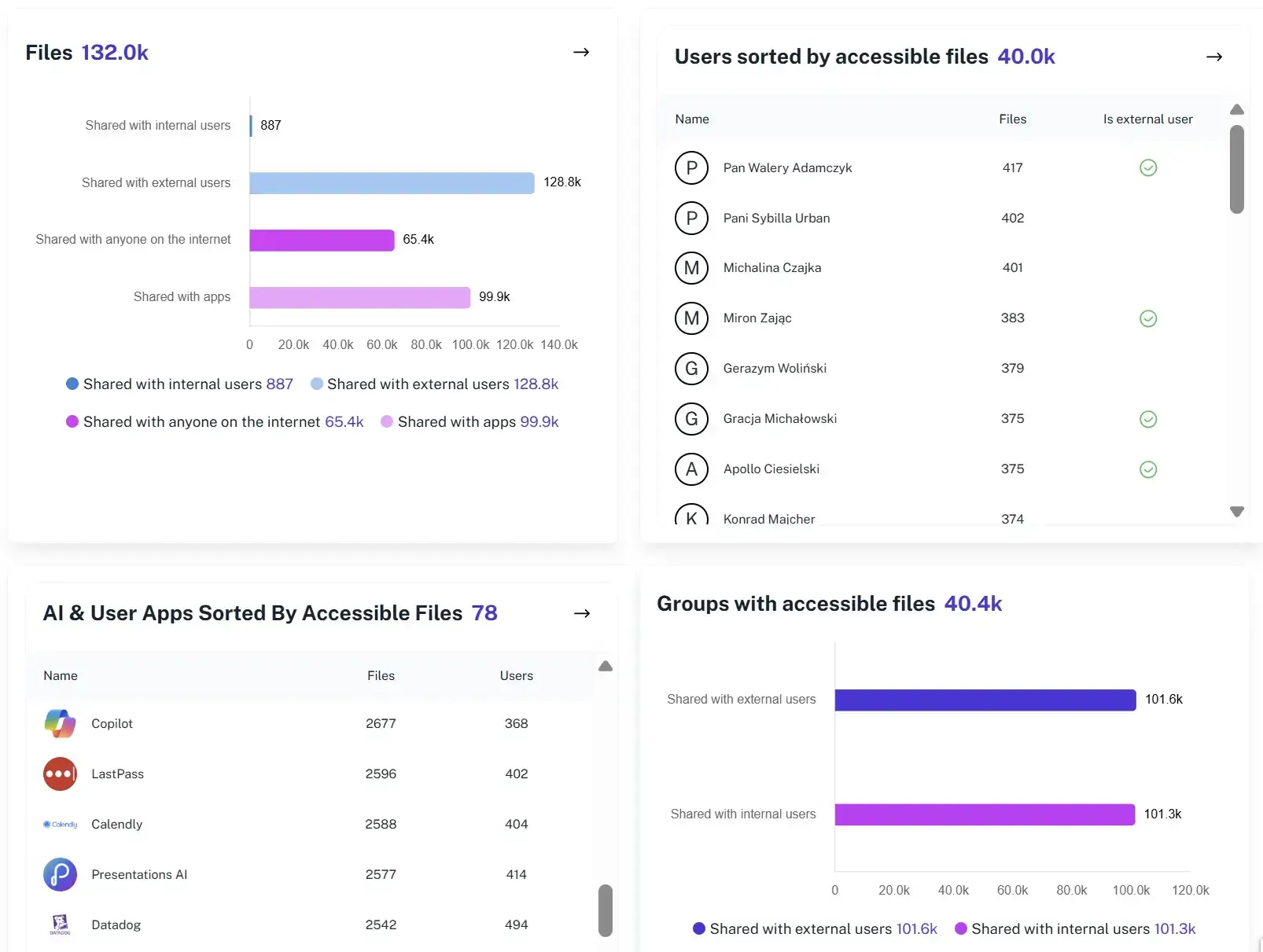
Review user permissions and sensitive data exposure from a single dashboard.
Cross-platform visibility
Manage permissions across SharePoint sites, Teams and OneDrive from one single view.
Change tracking
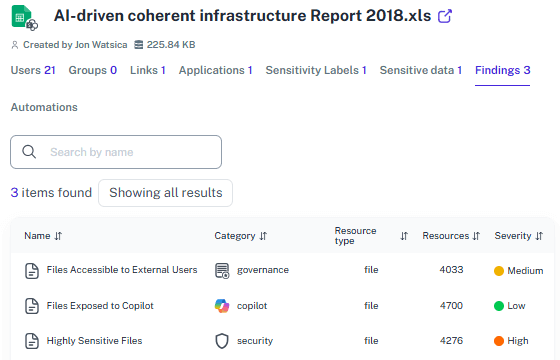
Log every permission change during the provisioning process to keep a clean audit trail.
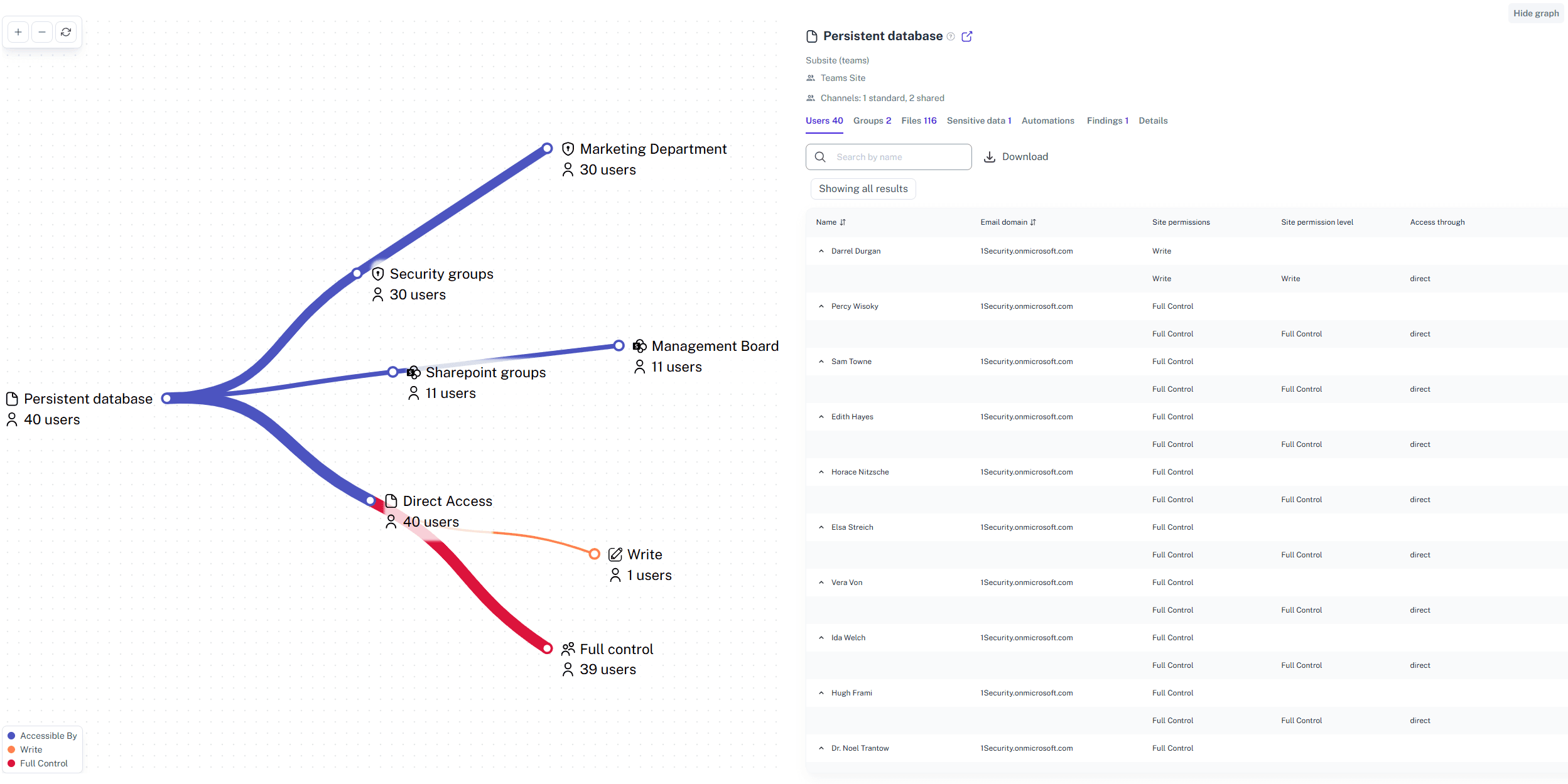
Orphaned user detection
Spot accounts that belong to inactive employees and clean them up quickly.
Guest access controls
See all external guest accounts and identify where access may need adjustment.
Security You Can Trust
1Security is built with enterprise-grade protection. We are ISO 27001 certified, fully GDPR compliant, and host all customer data in secure European data centers. Your sensitive information stays private, protected, and audit-ready.
Security and Compliance
Starting secure shouldn’t feel like assembling flat-pack furniture. 1Security smooths out Office 365 provisioning, so data rules stay tight and HR keeps its rhythm. Request a demo of 1Security today!
"We used to struggle with interns seeing HR folders. 1Security Office 365 user provisioning fixed our permissions instantly."
IT Director, Logistics Company"Our onboarding took days. With 1Security, we set up user identities in minutes and know exactly what data they can access."
System Admin, Retail Chain"1Security showed us where we gave too much access. Now, our Office 365 user provisioning process is secure and audit-ready."
CISO, FinTech StartupWho Benefits Most?
1Security supports organizations of all sizes – from highly regulated industries to fast-growing mid-size firms.
Works seamlessly with your ecosystem
1Security connects natively with the tools you already use — giving you full visibility and control without adding complexity.









Popular Use Cases
With 1Security, setting someone up in Office 365 stops feeling like assembling furniture without the manual. Everything clicks into place so hiring stays quick, tidy, and free of first-day access drama.
Frequently asked questions
Everything you need to know about the product and billing.
How does this help with license costs?
By tracking active usage and provisioning, 1Security helps you identify unused user licenses. You can reclaim licenses from inactive users and save money on your subscription.
Isn’t Microsoft’s native reporting enough?
Native tools provide valuable data but are fragmented across SharePoint Online, Exchange Online, Entra ID, Teams, Purview and Graph API. 1Security consolidates inventory, permissions, sensitivity, and activity signals into one place with audit-ready reporting.
Do you support ISO 27001, SOC 2, HIPAA, and GDPR work?
Yes. 1Security maps findings and evidence to common control frameworks, helping organizations demonstrate compliance more efficiently.
Does this replace Microsoft Purview, DLP, or Defender?
No. 1Security complements Microsoft’s ecosystem by adding context and workflows — the who, what, where, and why — and pairing it with remediation and compliance-ready evidence.
Can non-technical stakeholders use it?
Yes. Plain-language reports and read-only views make it easy for compliance, legal, and business stakeholders to see the evidence behind findings without needing admin rights.
Is this only for large enterprises?
No. While designed for complex environments, 1Security is equally valuable for mid-sized organizations running Microsoft 365 or Office 365 that need strong visibility into access, activity, and compliance.
Does this work across all Microsoft 365 services?
Yes. 1Security provides visibility across Entra ID, SharePoint, Teams, Exchange Online, and other Microsoft 365 services.
Can I reverse changes if I make a mistake?
Yes. 1Security keeps a detailed log of all permission changes. You can see exactly what changed and fix rights quickly if a provisioning error occurs.
Gain visibility. Ensure compliance. Boost productivity.
Stop guessing who has access to your sensitive data. With 1Security, you gain the visibility, automation, and confidence needed to protect your Microsoft 365 environment.