Outcomes teams reach with 1Security
From threat protection to lifecycle cleanup — see how teams across security, compliance, visibility, and cost use 1Security inside Microsoft 365.
- Popular
 Governance, Compliance & Privacy
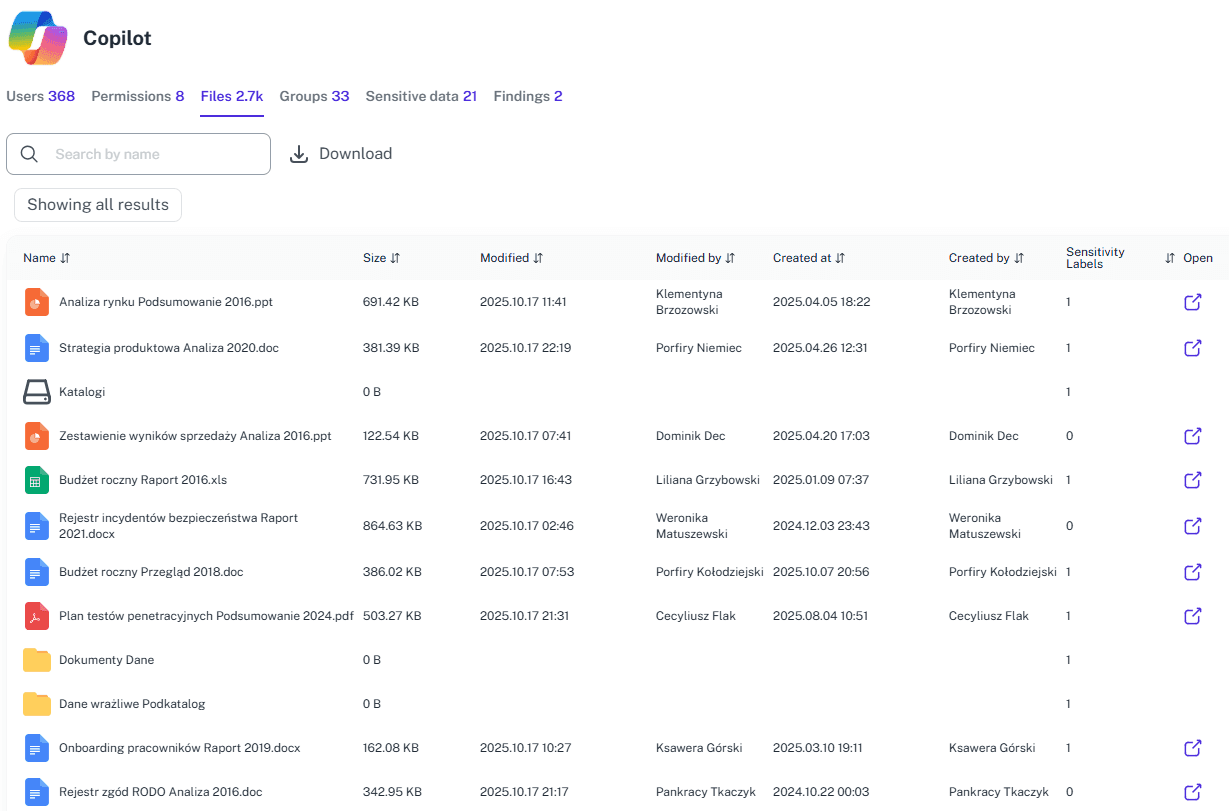
Copilot readiness assessment
Turning on Microsoft Copilot without checking permissions is like handing a megaphone to the office gossip. Suddenly, company secrets are broadcasted loudly to everyone. 1Security gives you clear visibility into permissions and sensitive data exposure before you roll out Copilot, so AI only works with data users are meant to see.
Explore - Popular
 Governance, Compliance & Privacy
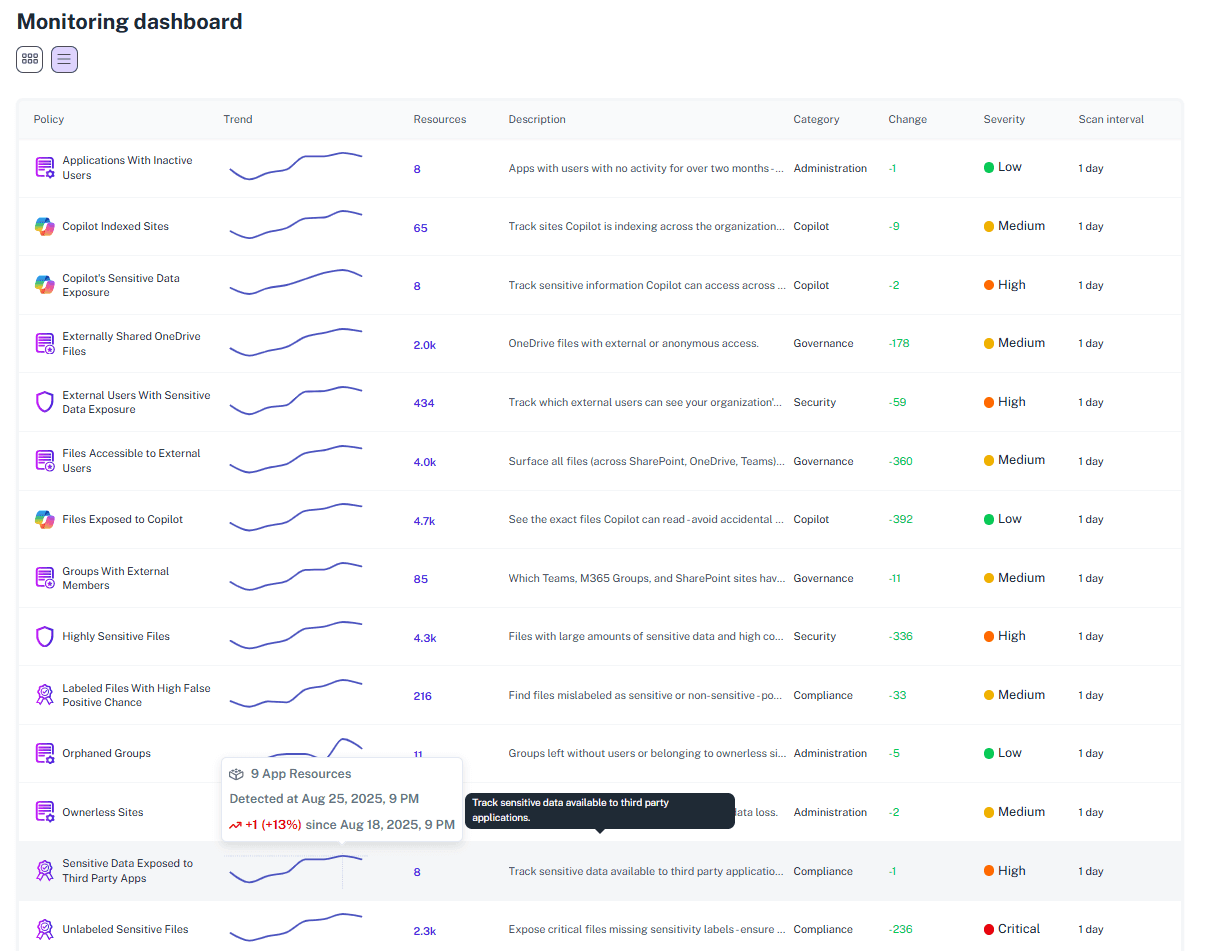
External Links Sharing
In Office 365, "anyone links" spread fast, and guest access never really leaves. 1Security helps organizations manage external sharing settings across Microsoft 365 by detecting risky shared links, restricting external users, and locking down exposure to keep collaboration secure.
Explore - Popular
 Visibility, Monitoring & Audit
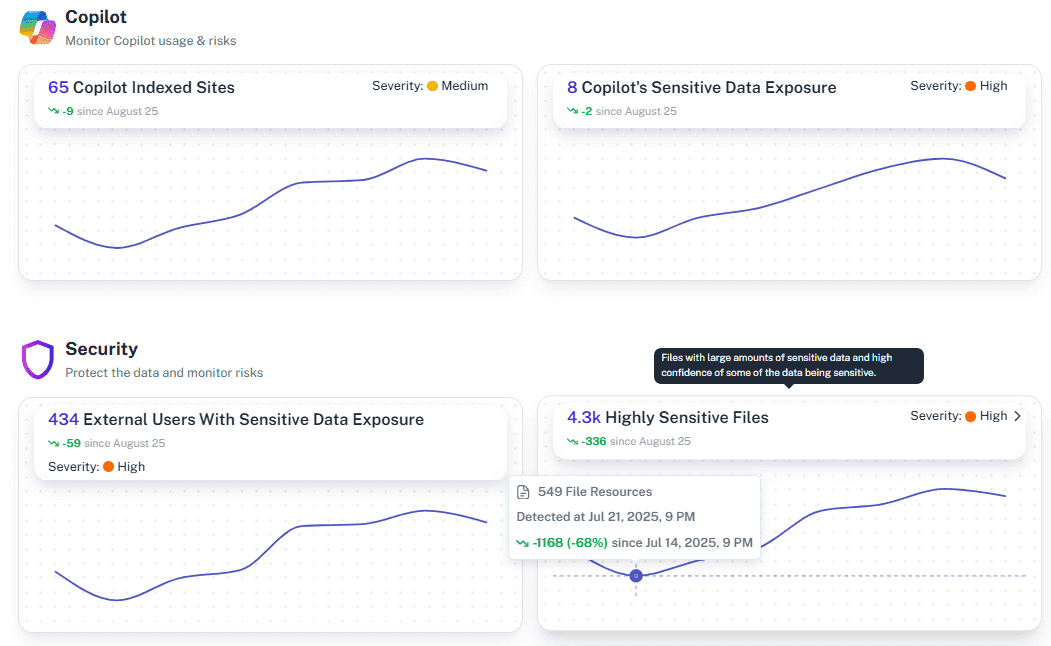
Microsoft 365 Audit and Investigation
Auditing Microsoft 365 can feel like watching a wall of security cameras with no labels and no timeline. The footage is there, but you don’t know which screen matters, who’s in the frame, or when the real incident started. You’re forced to scrub through recordings and guess. 1Security tags every action, stitches events together, and gives you a single, searchable narrative instead of hours of silent footage.
Explore - Popular
 Governance, Compliance & Privacy
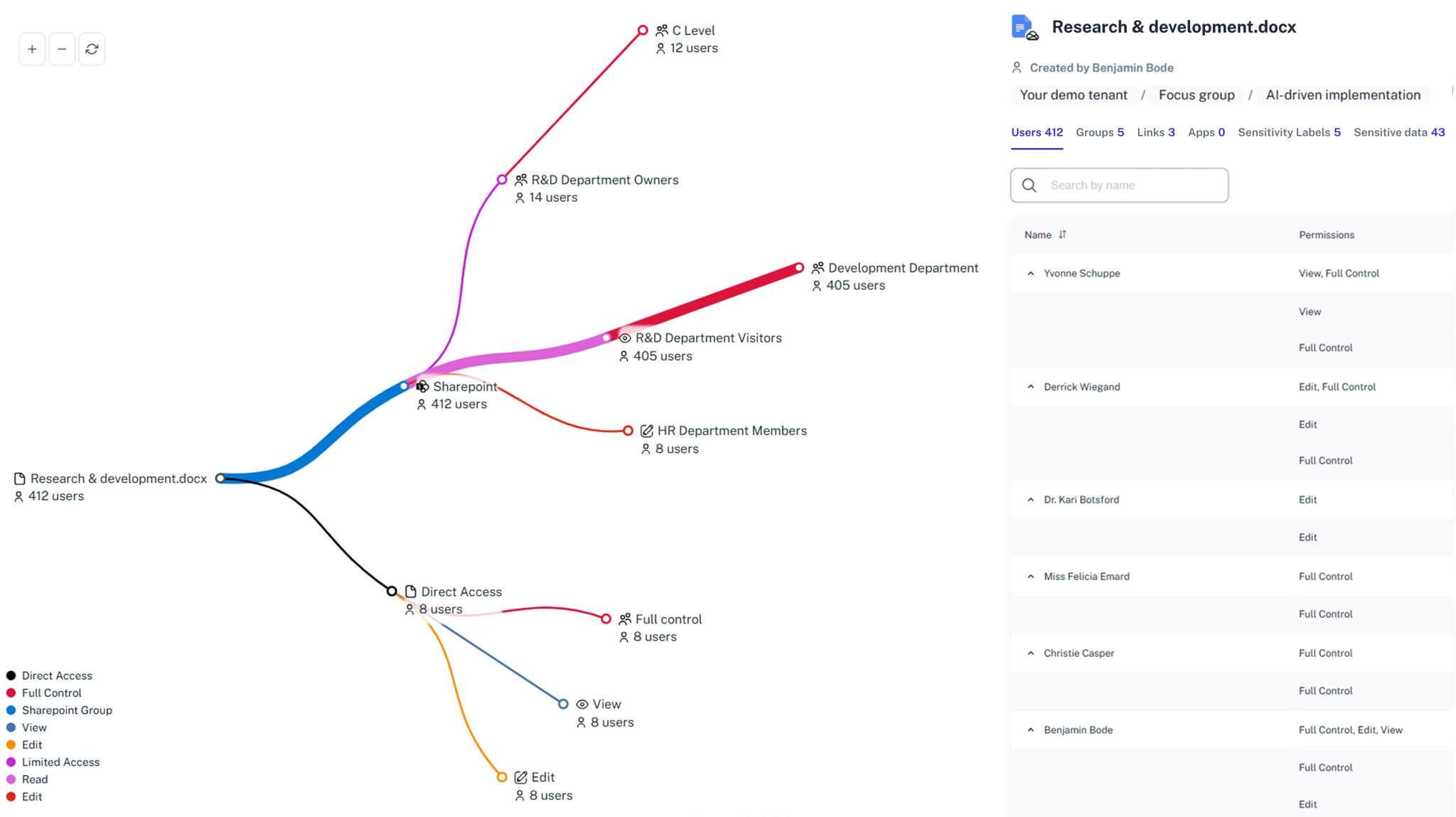
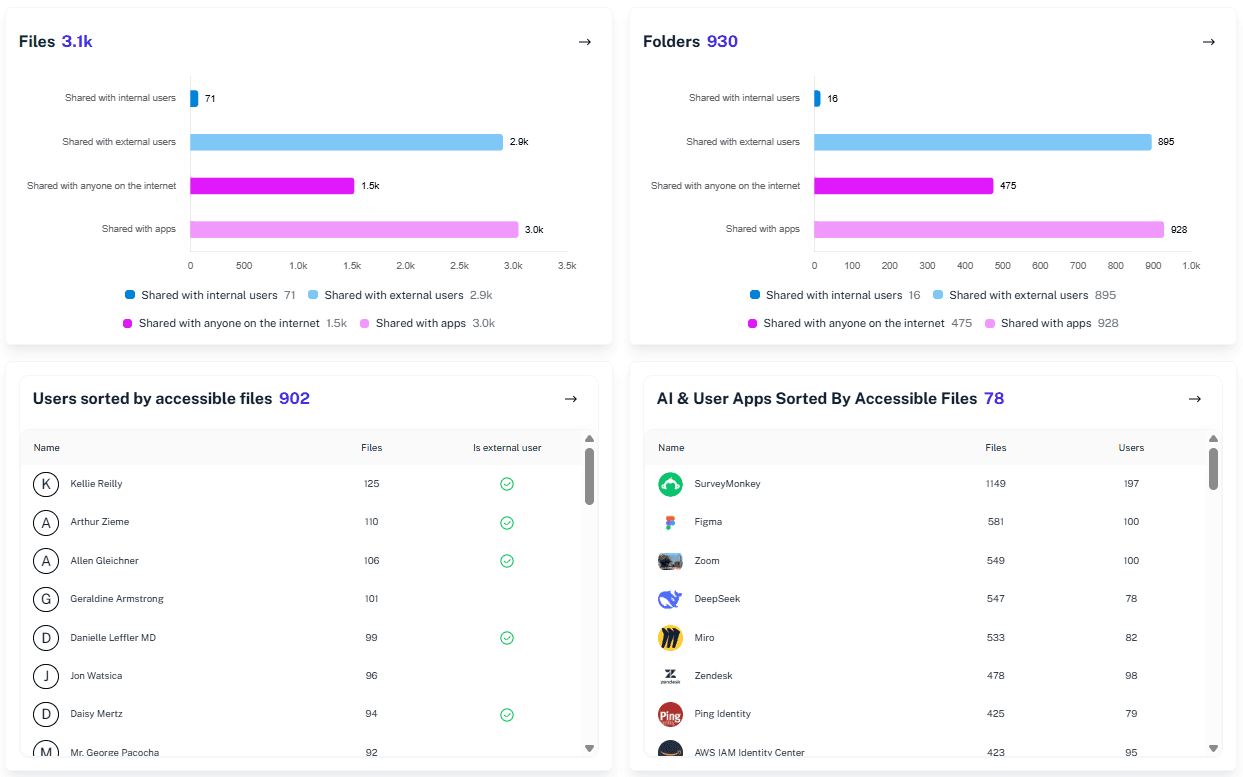
Microsoft 365 reporting guest access
Your Microsoft 365 has ghosts: ex-vendors, forgotten freelancers, mystery emails and employees that left over 3 years ago that still have SharePoint access. 1Security spots every guest user immediately, turning spooky oversharing into clean, verified access reports your auditors can trust.
Explore - Popular
 Security & Threat Protection
Microsoft 365 Security Audit
You didn’t choose this career to spend late nights hunting through logs and stitching together CSVs. You’ve got better things to focus on. We don’t. 1Security turns every audit into a non-event with automatic visibility, historical insights, and instant comprehensive evidence.
Explore - PopularVisibility, Monitoring & Audit
MS 365 inventory visibility
Microsoft 365 is full of valuable data—but over time, files, permissions, and guests pile up faster than anyone can track. Data only creates value when it’s organized, visible, auditable, and secure. You wouldn’t keep thirty years of receipts on your desk; 1Security brings clarity to your digital workspace, making your data work for you while keeping your organization safe.
Explore - PopularVisibility, Monitoring & Audit
Office 365 OneDrive Monitoring with 1Security
"Anyone” links, forgotten guests, orphaned OneDrives, and audit logs no one wants to read — OneDrive makes it too easy to lose control. 1Security cuts through the chaos, showing who has access, what’s exposed, and where policy drift puts you at risk.
Explore - PopularVisibility, Monitoring & Audit
Office 365 Real Time Monitoring
When something goes wrong, you expect to react instantly — to protect your business before a small slip becomes a real incident. But in Microsoft 365, every answer is buried under layers of logs, admin centers, and scattered dashboards. By the time you’ve stitched together what happened, the damage is already done. 1Security gives you immediate clarity, real-time alerts, and a single place to understand every critical change — so you can act now, not after digging.
Explore - PopularGovernance, Compliance & Privacy
Sensitive Data Exposure Map
You think only five people have access to that sensitive folder. Turns out it’s fifty-seven, including one ex-intern and a mystery Gmail account. 1Security’s Data Exposure Map replaces assumption with proof, giving you the full picture of who can see what in Microsoft 365 and helping your organization protect critical data before it’s exposed.
Explore 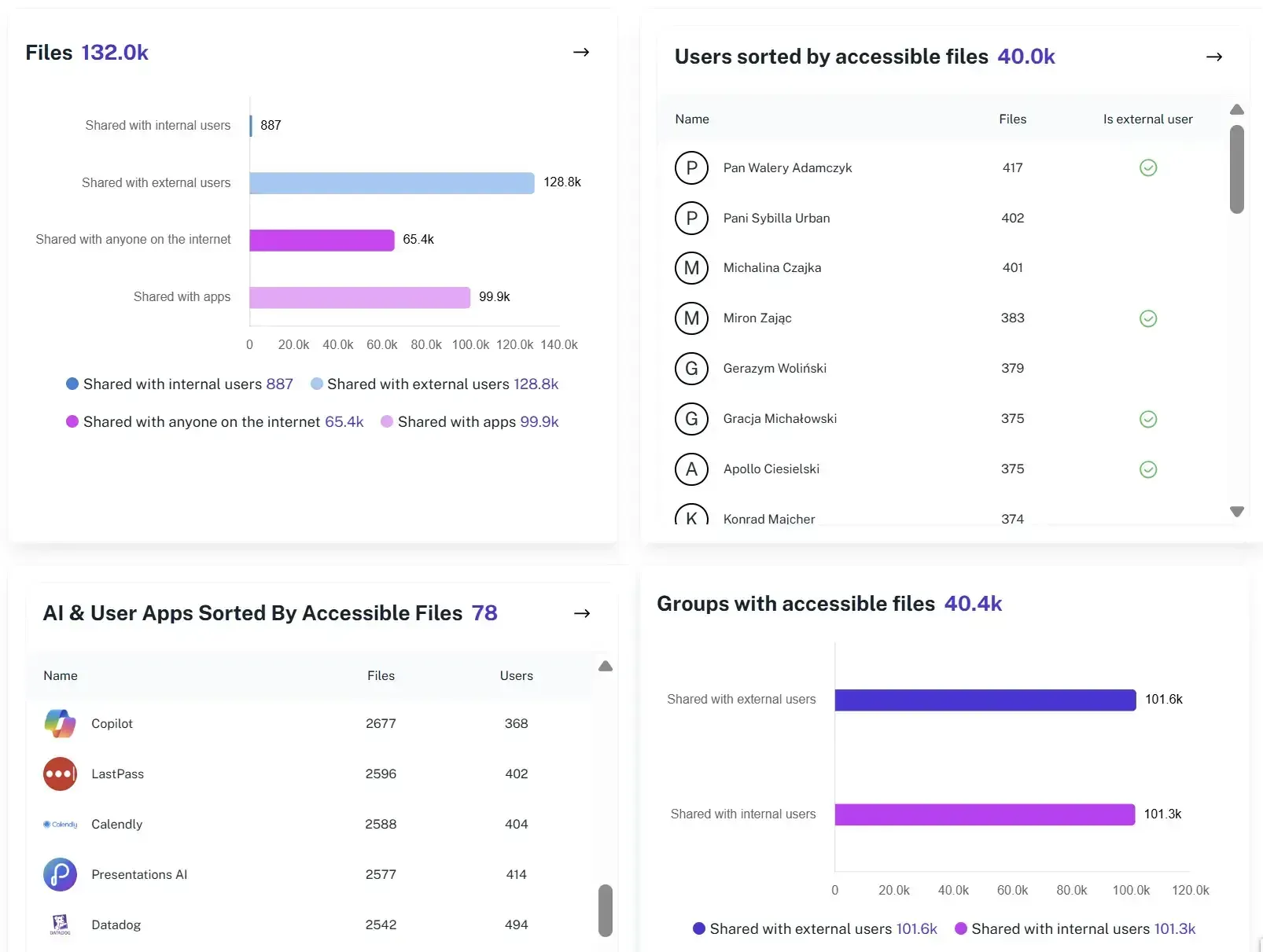 Governance, Compliance & Privacy
Secure SharePoint External Sharing with 1Security
No more surprise “Anyone links,” forgotten guests, or settings buried in admin center rabbit holes. 1Security shows who has access, how they got it, and where sensitive files are exposed—so you can share confidently and pass audits without drama.
Explore- Optimization & Cost Management
SharePoint Online Storage Optimization
Storage is cheap–until it isn’t. Forgotten SharePoint sites, outdated content, and inactive folders quietly eat storage capacity and push you toward storage limits. 1Security shows where content lives, who can access it, and where exposure exists–so you can cut risk and avoid unnecessary storage spend.
Explore 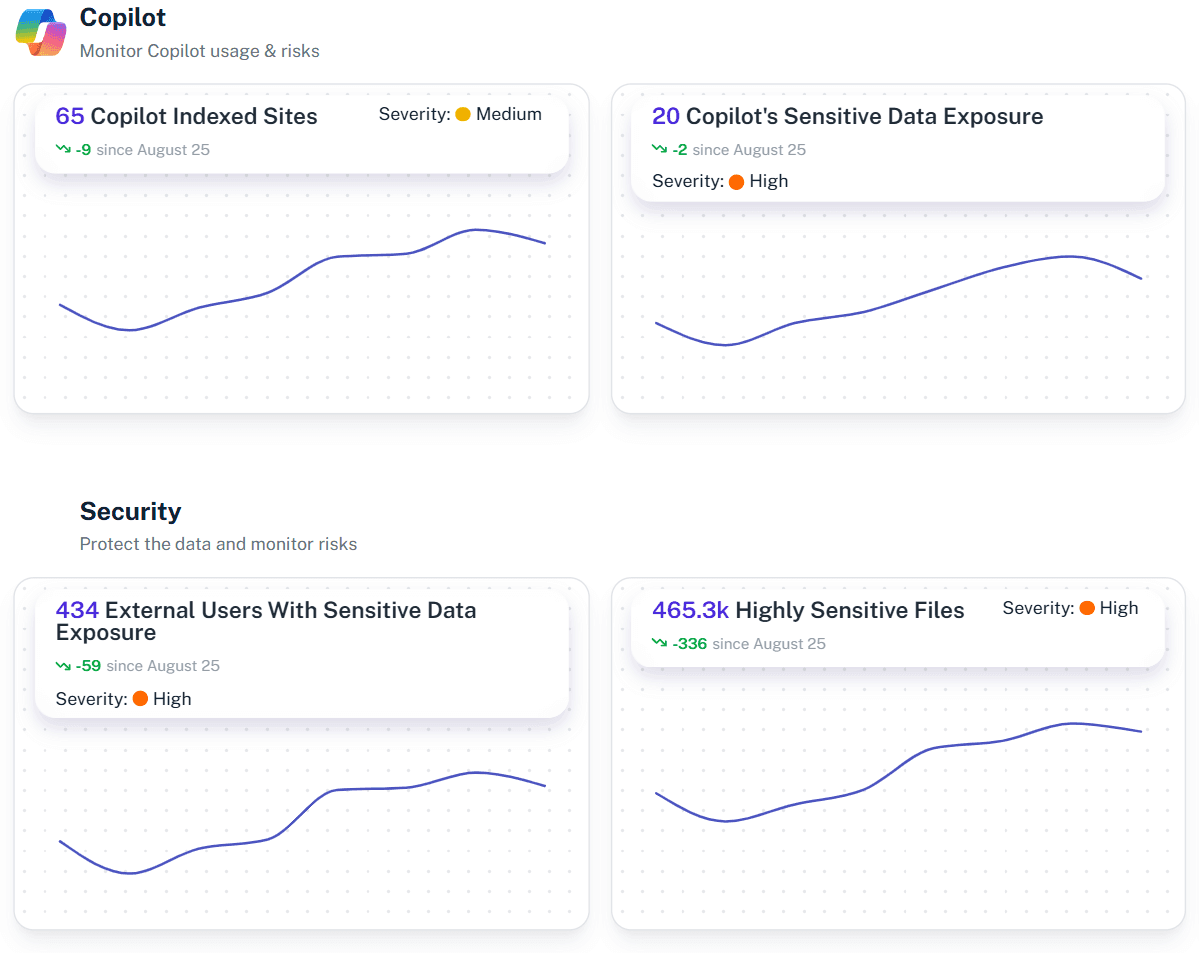 Visibility, Monitoring & Audit
Office 365 Activity Report
Office 365 is your operating system. So why does it feel like a black box? You generate millions of user activity events—logins, downloads, shares—but have little visibility into what they actually mean. Native reports give you lists, not answers. 1Security connects those scattered signals into a single, context-rich view, showing how data moves, who touches it, and where risks are hiding.
Explore- Visibility, Monitoring & Audit
Office 365 user monitoring
A week before resigning, an employee downloads 2,000 sensitive files to a personal drive. In native logs, it looks like normal work. In 1Security, it’s a red flag. Fragmented signals often stay hidden until panic sets in. 1Security turns scattered activity into a clear narrative, helping teams spot risky exit behavior and prove control. No more guesswork—just answers.
Explore - Governance, Compliance & Privacy
Microsoft Copilot Privacy Policy
Deploying Copilot without a privacy check is like giving a super-enthusiastic intern a master key to every file cabinet in the office. They will find everything, including the salary spreadsheet and the CEO’s drafts. And they will happily summarize it for anyone who asks. 1Security ensures your AI assistant only reads what it is supposed to.
Explore - Security & Threat Protection
Microsoft Defender False Positives: Permission Forensics for Security Alerts
Validating Microsoft Defender alerts is like checking a car alarm that goes off every time the wind blows. Over time, you stop looking—and that’s when the real break-in happens. Defender is great at detecting suspicious logins, unusual access, or malware—but it only tells you the alarm fired. 1Security adds the missing context, showing which alerts matter and how to act before real damage happens.
Explore - Security & Threat Protection
Microsoft 365 Safe Links
Anonymous links age like evidence in the rain. Quick collaboration becomes permanent exposure that auditors find and attackers scan. 1Security makes Microsoft 365 link governance forensically accountable. We surface every link and connect it to sensitivity context. You get investigations in minutes, ensuring sharing stays productive without compliance disasters.
Explore - Security & Threat Protection
Microsoft 365 Security Log
Investigating Microsoft 365 activity with native logs is like building IKEA furniture with mixed-up manuals and screws that vanish after 90 days. You end up with a pile of events that tells you nothing about the data theft. 1Security clears the floor. We filter the noise and deliver Permission Forensics that answer hard questions in minutes.
Explore - Security & Threat Protection
Office 365 High Severity Alert
"If “high severity” means “figure it out yourself,” something’s wrong. When a "Mass file download" alert hits, your team bounces between admin portals, guessing if it is a breach or a contractor in a cafe. 1Security adds the forensic context missing from native tools. Stop guessing and respond in minutes, not days.
Explore - Governance, Compliance & Privacy
Microsoft 365 and GDPR
GDPR compliance in Microsoft 365 with native tools feels like running a museum where doors move, visitors wander freely, and no one remembers where the sensitive exhibits are. 1Security restores order by revealing access, risky sharing, and clear evidence trails so audits stop feeling like guided guesswork.
Explore 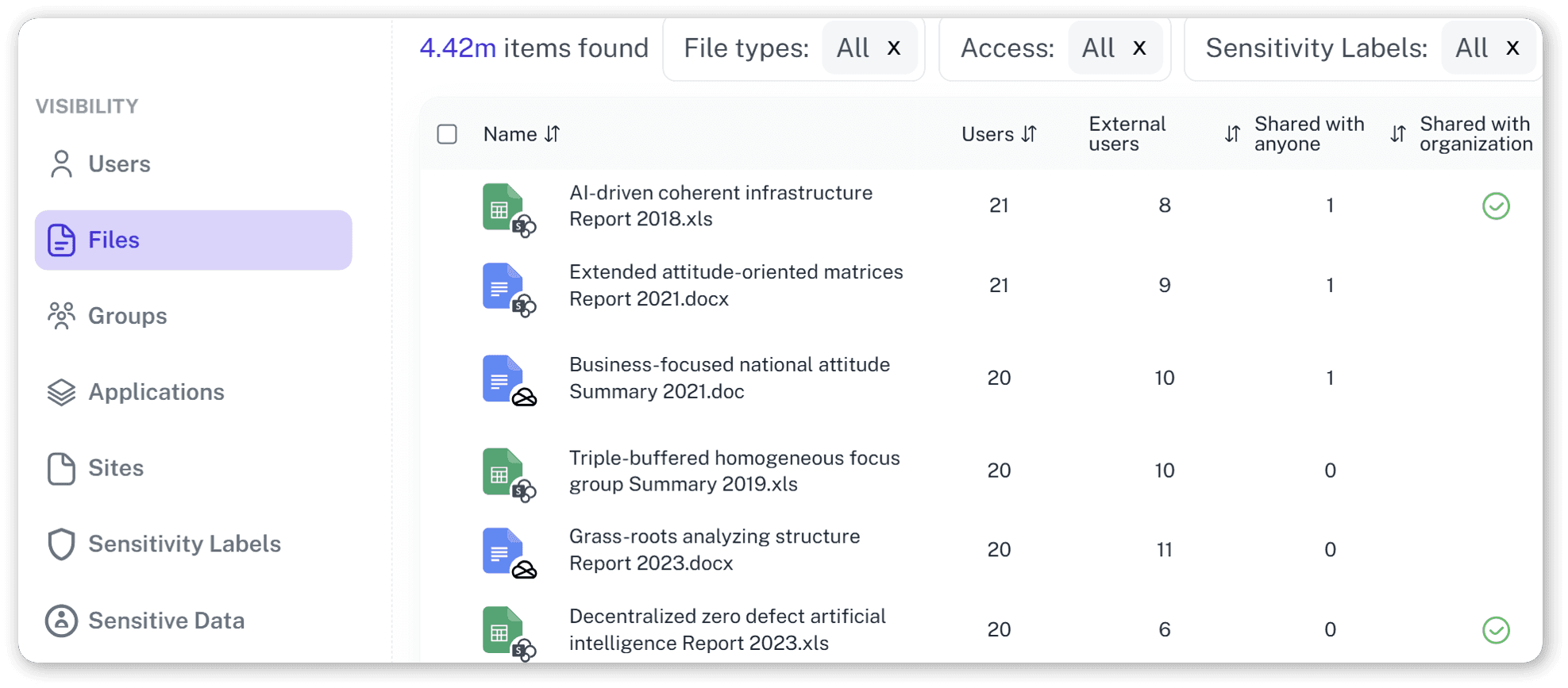 Security & Threat Protection
Office 365 Incident Report
Microsoft 365 incidents rarely kick down the door. They sneak up as a question you wish you didn’t have to ask. Who accessed this file? When did it change? Was it shared outside? Teams dig through logs and admin portals while the clock keeps ticking. 1Security brings structure to Office 365 incident reporting, turning scattered signals into a clear, defensible incident report.
Explore- Governance, Compliance & Privacy
Office 365 Permissions Report Software
Trying to audit permissions in Microsoft 365 is like being dropped in a giant hedge maze... blindfolded. You know there's an exit, but every turn is a guess. You're stuck hopping between portals, running complex scripts, and still not seeing who has access to what. 1Security gives you the map, delivering one simple view of every path and user.
Explore 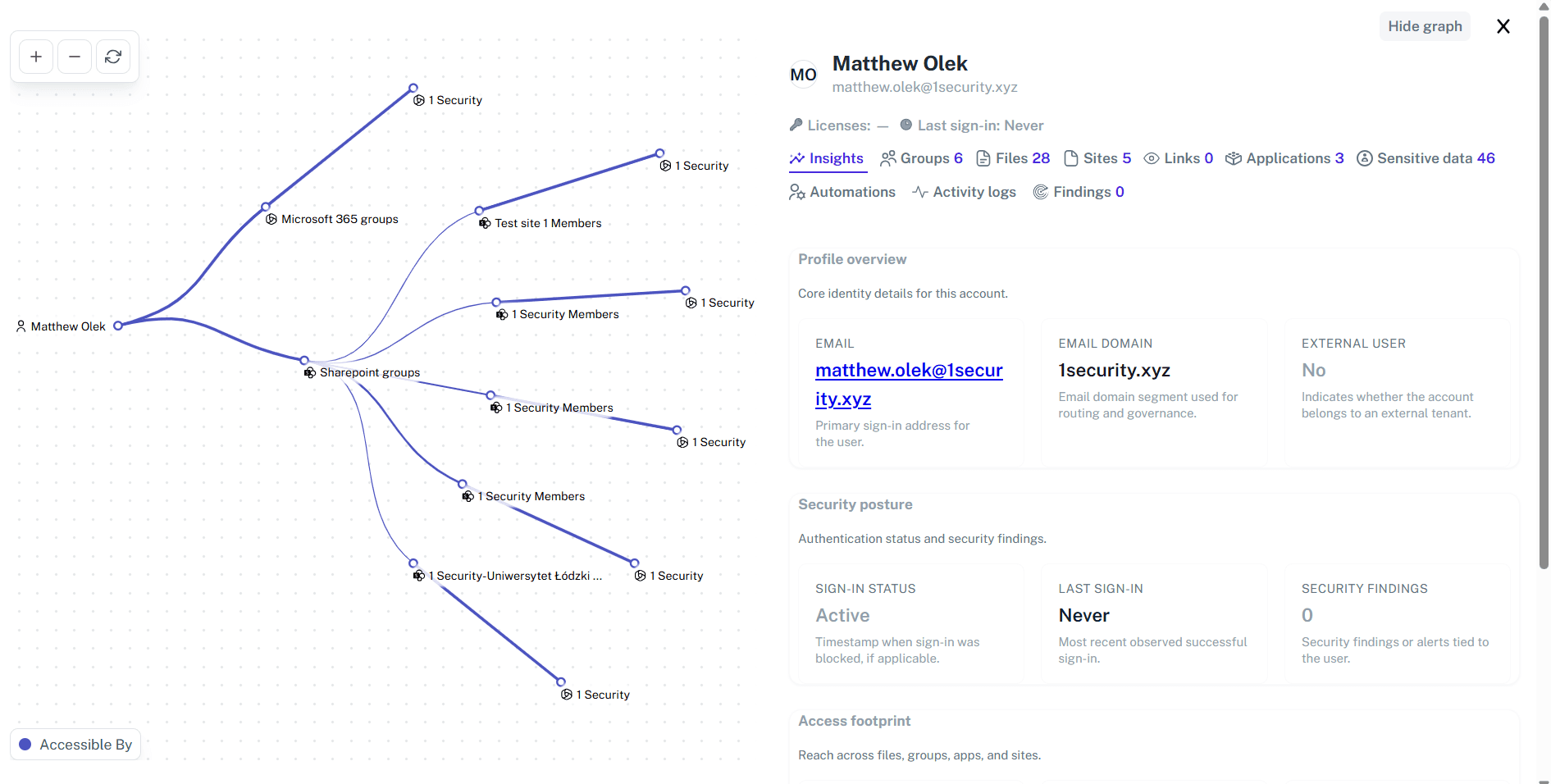 Governance, Compliance & Privacy
Microsoft 365 Lifecycle Management
If your tenant resembles a digital episode of Hoarders — except the clutter is 50,000 abandoned SharePoint sites — you’re already in trouble. Sorting trash from treasure manually doesn’t scale, leaving sensitive data exposed and compliance risk growing. 1Security restores Microsoft 365 lifecycle control by clearly showing what to keep, archive, or delete.
Explore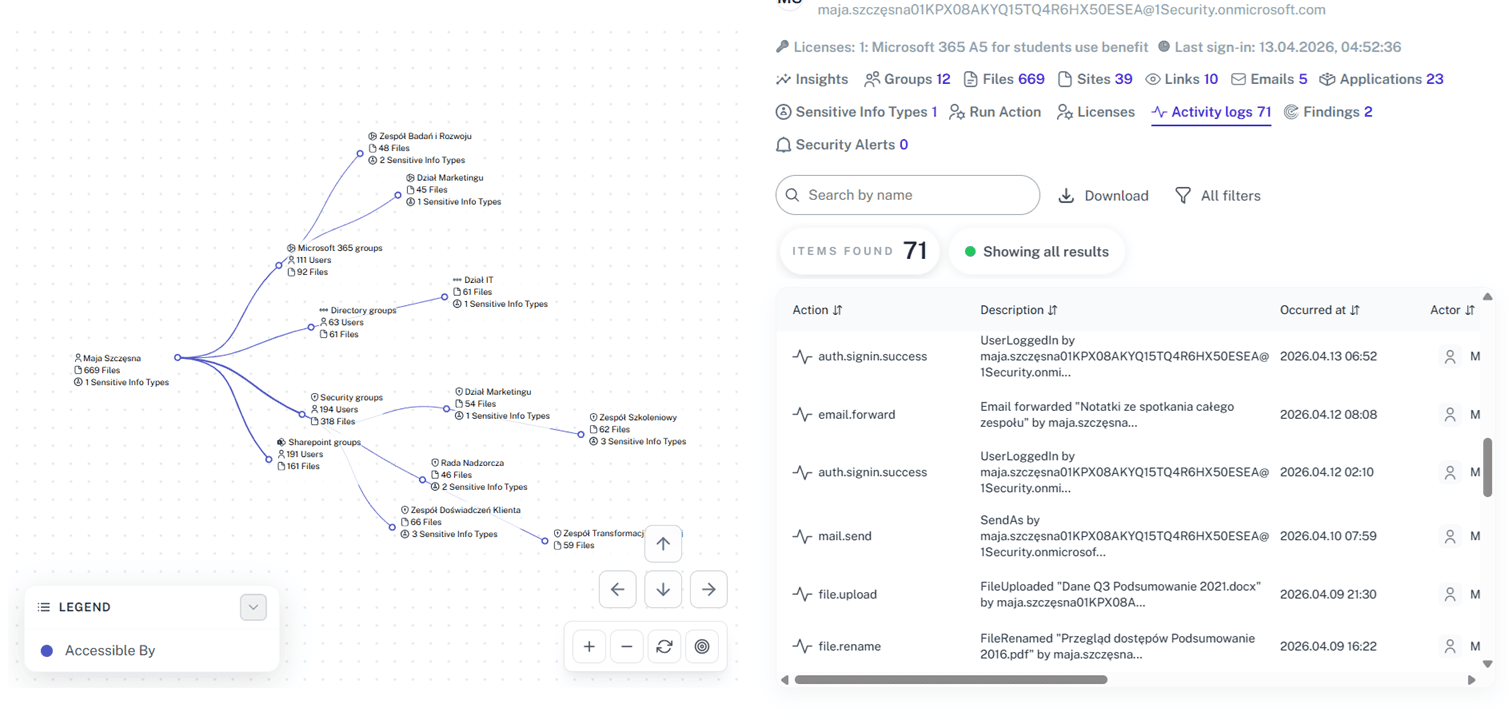 Security & Threat Protection
Office 365 login report
Investigating native sign-in logs is like being handed a 10,000-piece jigsaw puzzle where every piece is blank. By the time you figure out if an alert is a real breach or just Bob logging in from a coffee shop, the damage is done. 1Security decodes this chaos, giving your team the exact context they need to spot real threats and ignore the noise.
Explore- Security & Threat Protection
Office 365 Failed Login Attempts Report
Identity is the new battleground: attackers no longer break into systems, they log into them. Over 70% of breaches involve compromised or excessive permissions, leaving behind a trail of failed login attempts. Ignoring these spikes is like ignoring someone testing your office doorknob every night. It’s an active threat, and stopping it requires turning those scattered breadcrumbs into a clear, actionable forensic trail.
Explore - Governance, Compliance & Privacy
Microsoft Teams user onboarding
Manual onboarding is like handing a toddler a smartphone—risky and unpredictable. You create a user account in Microsoft Entra ID, assign a license , and pray permissions don't leak company data. 1Security turns this chaotic workflow into a secure engine. We help you verify employee onboarding , ensuring every new user gets the right access—and nothing more—without the security nightmares.
Explore 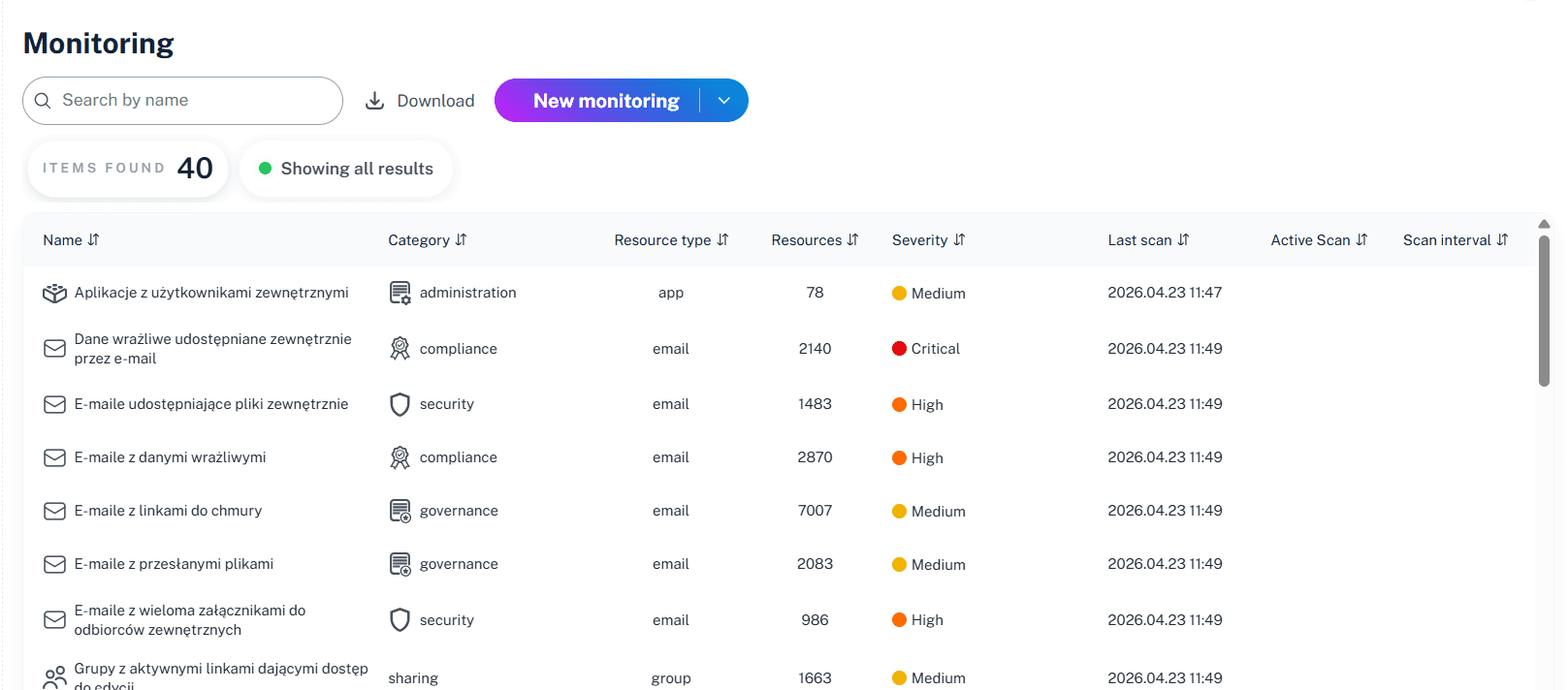 Visibility, Monitoring & Audit
Office 365 Check Who Has Access to Mailbox
Your Office 365 is haunted by ghosts: ex-assistants and vendors with "temporary" access from 2019. Hunting them means clicking through Exchange, Entra ID, and Admin Center, chasing data that isn't connected. NIS2 demands you exorcise these risks or face fines. 1Security shines a light on every hidden delegate instantly, turning access gaps into audit-ready proof without the click-marathon.
Explore
Do you have a custom use case?
Tell us what you need and we will tailor the rollout.
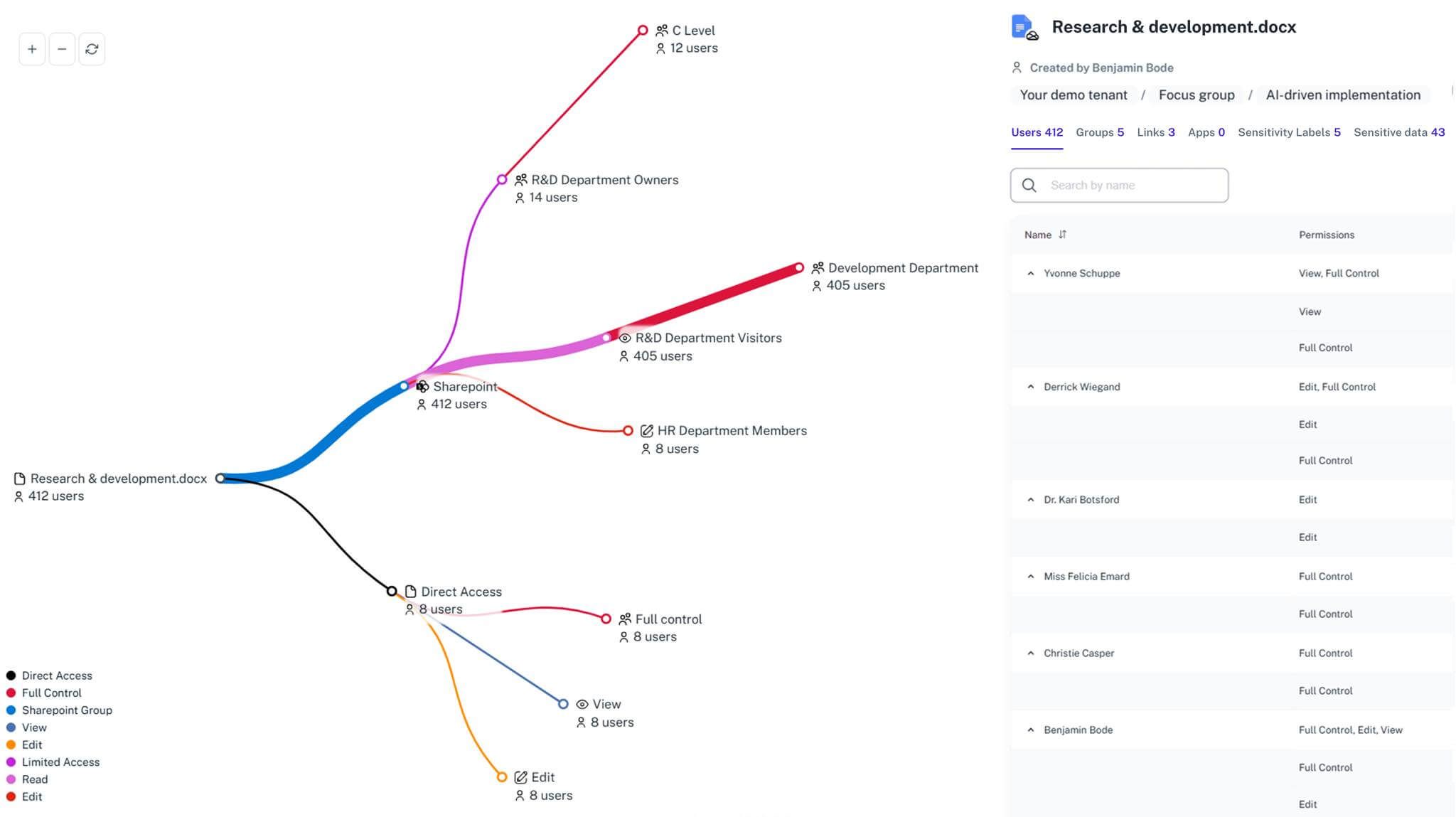
Gain visibility. Ensure compliance. Boost productivity.
Stop guessing who has access to your sensitive data. With 1Security, you gain the visibility, automation, and confidence needed to protect your Microsoft 365 environment.