Copilot readiness assessment
Turning on Microsoft Copilot without checking permissions is like handing a megaphone to the office gossip. Suddenly, company secrets are broadcasted loudly to everyone. 1Security gives you clear visibility into permissions and sensitive data exposure before you roll out Copilot, so AI only works with data users are meant to see.
What is the challenge?
Doing It with 1Security
Copilot can act like a toddler pulling open every drawer just to see what's inside. 1Security shows you exactly what it can reach during a readiness check, so your Microsoft AI rollout stays safe, tidy, and fully under control.
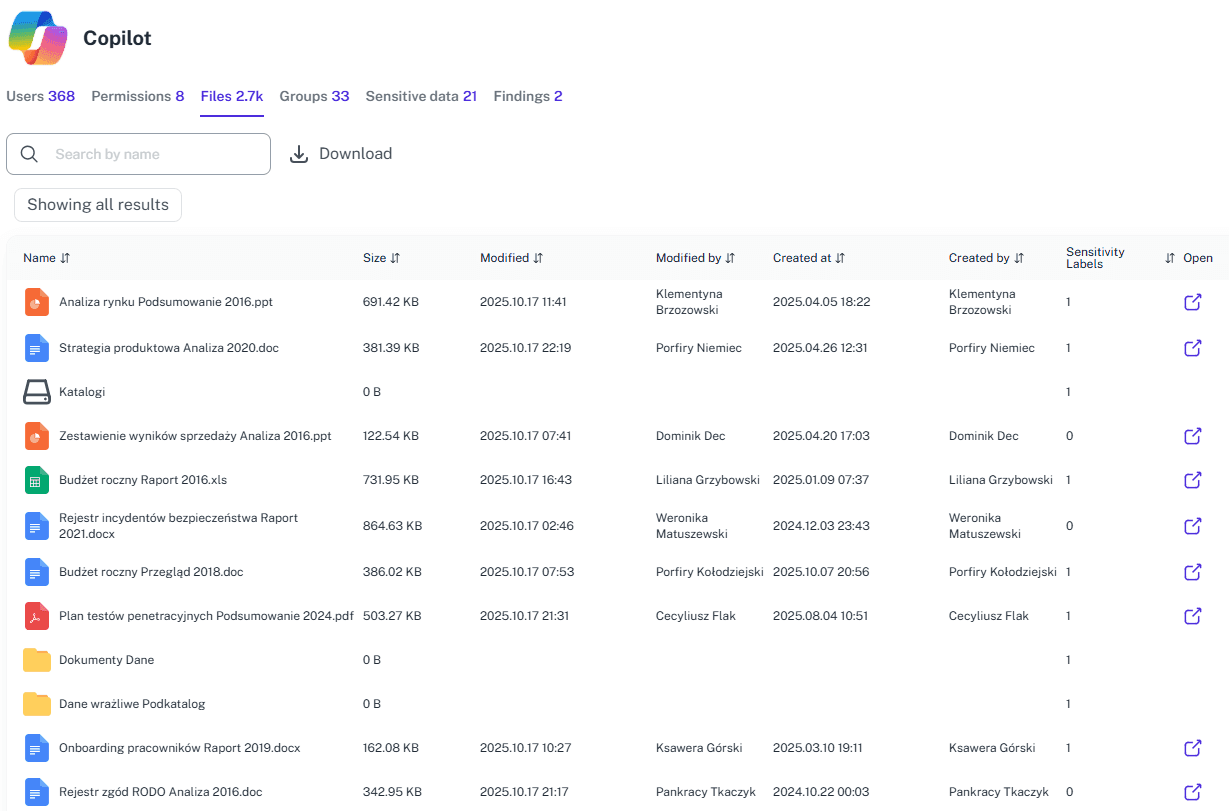
Map data risks
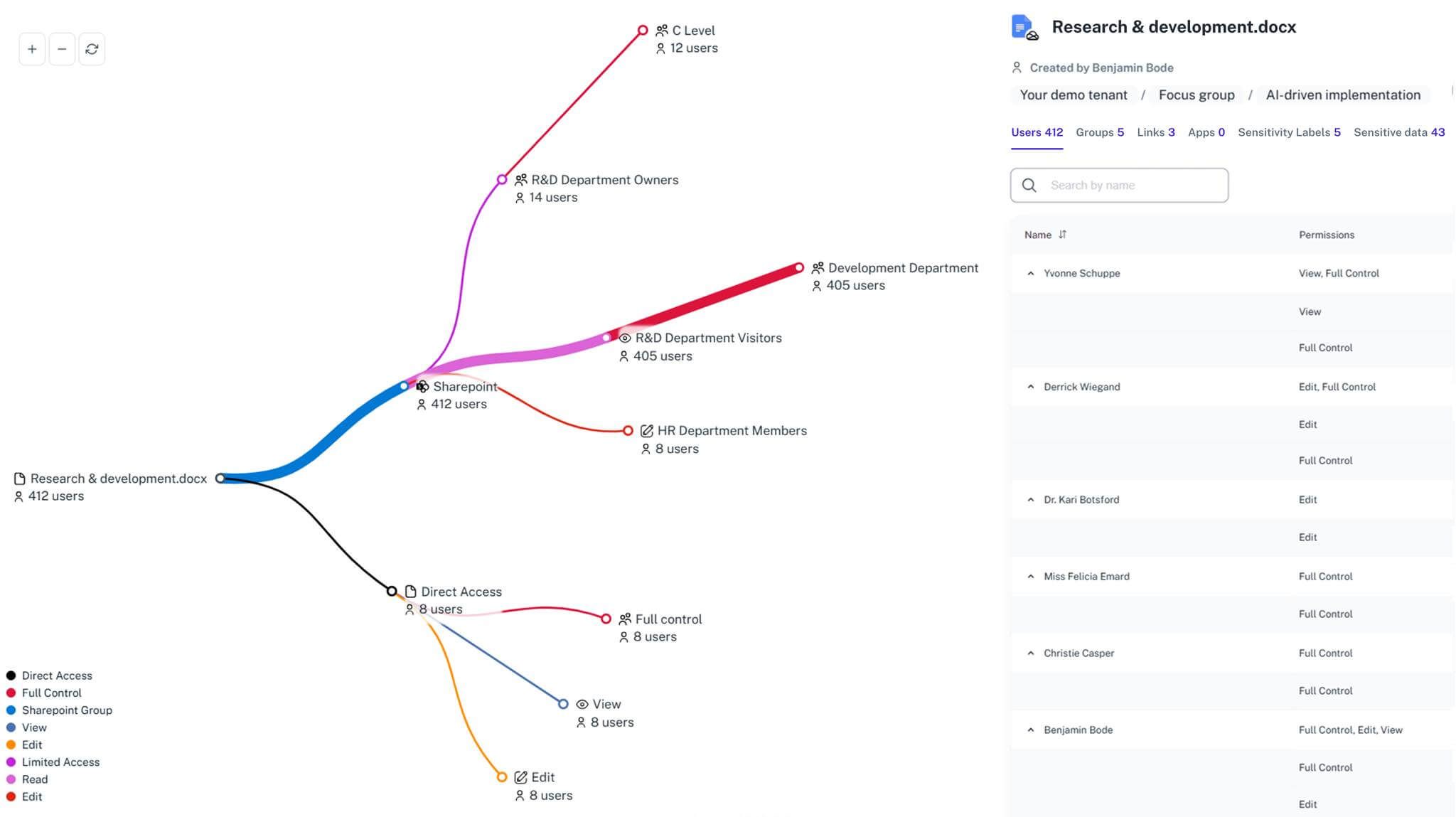
See exactly which files Copilot can access and who has permission to read them right now.
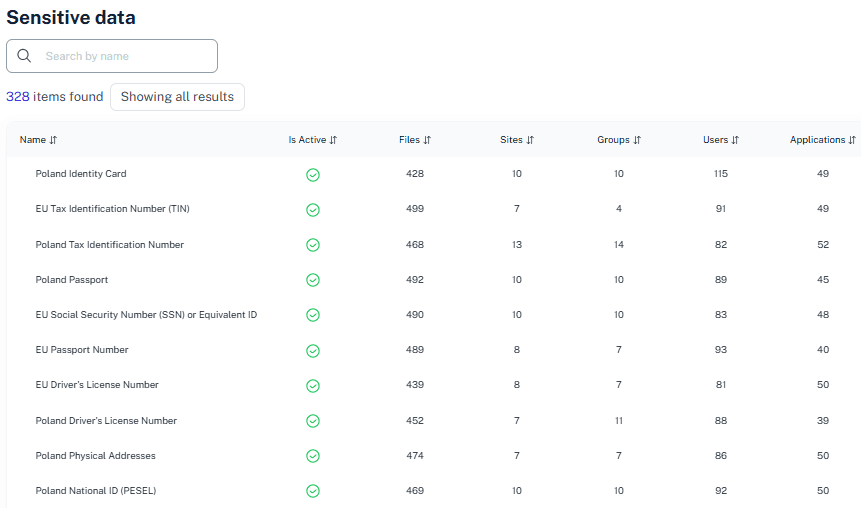
Fix "Everyone" links
Find and remove company-wide sharing links that unintentionally expose sensitive data to Copilot queries.
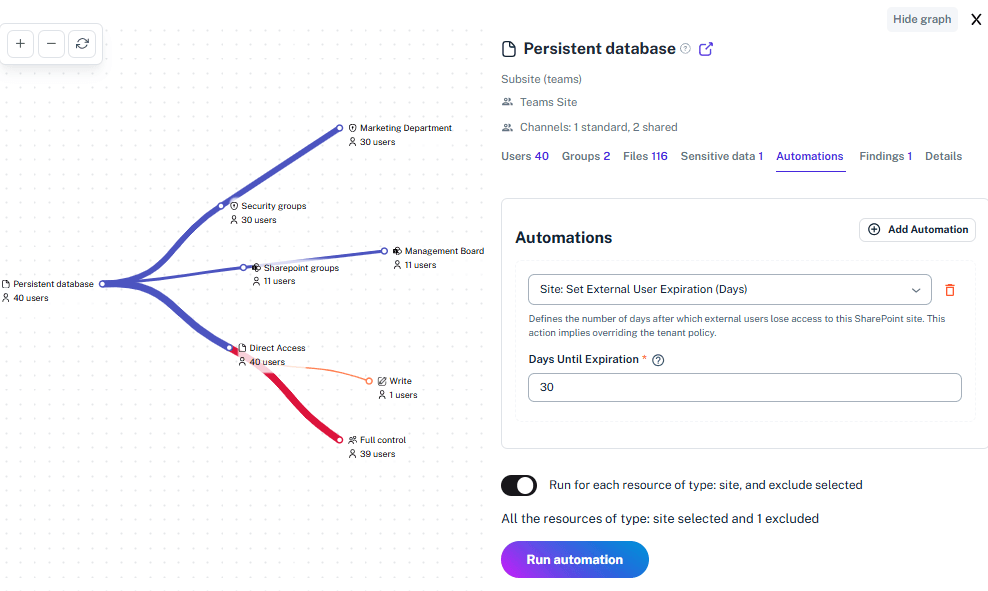
Spot sensitive hits
Identify data containing credit cards, salaries, or personal info that Copilot shouldn't be able to touch.
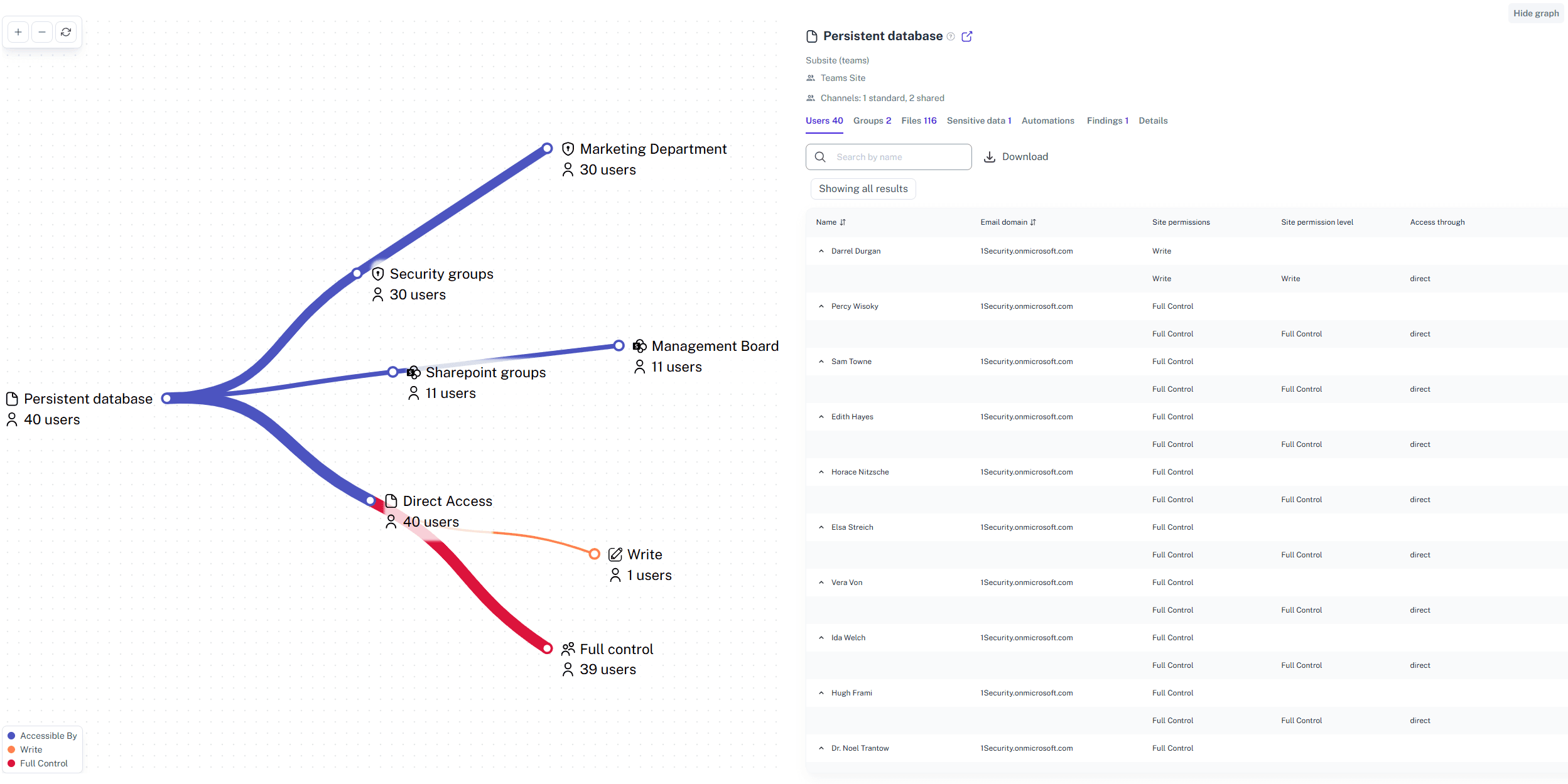
Clean up guest access
Ensure external partners and vendors cannot use AI tools to dig into your internal project folders.
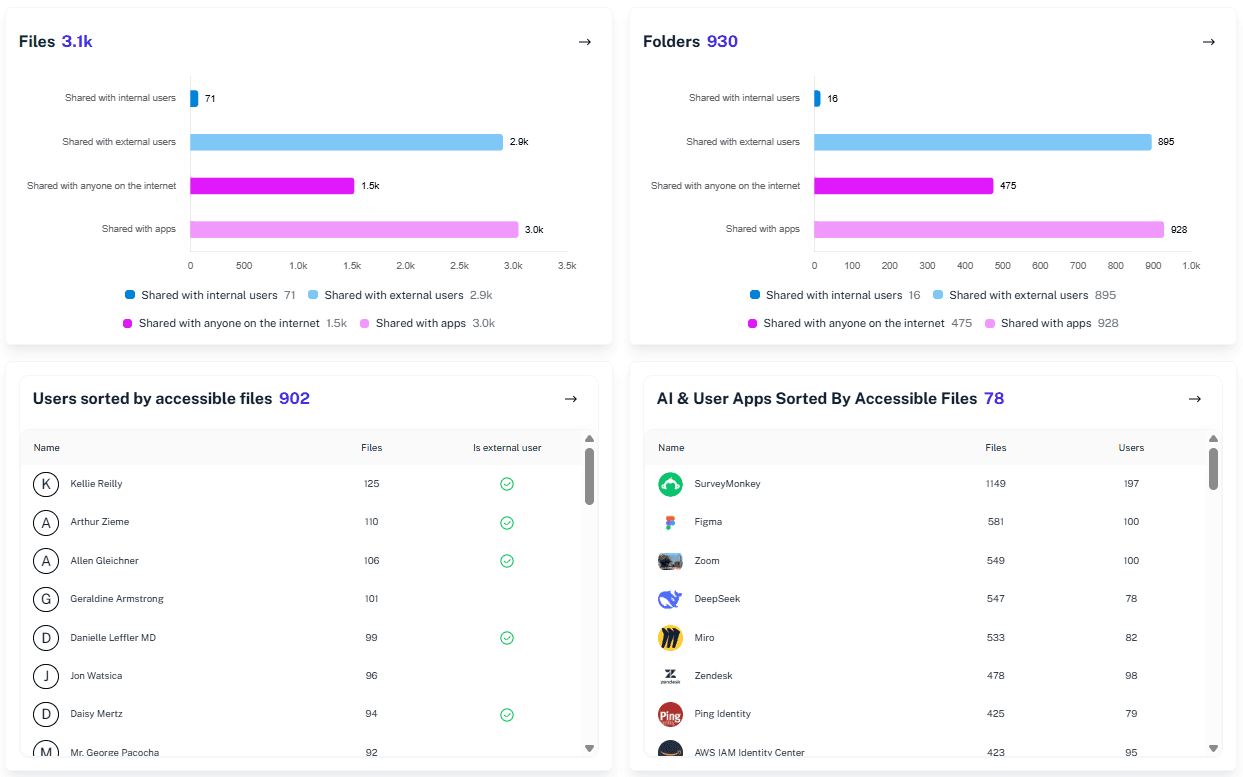
Review permissions fast
Check users access rights instantly without running complex code or manual searches.
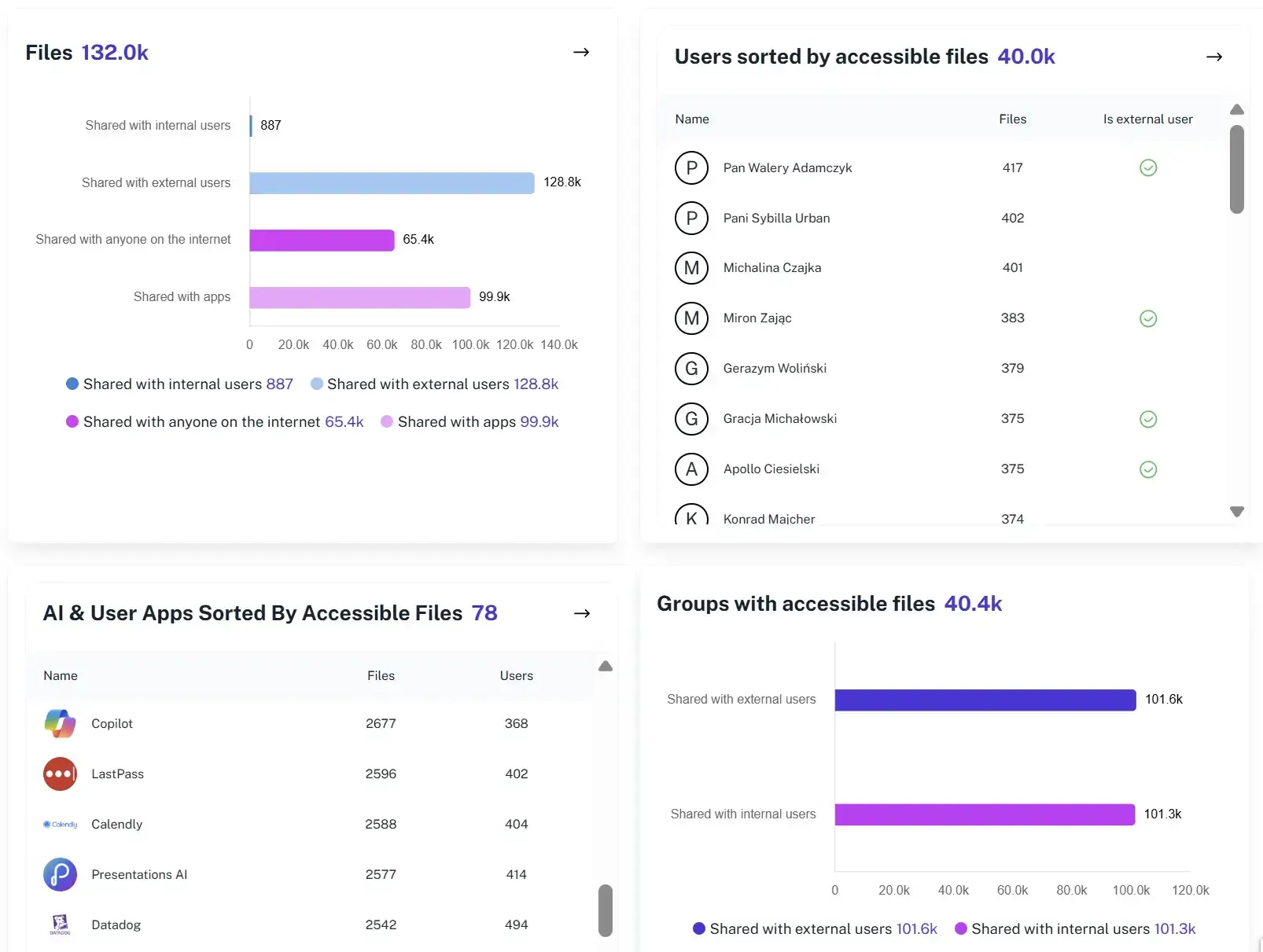
Assess Copilot exposure
Identify what data is accessible before you assign Copilot licenses to your employees.
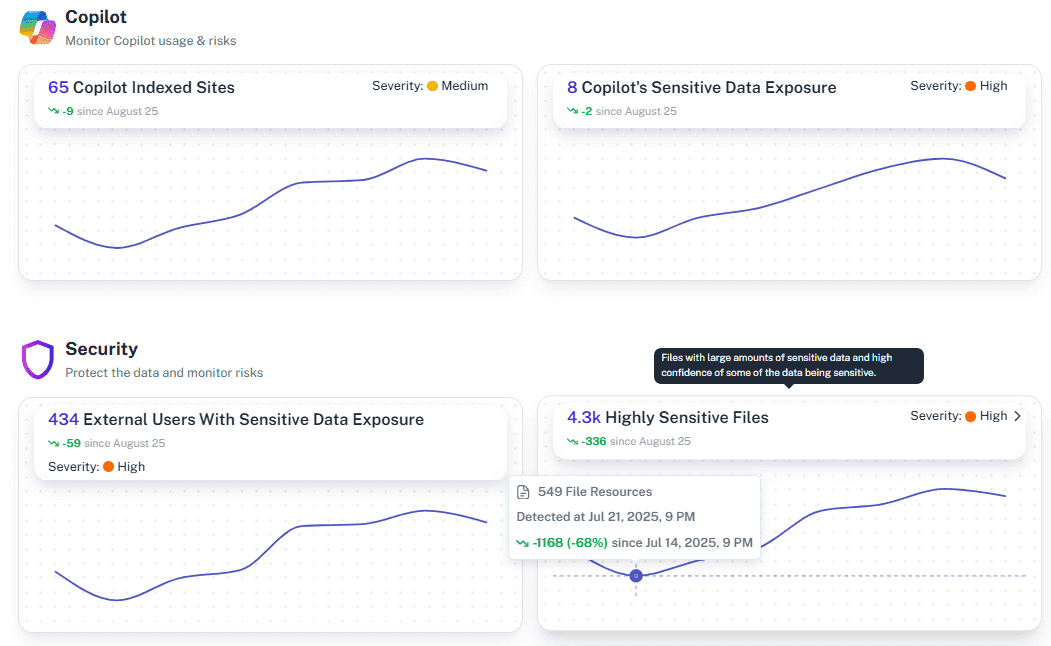
Automate safety checks
Set up alerts to know the moment a sensitive file becomes exposed to too many users.
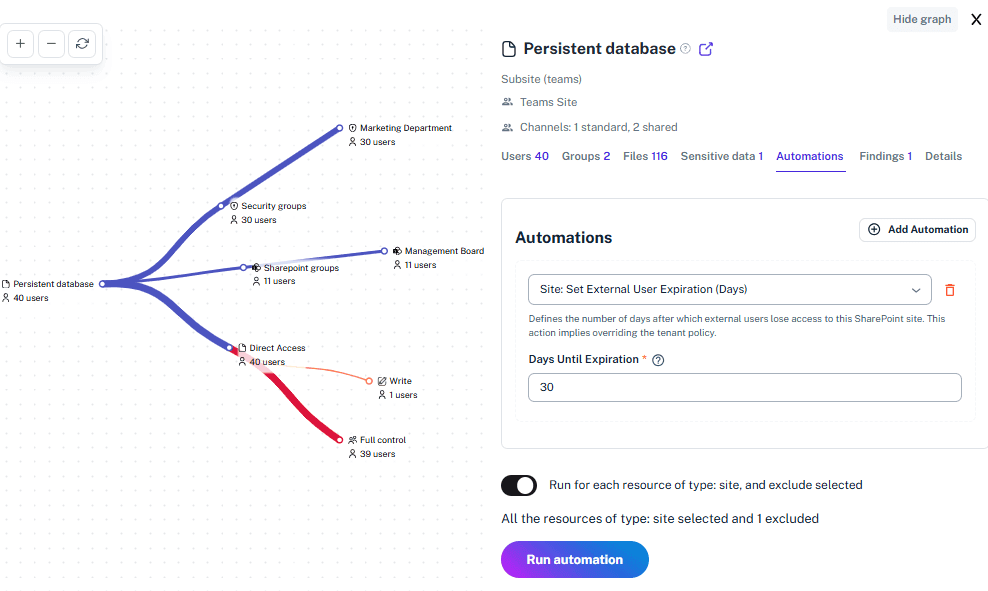
Solving It with Other Methods
Teams often rely on manual reviews or the default Microsoft 365 tools, but it feels like matching look-alike socks in a hurry: you think you’ve got it right, yet a few mismatched risks always slip through.
Why OneDrive Monitoring Matters?
1Security keeps your data clear, controlled, and protected before Copilot ever touches it. Because left on its own, Copilot explores your tenant like open terrain — and your confidential files become its souvenirs.
"We discovered Copilot could access files buried deep in legacy SharePoint sites. Things no one had touched in years. 1Security showed our security teams exactly where the exposure of sensitive data was before anything went live."
Information Security Officer, European Research Institute"Finding which drives to delete or secure in an organization with over 5,000 users was unrealistic before. 1Security made it possible to see the mess and fix it instantly."
IT Director, Logistics Enterprise"We had billions of sharing links and no way to analyze them. 1Security gave us a clear map of our risks, so we could sleep at night knowing our data was safe."
CISO, Financial Services FirmWho Benefits Most?
1Security supports organizations of all sizes — from highly regulated industries to fast-growing mid-size firms.
Works seamlessly with your ecosystem
1Security connects natively with the tools you already use — giving you full visibility and control without adding complexity.





Frequently asked questions
Everything you need to know about the product.
Will Copilot see my private files?
If your permissions allow "Everyone" to see them, yes. Copilot respects existing access controls, so 1Security helps you tighten those rules first to keep private data private.
How do I fix oversharing quickly?
1Security highlights data shared with "Everyone" or "Guests" in a single dashboard. You can revoke those bad links instantly without digging through every folder.
Does 1Security block Copilot?
No. We help you configure Microsoft 365, so Copilot works safely. We ensure it only accesses data that is safe for general consumption.
How long does the readiness assessment take?
The initial scan is very fast. You can see your biggest risks, like exposed sensitive data or open links, in minutes rather than weeks.
Can I check guest access?
Yes. You can see exactly what external guests can access. This prevents vendors or former partners from using AI to search your internal data.
Do you support ISO 27001, SOC 2, HIPAA, and GDPR work?
Yes. 1Security maps findings and evidence to common control frameworks, helping organizations demonstrate compliance more efficiently.
Can non-technical stakeholders use it?
Yes. Plain-language reports and read-only views make it easy for compliance, legal, and business stakeholders to see the evidence behind findings without needing admin rights.
Is this only for large enterprises?
No. While designed for complex environments, 1Security is equally valuable for mid-sized organizations running Microsoft 365 or Office 365 that need strong visibility into access, activity, and compliance.
Gain visibility. Ensure compliance. Boost productivity.
Stop guessing who has access to your sensitive data. With 1Security, you gain the visibility, automation, and confidence needed to protect your Microsoft 365 environment.