Microsoft 365 and GDPR
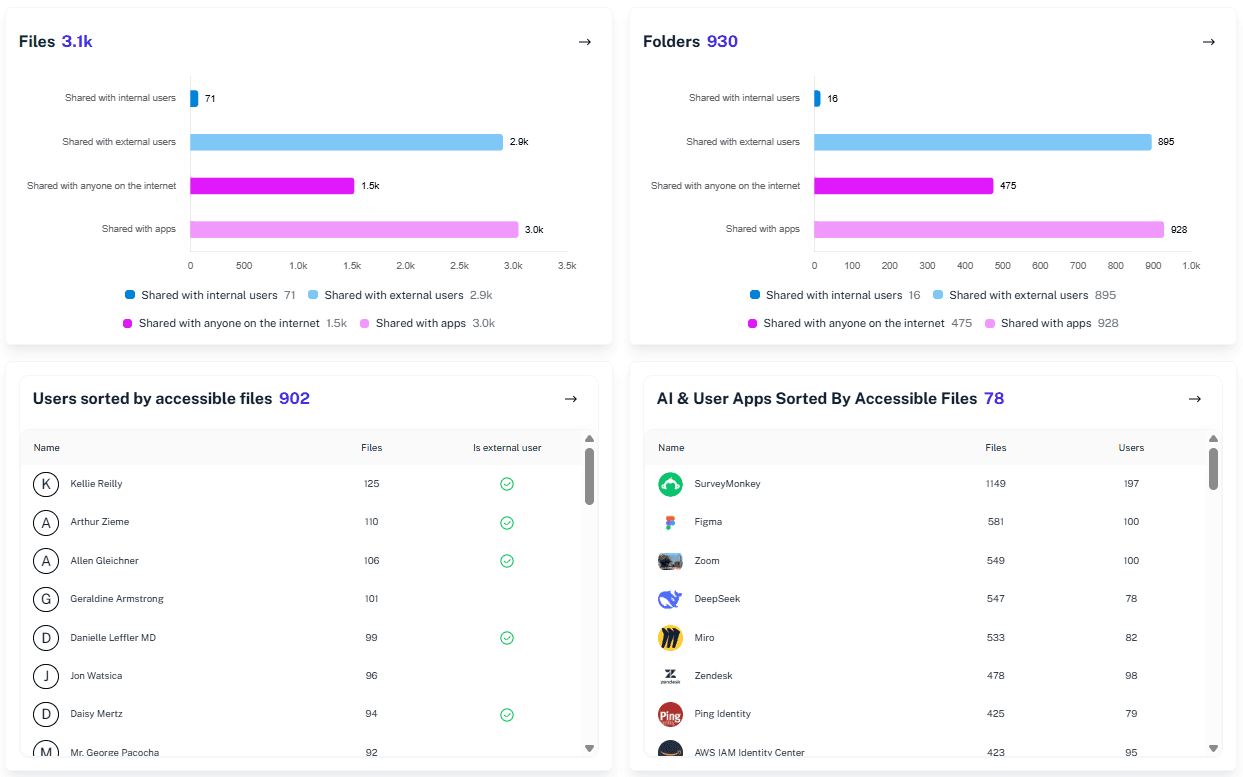
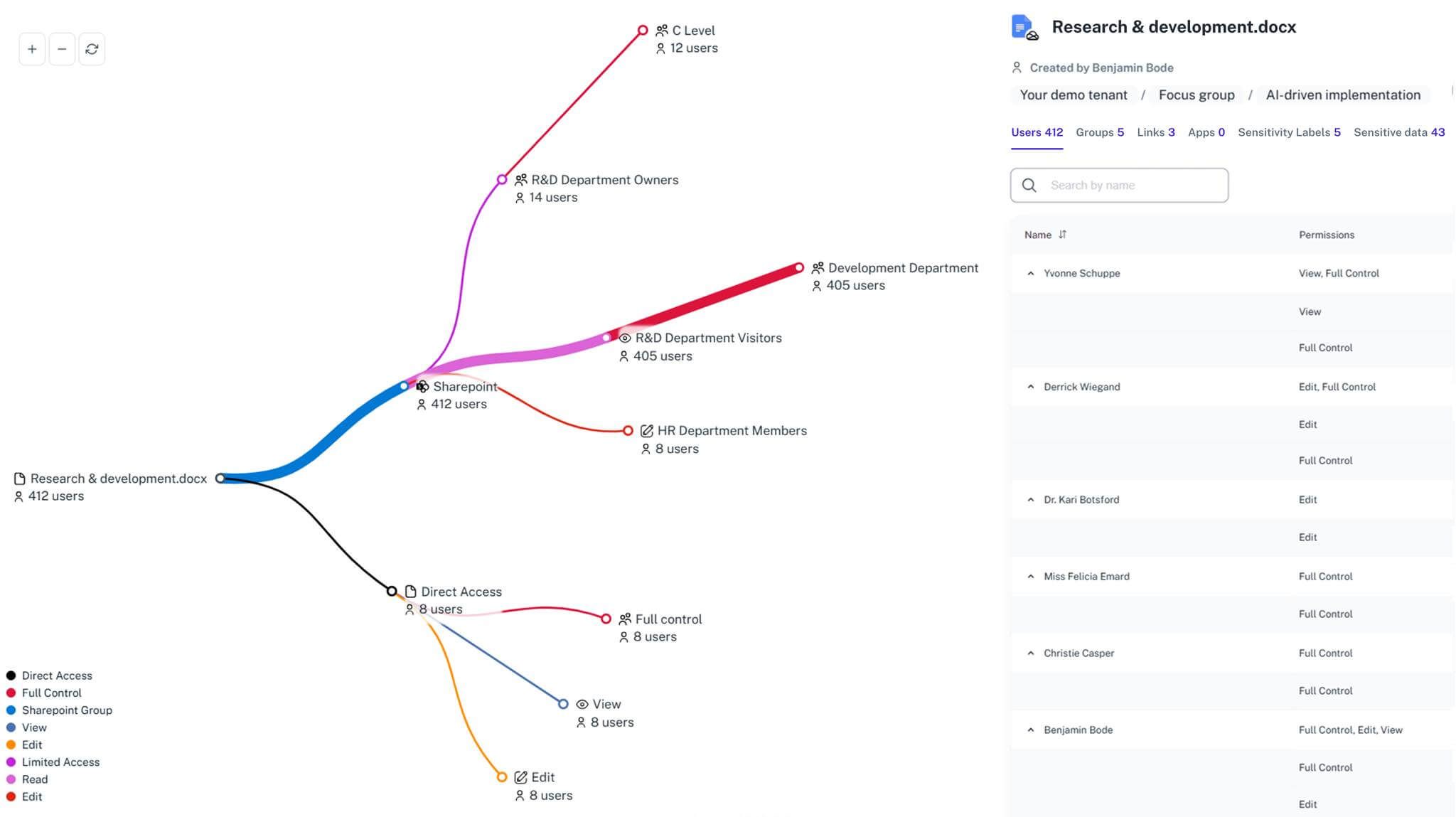
GDPR compliance in Microsoft 365 with native tools feels like running a museum where doors move, visitors wander freely, and no one remembers where the sensitive exhibits are. 1Security restores order by revealing access, risky sharing, and clear evidence trails so audits stop feeling like guided guesswork.
What is the challenge?
Doing It with 1Security
Eliminate last-minute GDPR panic and spreadsheet archaeology. 1Security delivers continuous visibility into access, sharing, and sensitive data across Microsoft 365, so compliance stays calm, evidence stays ready, and audits stop driving the agenda.
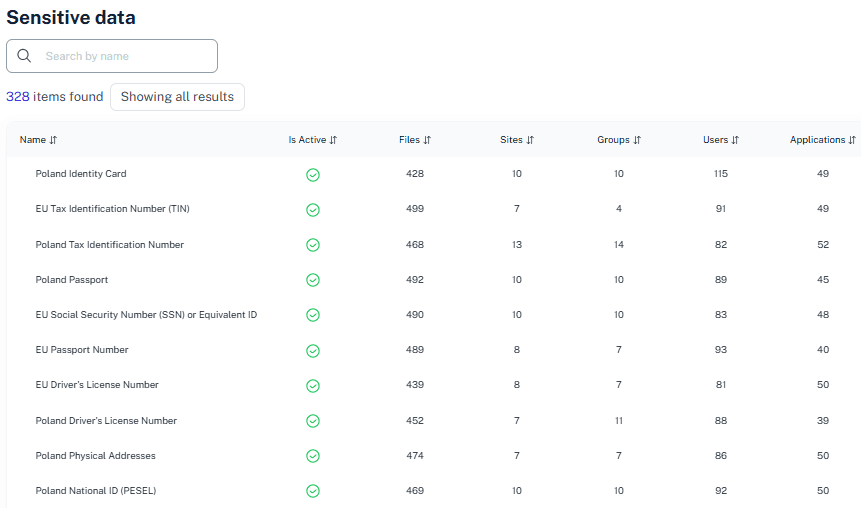
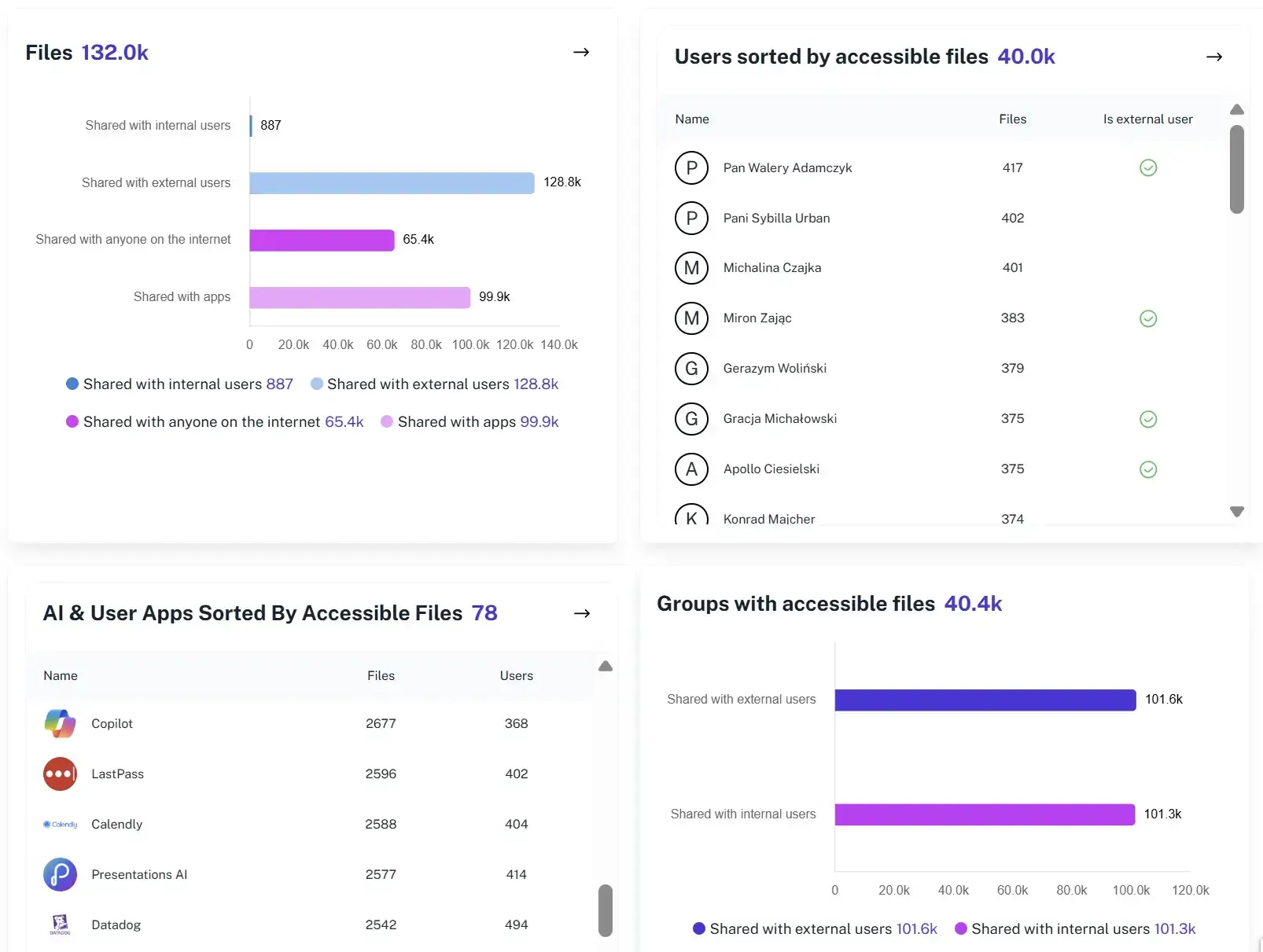
Map Sensitive Data Exposure
Combine sensitivity signals with permission context to show who can access personal data and which access paths create real GDPR risk.
Permission Reviews Simplified
Replace spreadsheet-driven checks with clear permission visibility, making it easier to validate who can access personal data.
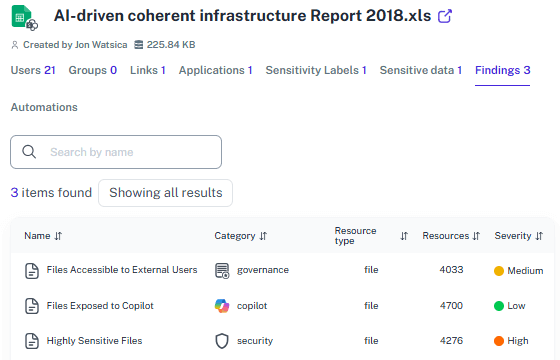
False Positive Reduction
Focus attention on sensitive data that is widely accessible or externally shared, cutting alert noise and helping teams prioritize real exposure.
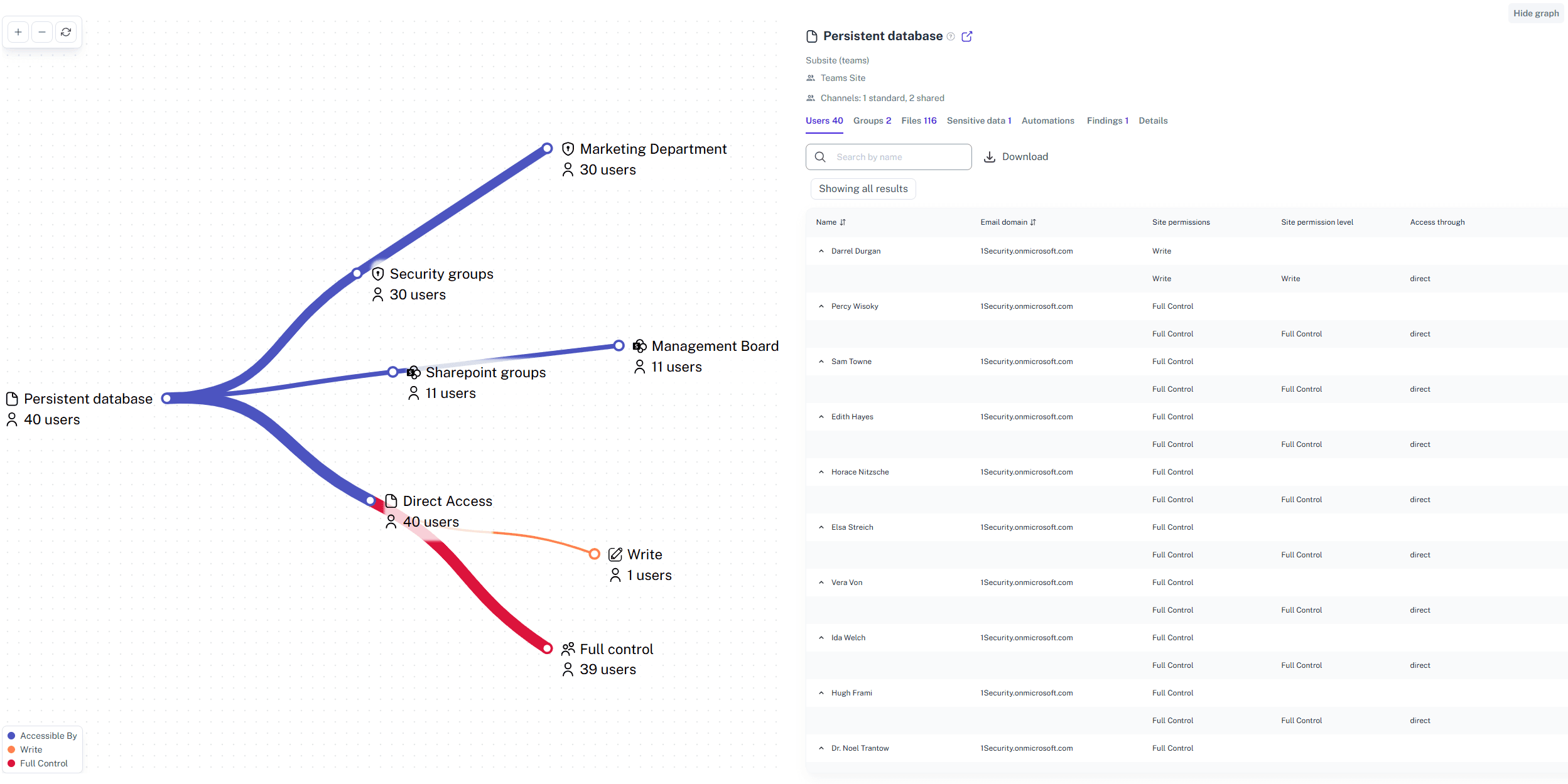
Faster Data Subject Requests
Quickly review a user’s access footprint to identify where personal data lives and how it is shared across Microsoft 365.
DPIA-Ready Reporting
Generate plain-language reports documenting access controls, permission scope, and external sharing to support DPIA and GDPR reviews.
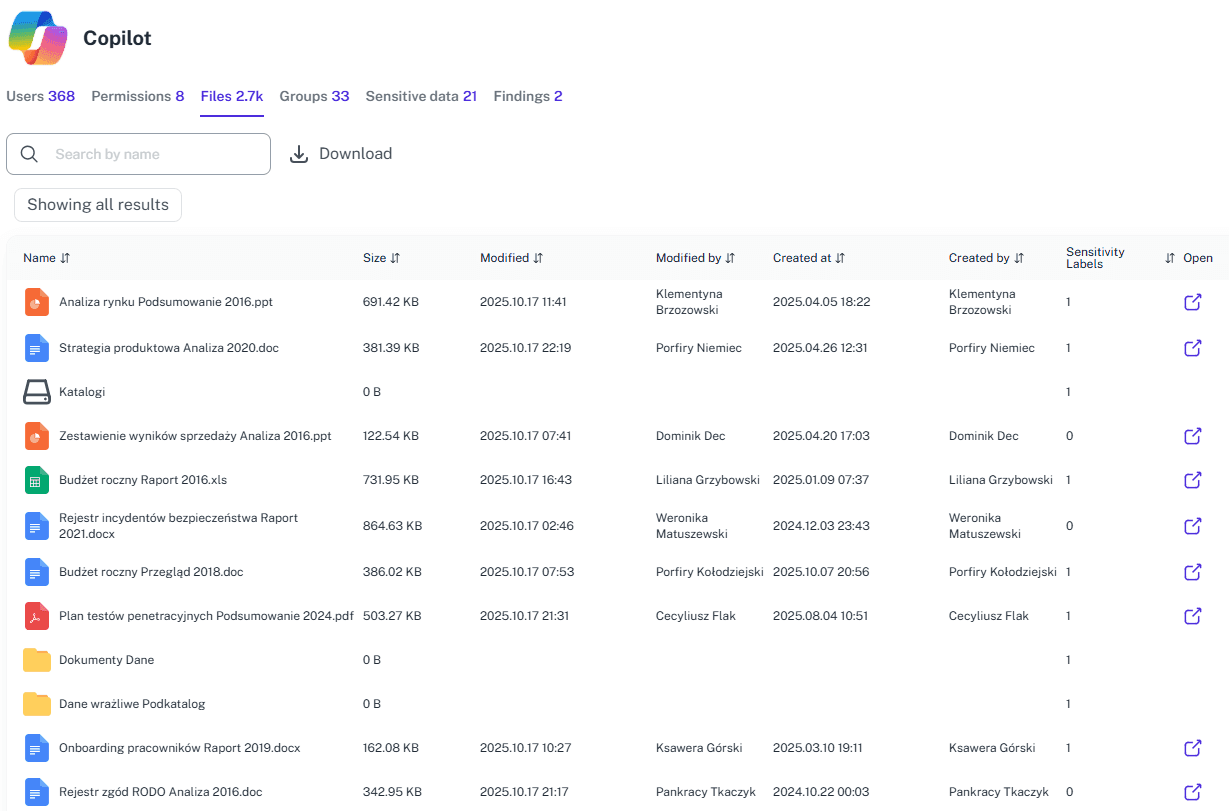
Incident Access Context
Use historical permission data to see who had access before and after an incident, enabling accurate scope assessment and response.
Solving It with Other Methods
Microsoft 365 offers pieces of the GDPR puzzle, but never the picture on the box. Teams juggle portals, scripts, and exports that work for a moment, then quietly fall apart as environments grow.
Why Microsoft 365 GDPR Matters?
GDPR in Microsoft 365 is about knowing where personal data lives before someone asks at the worst possible time. Without visibility, teams scramble during audits. 1Security keeps access, sharing, and evidence clear so control replaces reaction.
"Preparing for our annual GDPR audit used to take three weeks of script-writing and manual checks. With 1Security, gathering audit evidence is significantly faster and far less manual than before."
DPO, European Logistics Company"We realized we had thousands of files containing PII shared via anonymous links. 1Security showed us exactly where sensitive files were exposed, allowing us to reduce risk before it escalated."
CISO, FinTech Startup"The ability to see exactly who accessed a sensitive folder before a security incident occurred changed our entire response strategy. It turned a potential PR disaster into a managed event."
Head of IT, Healthcare ProviderWho Benefits Most?
1Security supports organizations of all sizes — from highly regulated industries to fast-growing mid-size firms.
Works seamlessly with your ecosystem
1Security connects natively with the tools you already use — giving you full visibility and control without adding complexity.









Frequently asked questions
Everything you need to know about the product.
Can 1Security make us GDPR compliant?
No tool guarantees compliance on its own. 1Security provides the visibility and evidence teams need to meet GDPR accountability and data protection obligations.
Do we still need Microsoft Purview?
Yes. Purview classifies and labels data, while 1Security shows who can access it and how permissions change, adding the missing access and sharing context.
What will an auditor actually see?
Auditors can review clear dashboards showing access, permissions, and changes across Microsoft 365, without relying on manual exports or stitched reports.
How does this help during an incident?
Historical permission data shows who had access before and after an incident, helping teams scope impact faster and support accurate investigations.
What kinds of GDPR risks does this actually catch?
It highlights risky sharing, broad access to sensitive data, lingering guest access, and external exposure across Microsoft 365.
Do you support ISO 27001, SOC 2, HIPAA, and GDPR work?
Yes. 1Security maps findings and evidence to common control frameworks, helping organizations demonstrate compliance more efficiently.
Can non-technical stakeholders use it?
Yes. Plain-language reports and read-only views make it easy for compliance, legal, and business stakeholders to see the evidence behind findings without needing admin rights.
Is this only for large enterprises?
No. While designed for complex environments, 1Security is equally valuable for mid-sized organizations running Microsoft 365 or Office 365 that need strong visibility into access, activity, and compliance.
Gain visibility. Ensure compliance. Boost productivity.
Stop guessing who has access to your sensitive data. With 1Security, you gain the visibility, automation, and confidence needed to protect your Microsoft 365 environment.