Microsoft 365 Lifecycle Management
If your tenant resembles a digital episode of Hoarders — except the clutter is 50,000 abandoned SharePoint sites — you’re already in trouble. Sorting trash from treasure manually doesn’t scale, leaving sensitive data exposed and compliance risk growing. 1Security restores Microsoft 365 lifecycle control by clearly showing what to keep, archive, or delete.
What is the challenge?
Doing It with 1Security
Eliminate the "digital hoarding" nightmare. 1Security delivers full visibility and control for Microsoft 365 lifecycle management, security and compliance, and cost optimization.
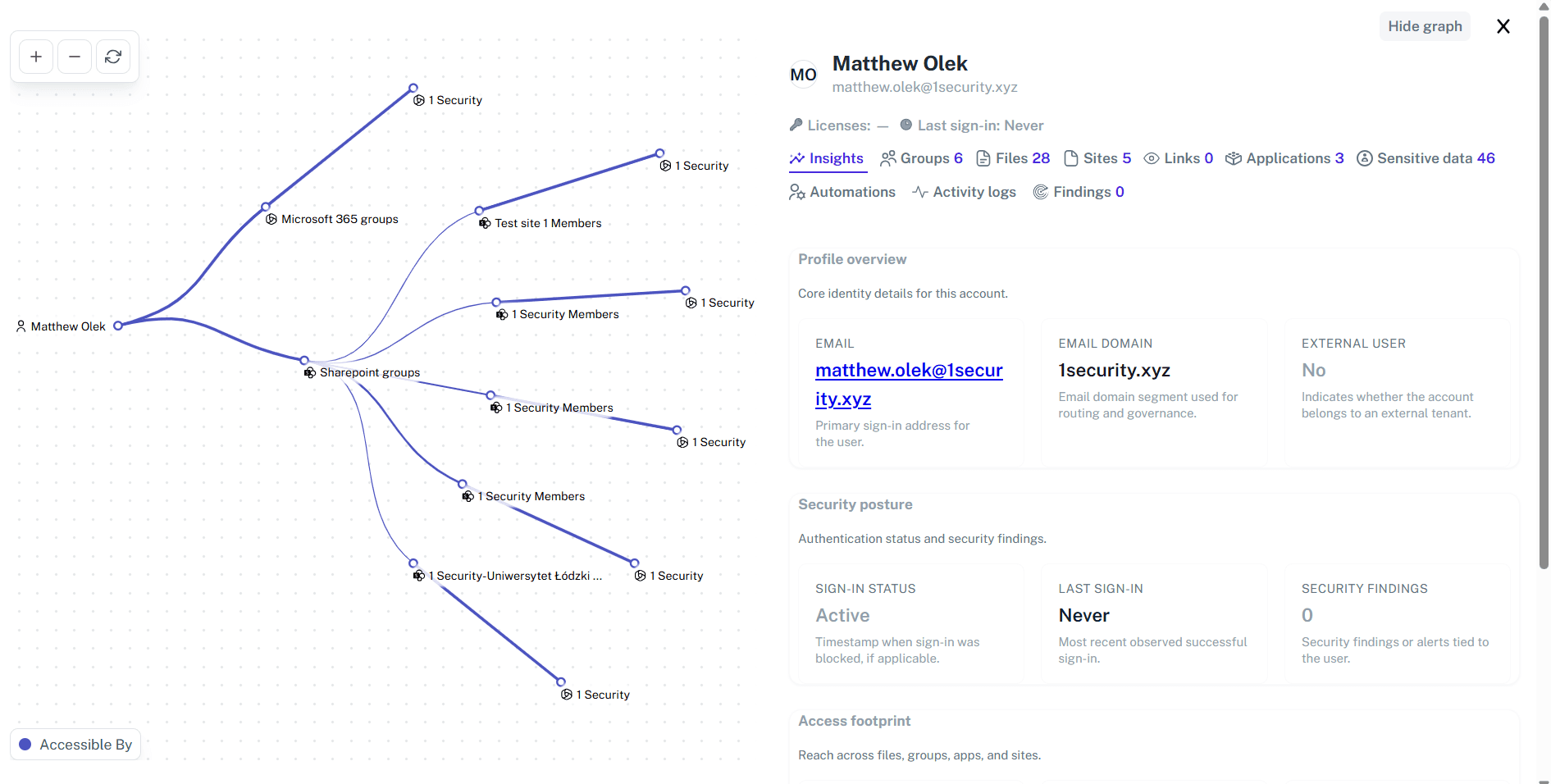
Identify orphaned resources
Instantly detect SharePoint sites and Microsoft Teams that lack active owners so you can assign new ones or streamline the cleanup.
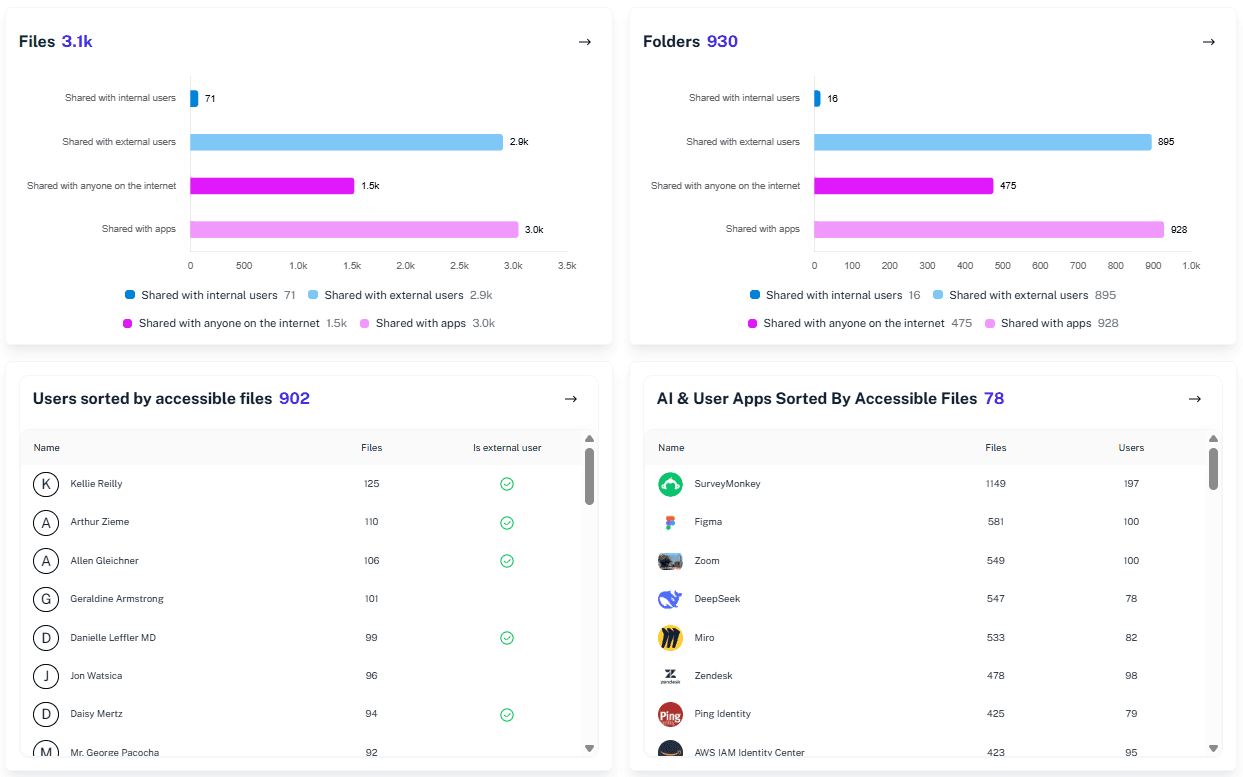
Detect stale guest users
Spot external accounts that have not logged in via Entra ID for a set period and revoke access to manage risk and liability.
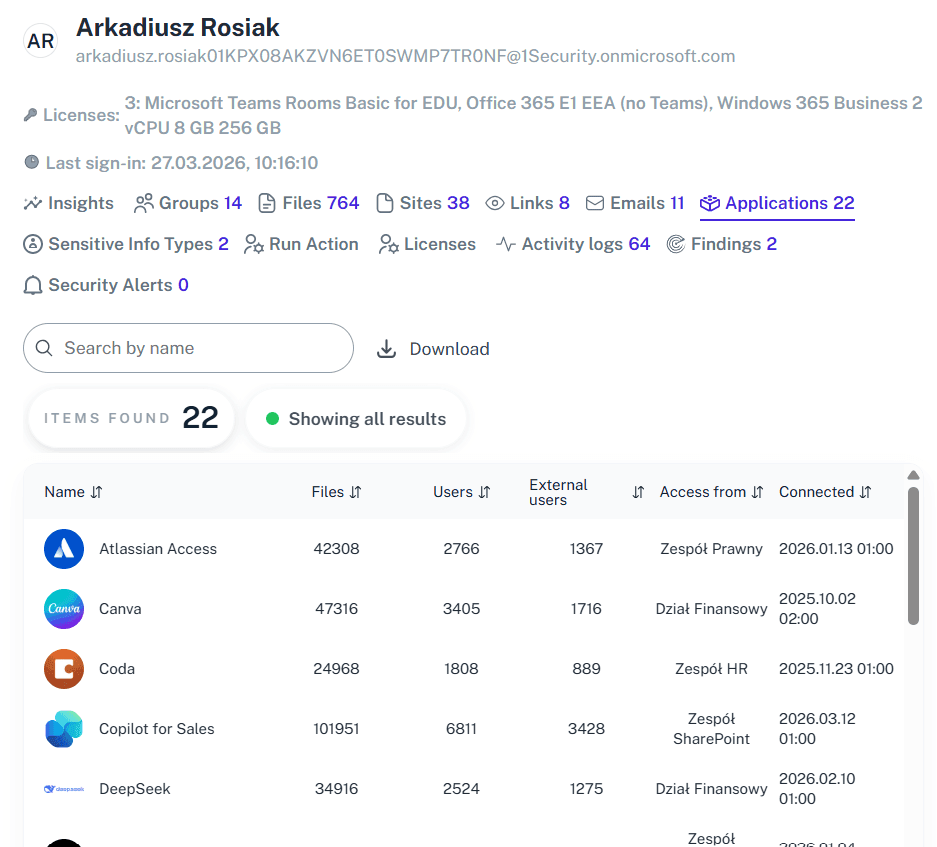
Map storage by sensitivity
Correlate sensitivity labels with storage space usage to prioritize cleaning up large, non-sensitive files versus protecting sensitive data.
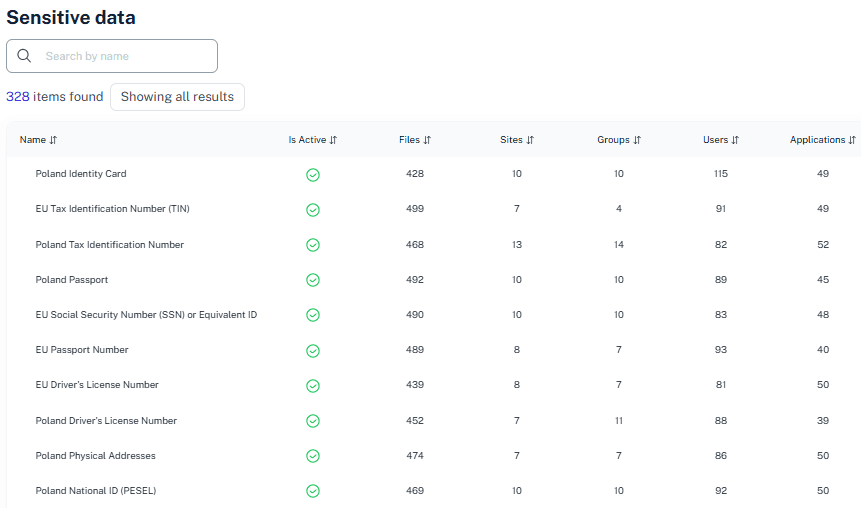
Monitor environment growth
Gain full visibility into your site and Team inventory to identify departments contributing to sprawl and enforce better lifecycle governance
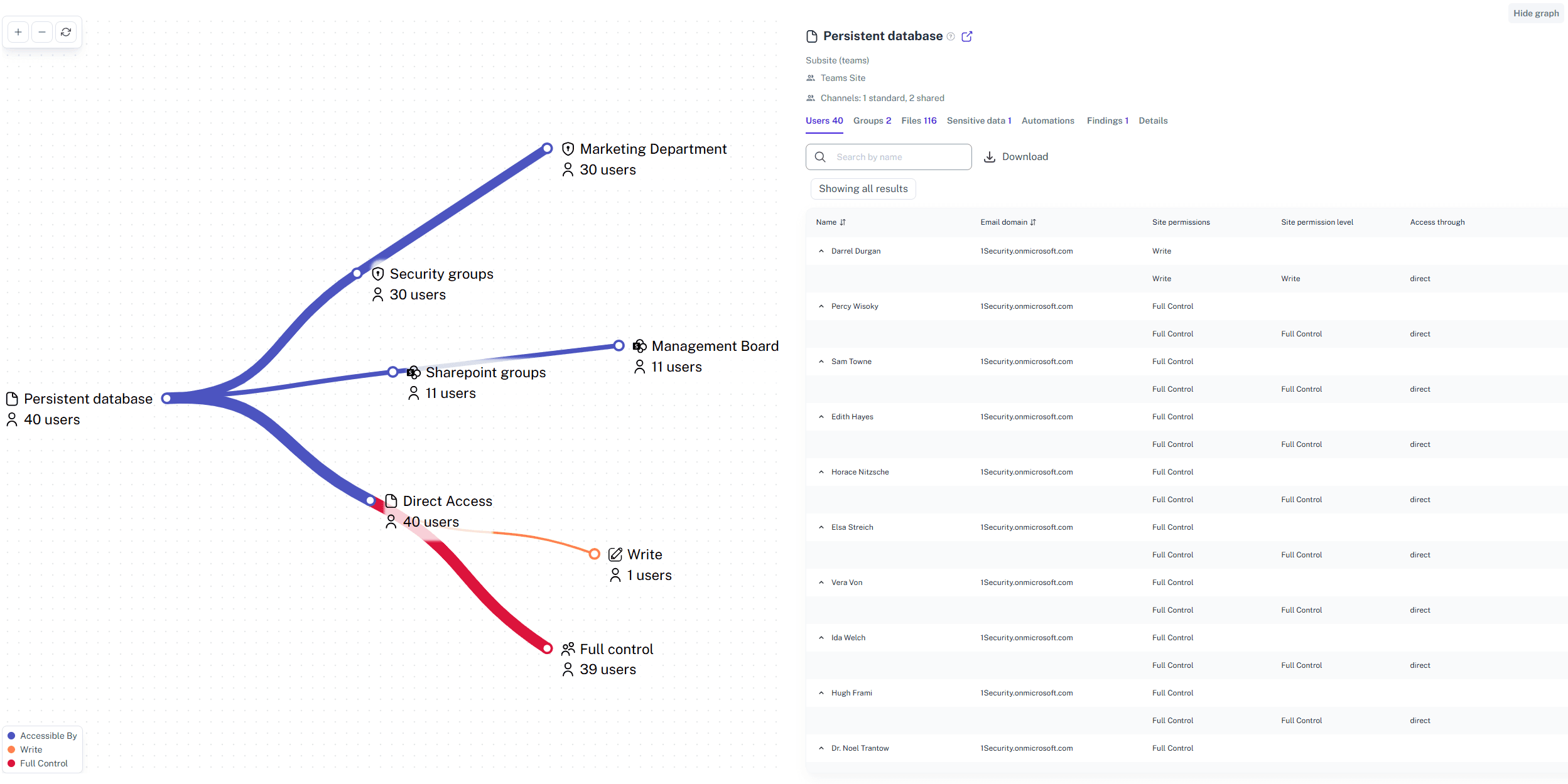
Track activity signals
Use real-time activity logs to distinguish between "quiet" sites that contain reference data and truly "dead" sites ripe for deletion.
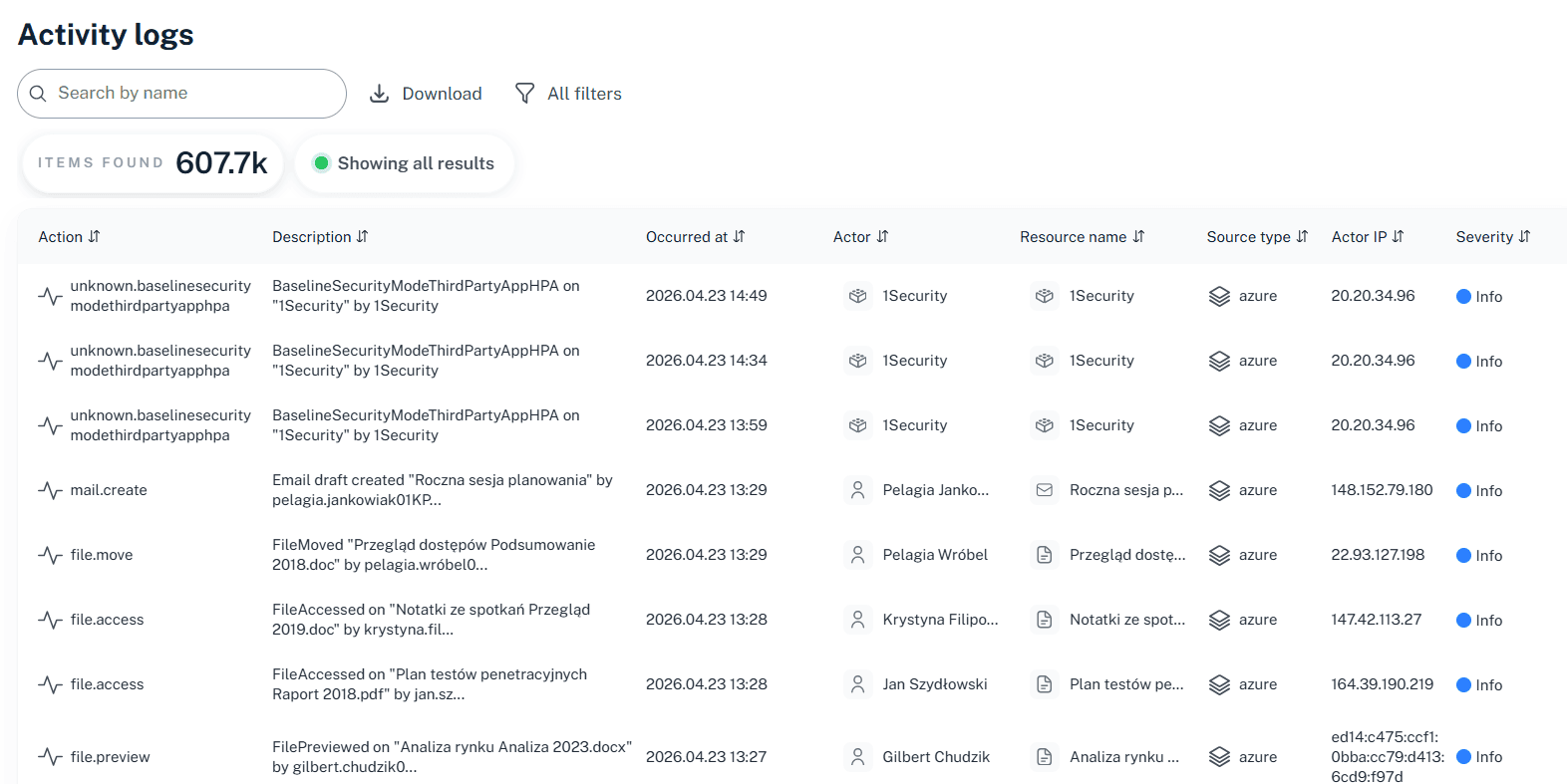
Centralize lifecycle context
View ownership, storage, activity, and external exposure in a single pane rather than hopping between Entra and the SharePoint admin center.
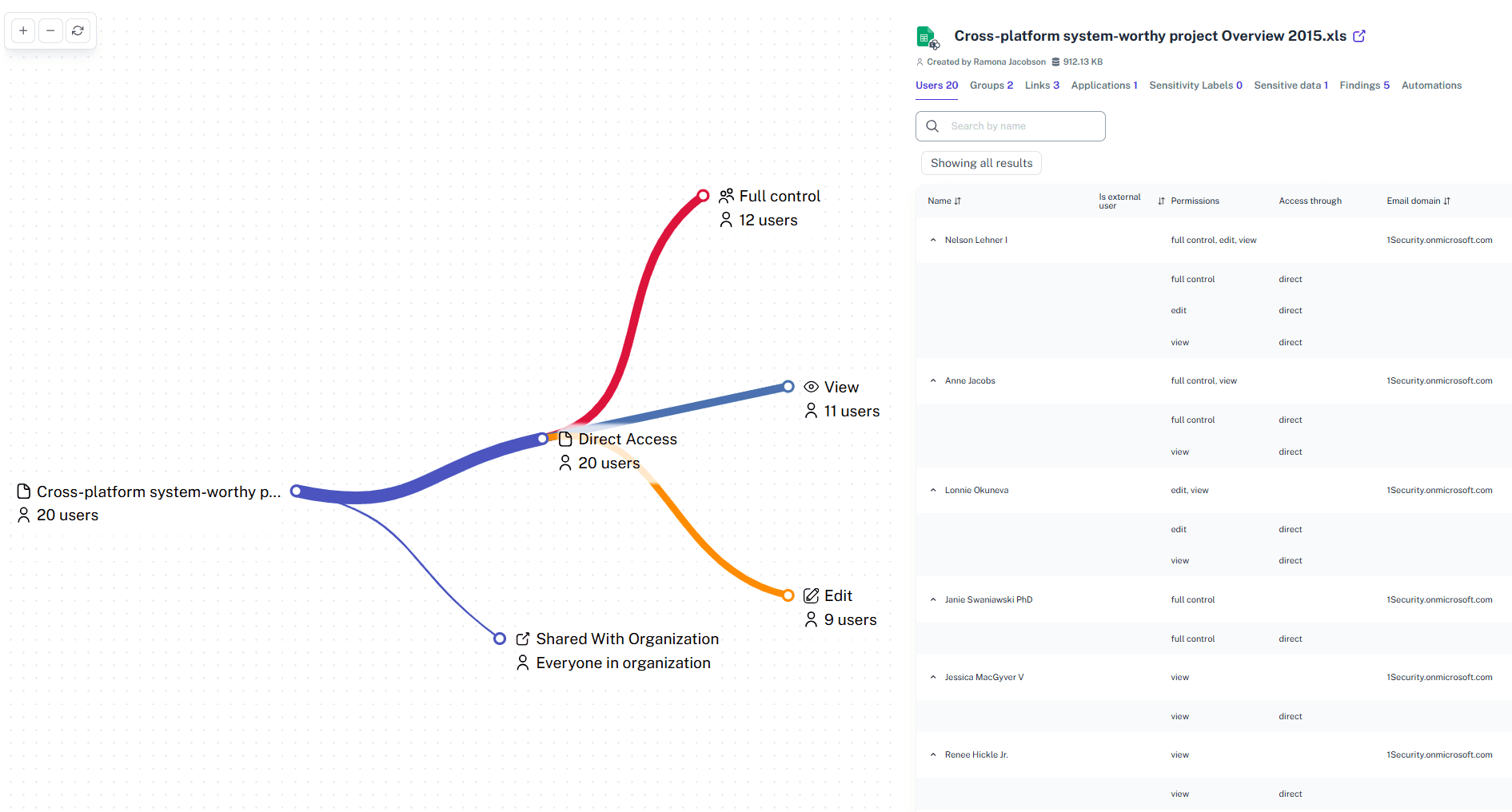
Validate access continuously
Support ongoing access reviews by providing clear evidence of who has access to what, ensuring Microsoft 365 governance isn't just a policy on paper.
Solving It with Other Methods
Organizations often try to tackle lifecycle management in Microsoft 365 with manual spreadsheets or fragmented native tools. When the data doesn’t align, visibility breaks down, sensitive data remains exposed, and security risk compounds over time.
Why Microsoft 365 Lifecycle Management Matters?
Finding active risks in a sea of stale data shouldn't feel like a punishment. 1Security detects abandoned resources instantly, simplifying compliance so you stop drowning in noise and start managing real risk.
"We had massive amounts of data and no idea who touched what. 1Security turned millions of raw log entries into a clear narrative of access we could actually use."
IT Director, Major University"Our storage costs were spiraling, and we couldn't tell if the data was critical or just trash. 1Security gave us the visibility to archive terabytes of old data safely."
CIO, Financial Services Firm"Tracking down site owners manually was a full-time job that no one wanted. 1Security automated the discovery of ownerless sites, saving our admins hundreds of hours a year."
Operations Manager, Manufacturing CompanyWho Benefits Most?
1Security supports organizations of all sizes — from highly regulated industries to fast-growing mid-size firms.
Works seamlessly with your ecosystem
1Security connects natively with the tools you already use — giving you full visibility and control without adding complexity.











Frequently asked questions
Everything you need to know about the product.
How do I get started with data lifecycle management in 1Security?
Unlike complex native setups where you must learn about retention policies first, 1Security offers immediate visibility. You simply connect your tenant to see governance across your entire workspace instantly.
Does this help reduce SharePoint storage costs?
Yes. By identifying large, inactive sites and redundant file versions, you can clear out space and avoid purchasing expensive additional storage from Microsoft.
Does this replace Microsoft Purview's retention labels?
No. 1Security provides the visibility needed to apply retention policies effectively. It shows you exactly which data is stale or sensitive so you can configure Purview confidently without guessing.
Does this integrate with Microsoft Entra ID?
Yes. We pull identity data from Microsoft Entra to ensure that identity and access rights align with your lifecycle governance strategy.
How does this compare to retention policies and retention tags?
Native retention policies and retention tags are powerful but often broad. 1Security provides the granular reporting needed to configure these policies effectively, ensuring you retain mailbox content after employees leave only as long as necessary.
Do you support ISO 27001, SOC 2, HIPAA, and GDPR work?
Yes. 1Security maps findings and evidence to common control frameworks, helping organizations demonstrate compliance more efficiently.
Can non-technical stakeholders use it?
Yes. Plain-language reports and read-only views make it easy for compliance, legal, and business stakeholders to see the evidence behind findings without needing admin rights.
Is this only for large enterprises?
No. While designed for complex environments, 1Security is equally valuable for mid-sized organizations running Microsoft 365 or Office 365 that need strong visibility into access, activity, and compliance.
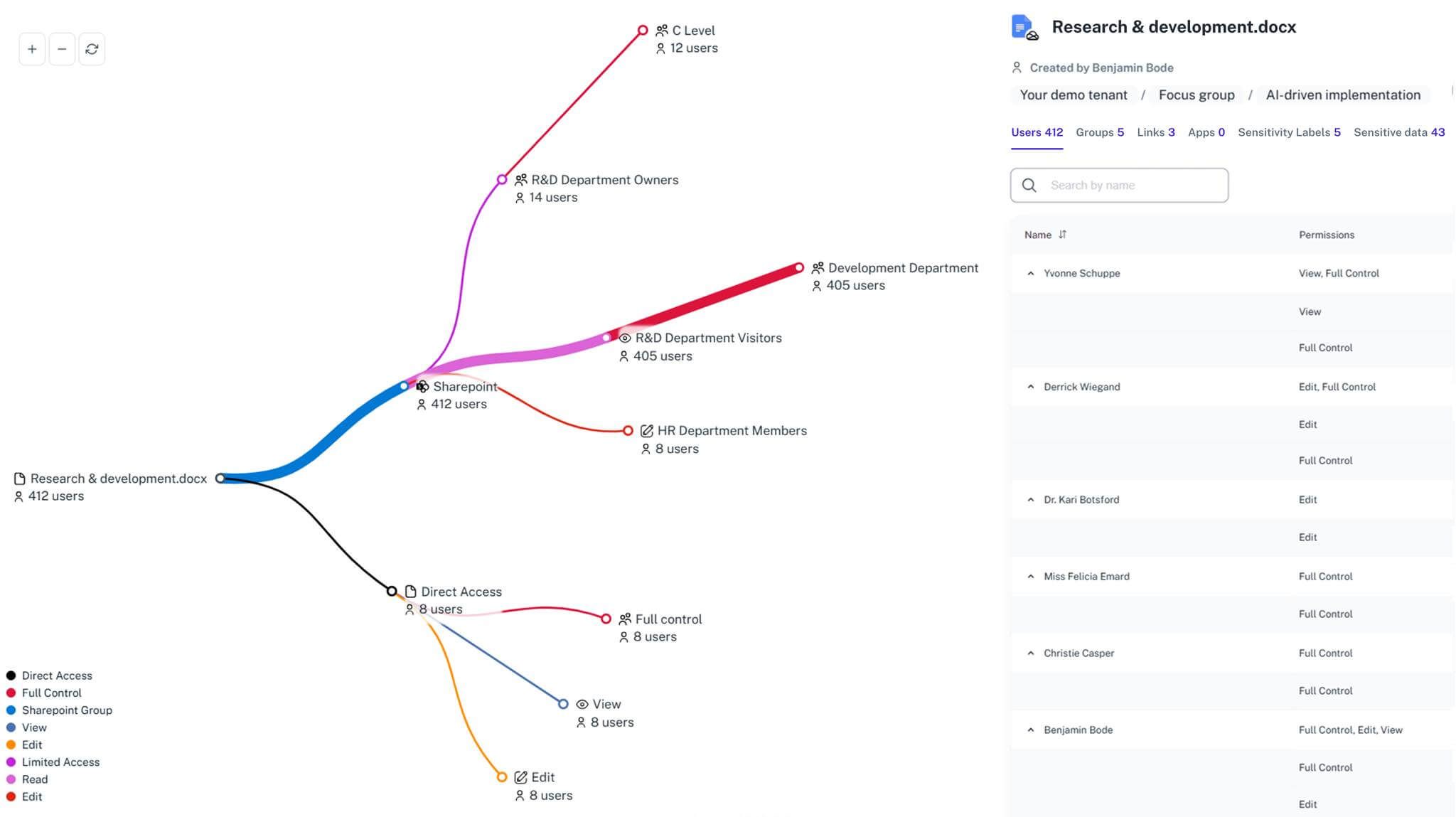
Gain visibility. Ensure compliance. Boost productivity.
Stop guessing who has access to your sensitive data. With 1Security, you gain the visibility, automation, and confidence needed to protect your Microsoft 365 environment.