Microsoft Copilot Privacy Policy
Deploying Copilot without a privacy check is like giving a super-enthusiastic intern a master key to every file cabinet in the office. They will find everything, including the salary spreadsheet and the CEO’s drafts. And they will happily summarize it for anyone who asks. 1Security ensures your AI assistant only reads what it is supposed to.
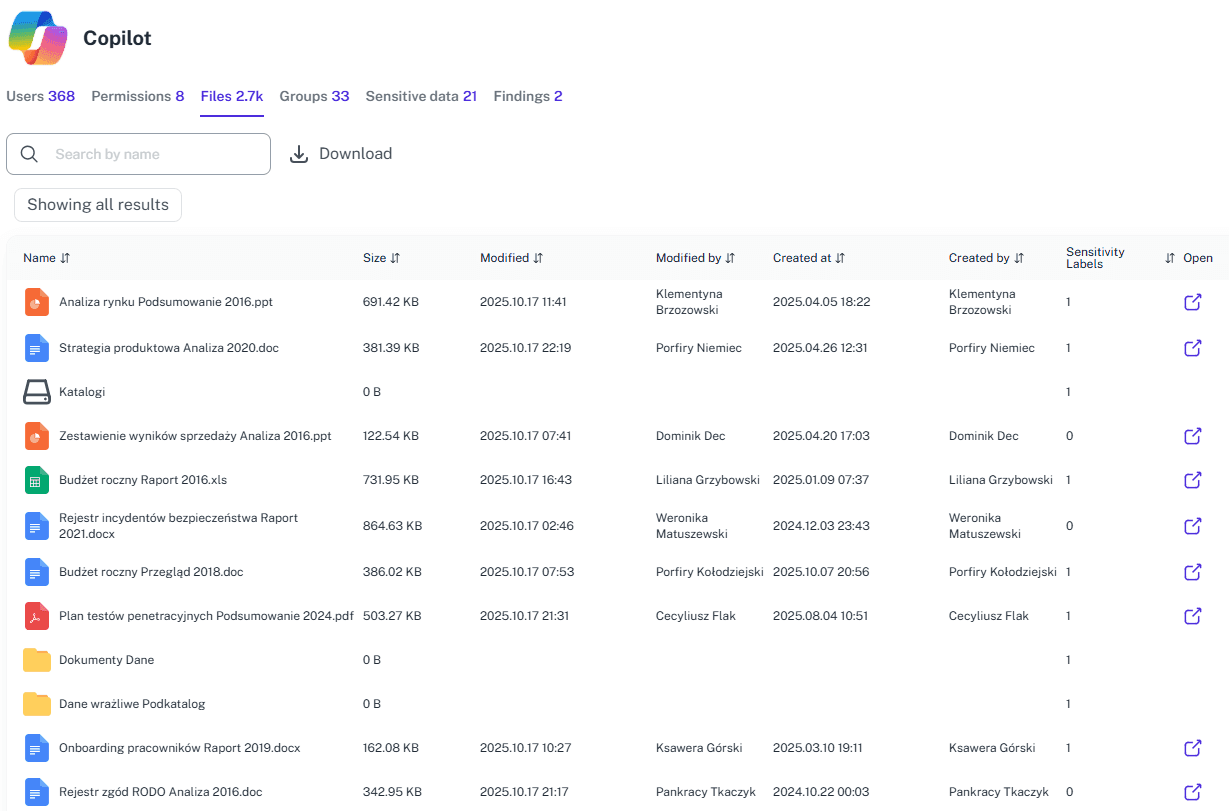
What is the challenge?
Doing It with 1Security
Protect privacy without running a detective agency. 1Security brings calm to your AI rollout and keeps Copilot working with the right data instead of poking around the whole tenant.
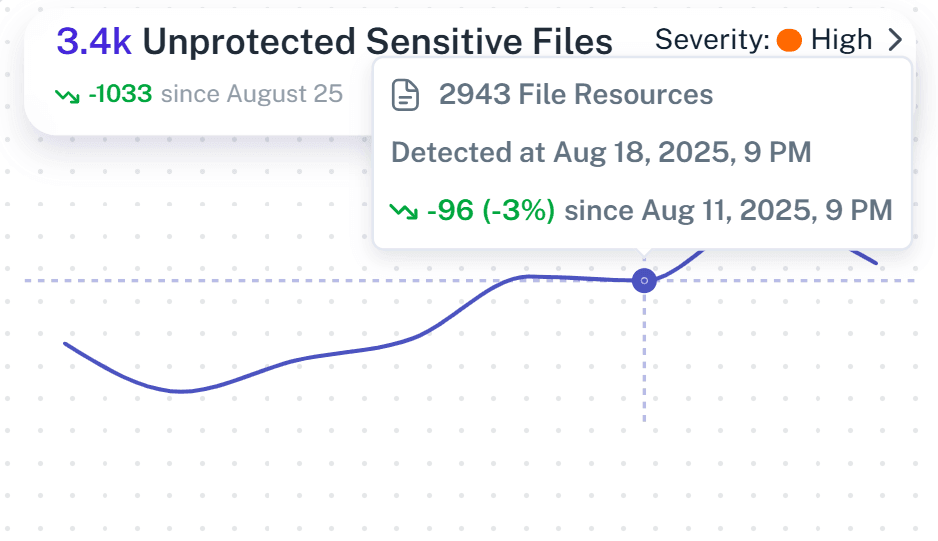
Automated Risk Assessment
Scan Microsoft 365 to identify where sensitive data is overexposed to potential Copilot queries.
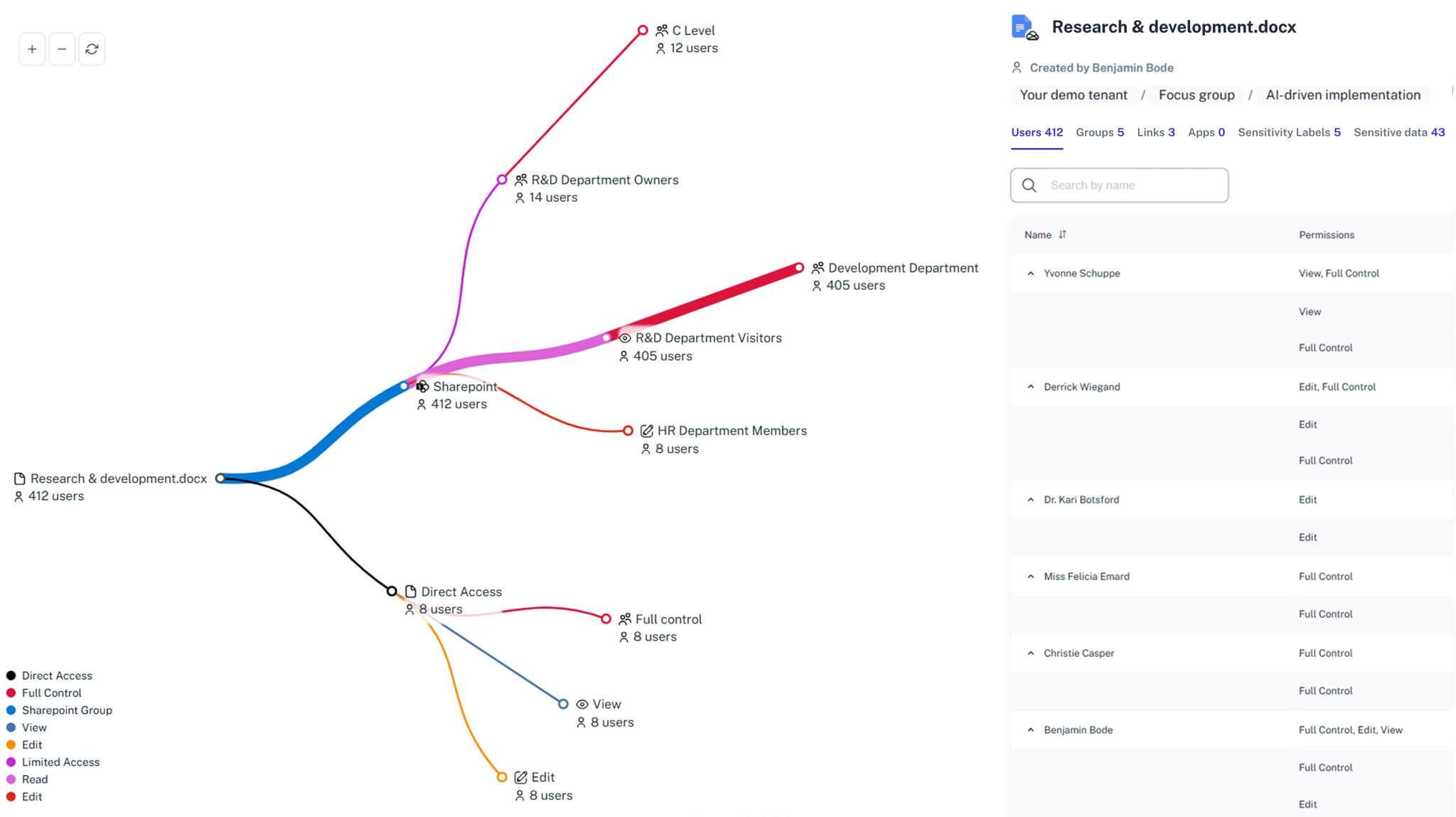
Granular Access Maps
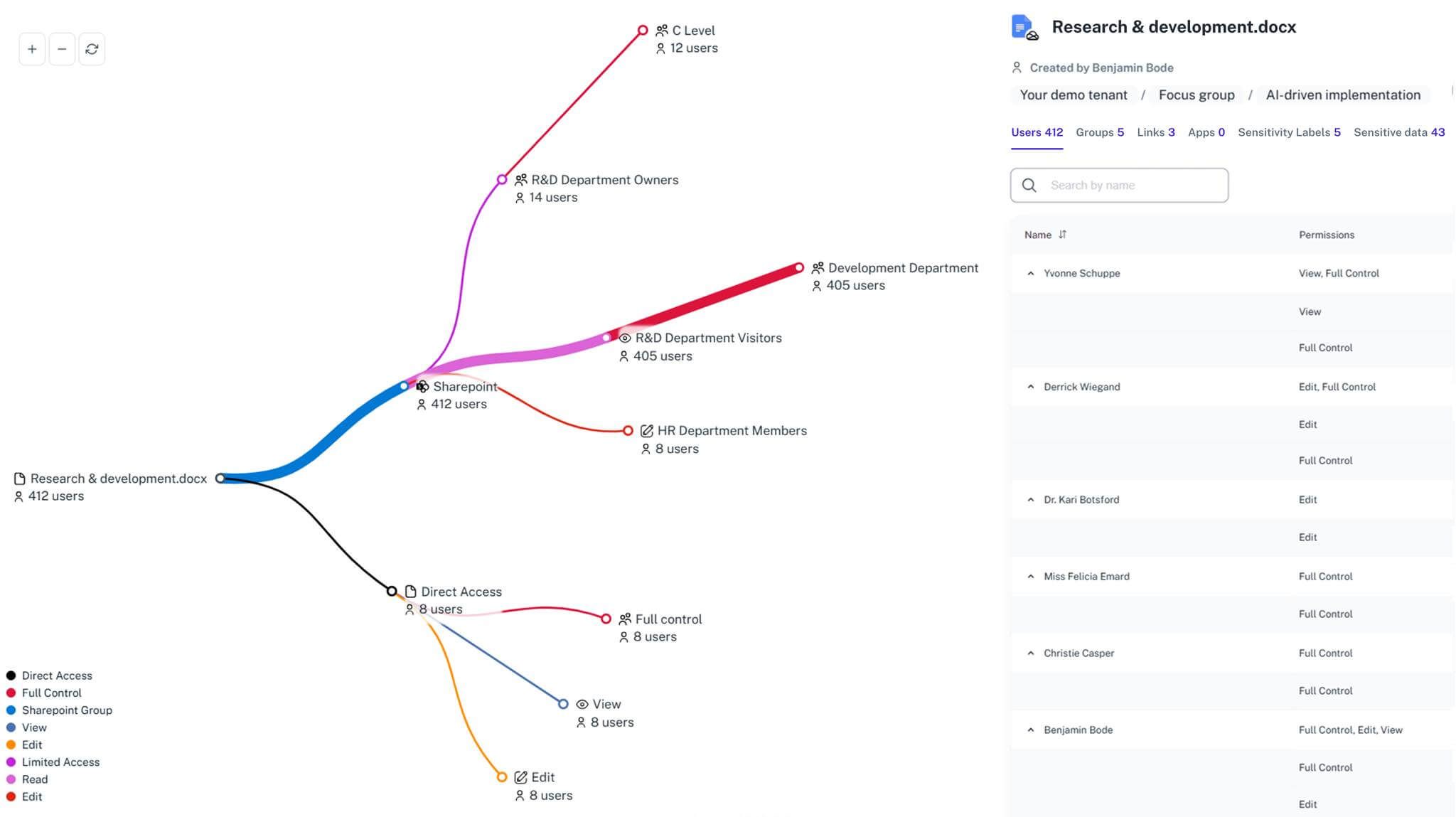
See exactly who has access to the data, ensuring permissions align with security rules.
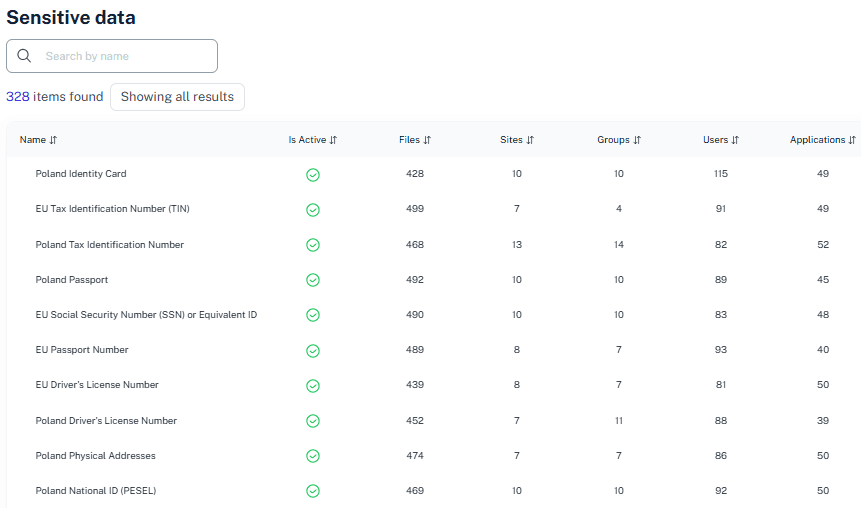
Sensitive Data Discovery
Identify where personal and financial data is stored so you can apply the right labels before Copilot and other AI tools are rolled out.
Permission Cleanup
Quickly remove access where it isn’t needed to make Copilot safer to use.
Continuous Monitoring
Watch for changes in permissions that could violate privacy rules after the initial deployment.
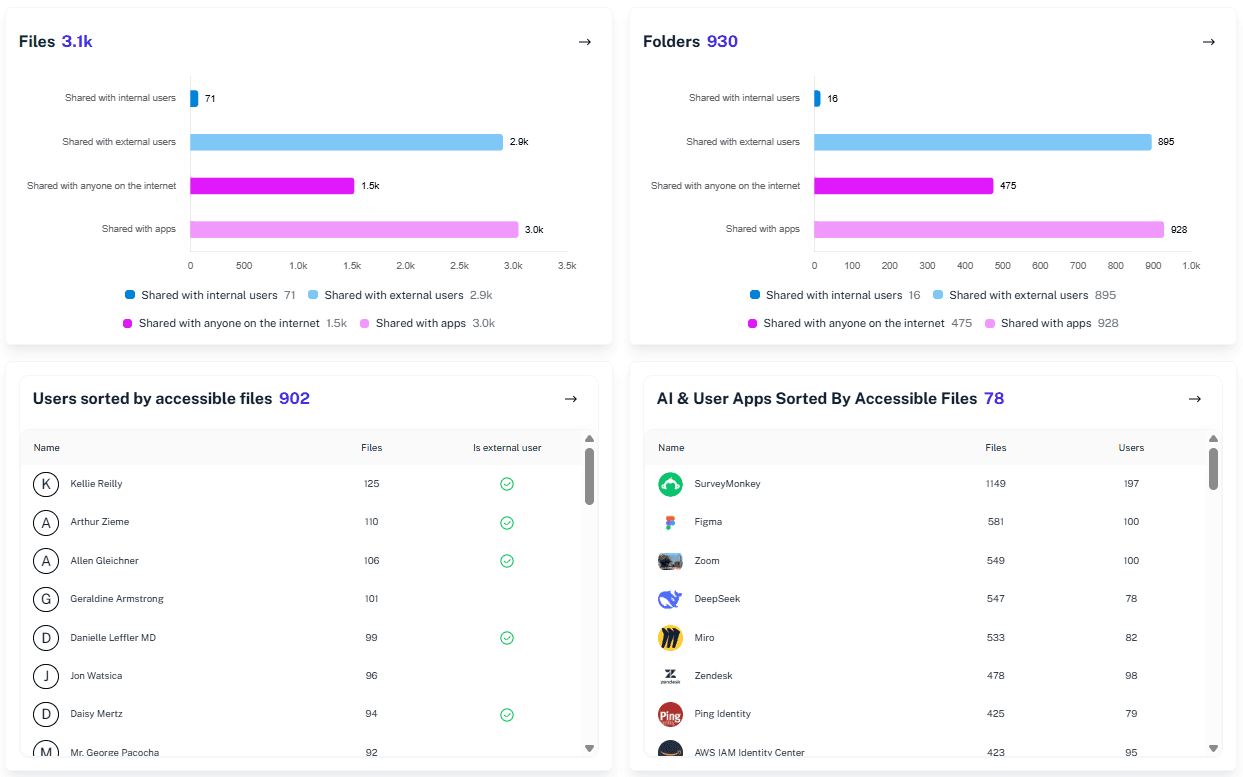
Visual Proof
Get reports proving to leadership your Microsoft 365 environment is safe for generative AI.
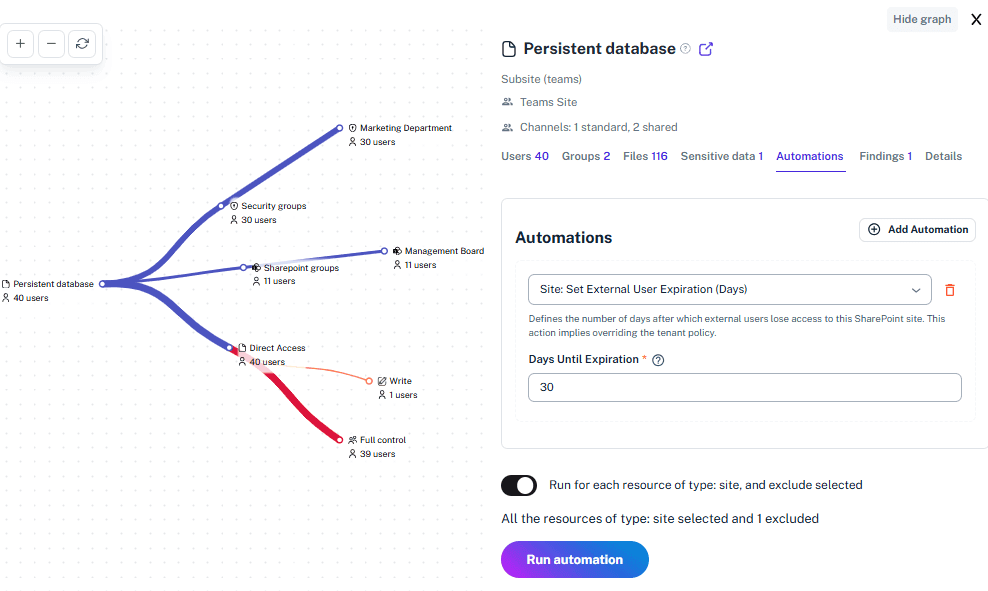
Time Travel Recovery
View permission states from before a leak or change to restore safe access settings instantly.
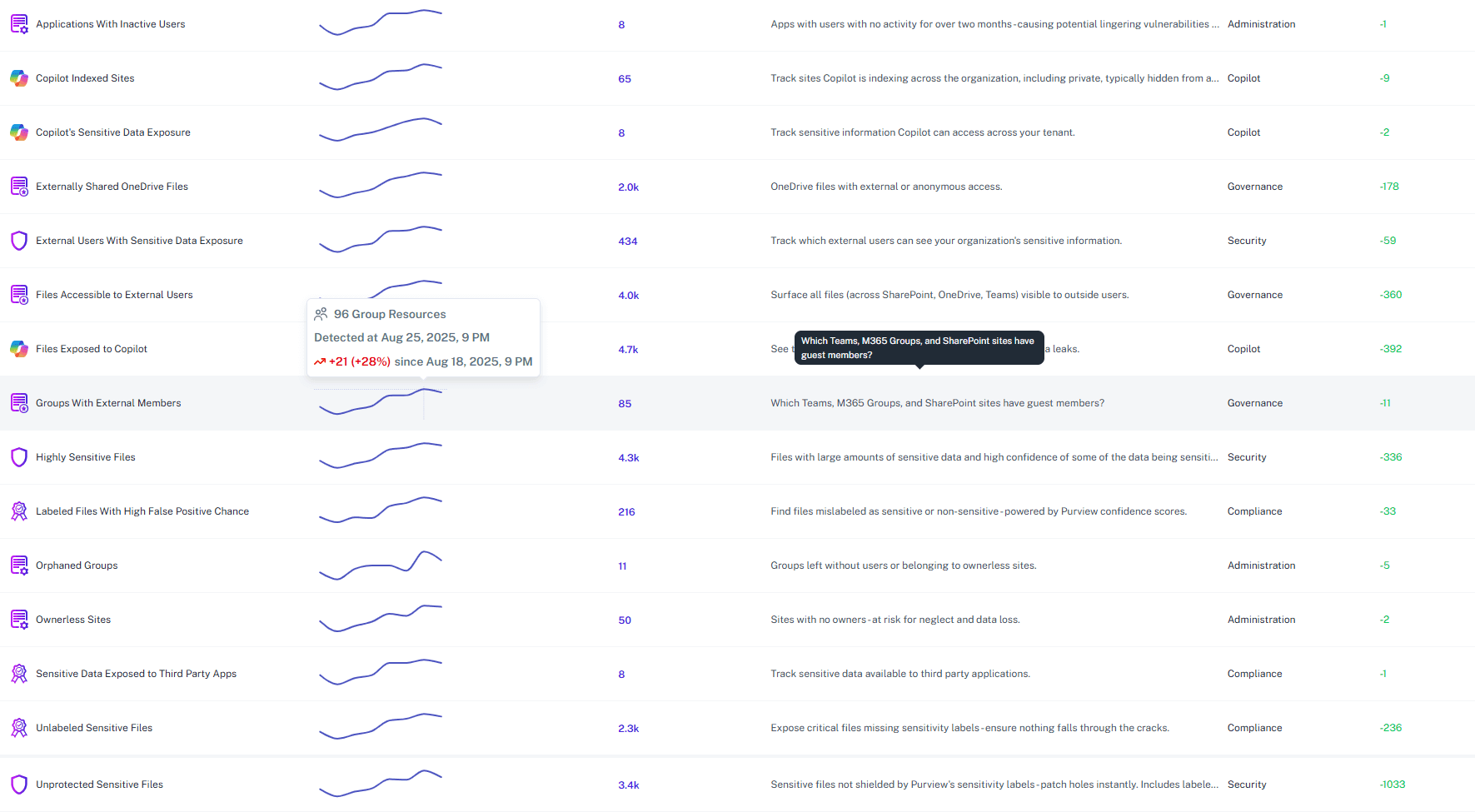
Solving It with Other Methods
Manual checks turn into click-marathons, while strict controls suffocate collaboration. Either way, risks slip through. Broad policies never catch the odd little leaks Copilot is almost guaranteed to spotlight.
Why Microsoft Copilot Privacy Policy Matters?
1Security keeps Copilot’s curiosity in check, turning your privacy rules into real boundaries instead of polite suggestions. You get to roll out AI without that tiny voice asking if sensitive files are about to wander into the mix.
"We discovered Microsoft Copilot could access files buried deep in legacy SharePoint sites. 1Security showed our security teams exactly where the exposure of sensitive data was before anything went live."
Information Security Officer, European Research Institute"Finding drives to delete data or restrict access in an organization with over 5000 employees is unrealistic without this tool. It saved us months of data retention work."
IT Manager, Large Enterprise"1Security helped us analyze accessible links that we considered unfeasible to track. It ensured our Microsoft Copilot privacy policy was not just a document, but a reality."
Security Lead, Global Manufacturing CompanyWho Benefits Most?
1Security supports organizations of all sizes — from highly regulated industries to fast-growing mid-size firms.
Works seamlessly with your ecosystem
1Security connects natively with the tools you already use — giving you full visibility and control without adding complexity.








Frequently asked questions
Everything you need to know about the product.
How does 1Security help with Microsoft Copilot privacy policy enforcement?
We scan your Microsoft 365 environment to find overshared files and sensitive data so you can make sure Copilot only accesses content that aligns with your internal privacy rules.
Can we see which files Copilot will be able to access?
Yes. 1Security provides visibility into permission structures. You can identify exactly which documents are open to everyone and might surface in Copilot answers.
Does this tool fix the permissions for us?
1Security identifies the risks and provides tools to correct them. You can manage permissions and revoke access to specific resources directly through our platform.
Will 1Security slow down Copilot's performance?
No. Our scanning and monitoring happen in the background. Your users will experience full Copilot speed without any latency or interruption.
How fast can we audit our environment for AI readiness?
Our demo shows capabilities in under five minutes. For a full audit, 1Security processes data rapidly, saving you the months it would take to do a manual review.
Is this only for large enterprises?
No. While designed for complex environments, 1Security is equally valuable for mid-sized organizations running Microsoft 365 or Office 365 that need strong visibility into access, activity, and compliance.
Do you support ISO 27001, SOC 2, HIPAA, and GDPR work?
Yes. 1Security maps findings and evidence to common control frameworks, helping organizations demonstrate compliance more efficiently.
Can non-technical stakeholders use it?
Yes. Plain-language reports and read-only views make it easy for compliance, legal, and business stakeholders to see the evidence behind findings without needing admin rights.
Gain visibility. Ensure compliance. Boost productivity.
Stop guessing who has access to your sensitive data. With 1Security, you gain the visibility, automation, and confidence needed to protect your Microsoft 365 environment.