Office 365 High Severity Alert
"If “high severity” means “figure it out yourself,” something’s wrong. When a "Mass file download" alert hits, your team bounces between admin portals, guessing if it is a breach or a contractor in a cafe. 1Security adds the forensic context missing from native tools. Stop guessing and respond in minutes, not days.
What is the challenge?
Doing It with 1Security
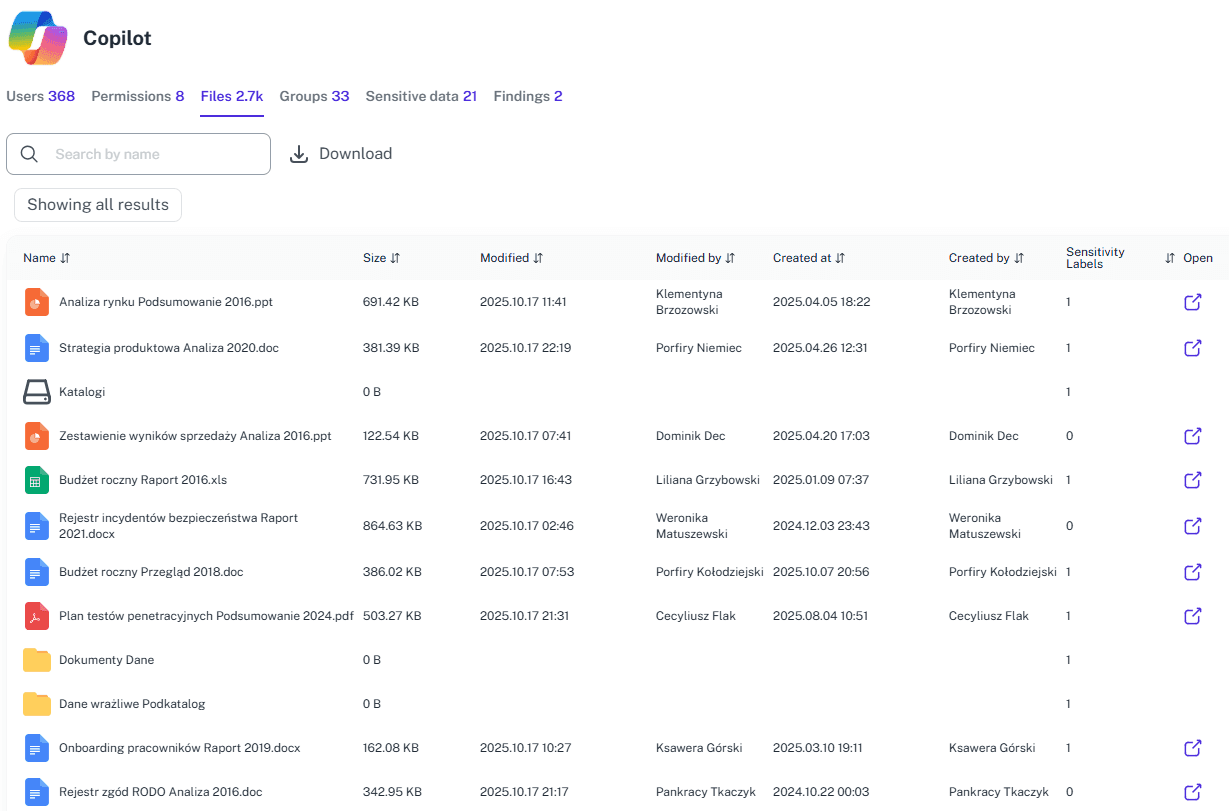
High-pressure moments expose weak tooling fast. Alerts should shorten response time, not stretch investigations. Without context, Office 365 alerts leave teams guessing, hesitating, or escalating too late. 1Security adds the missing context so alerts turn into decisions, not distractions.
Context-rich alerts
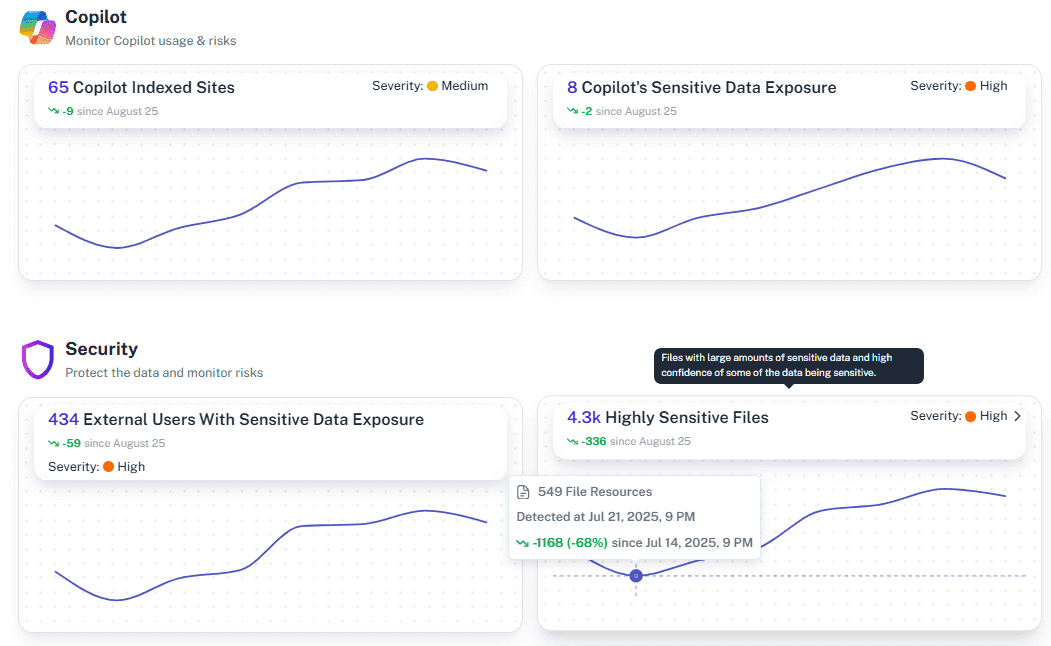
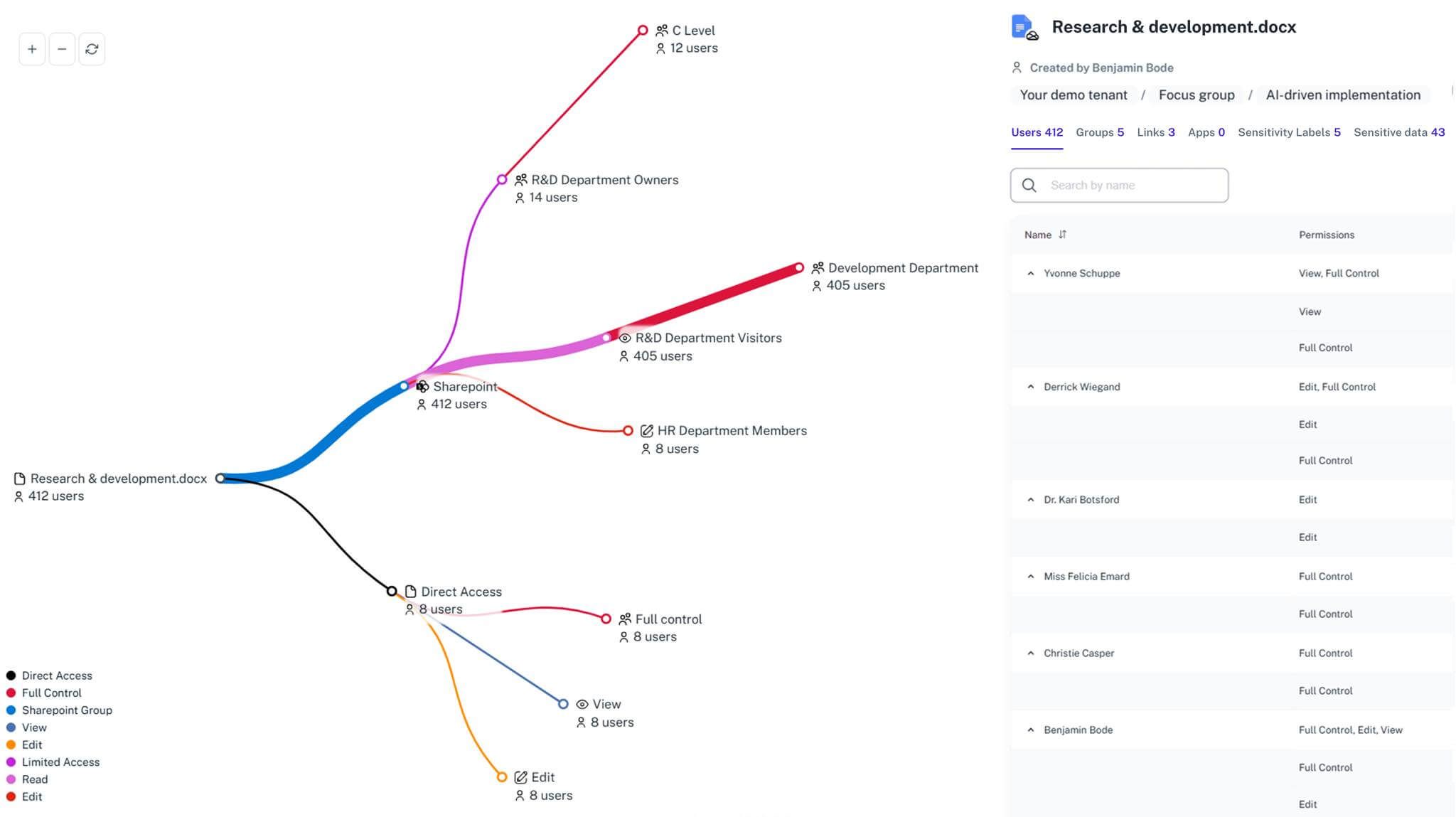
Every alert includes context on the affected resource, sensitive data exposure, and related permissions, so teams can judge impact quickly without digging through raw logs.
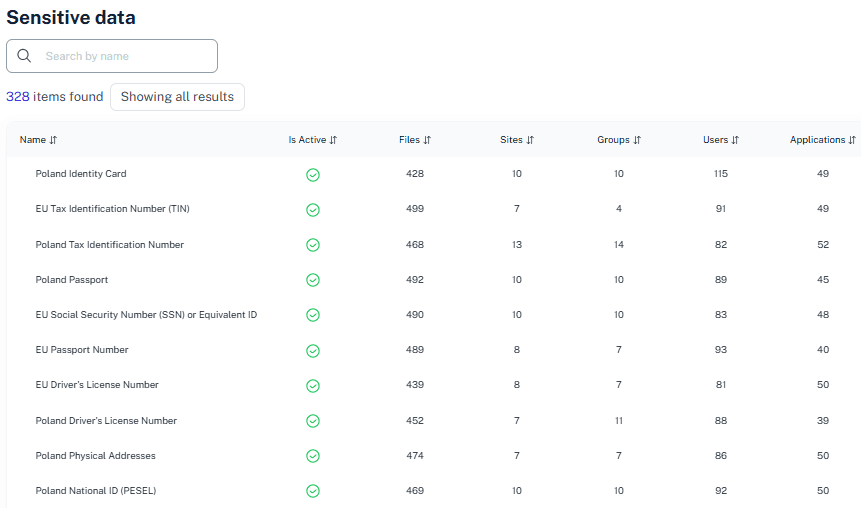
Less noise, more signal
1Security consolidates activity, permissions, and sensitivity signals into single source of truth, helping teams focus on meaningful risky access changes instead of chasing fragmented, low-context alerts.
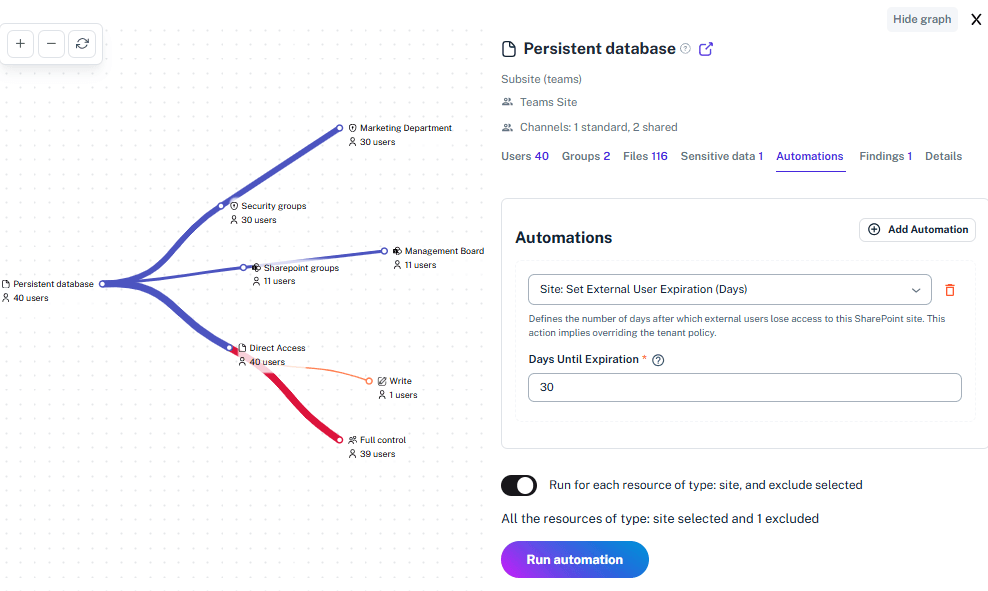
Unified risk view
1Security replaces switching across admin centers by consolidating inventory, permissions, sensitivity, and activity signals in one place, so investigations start with context, not guesswork.
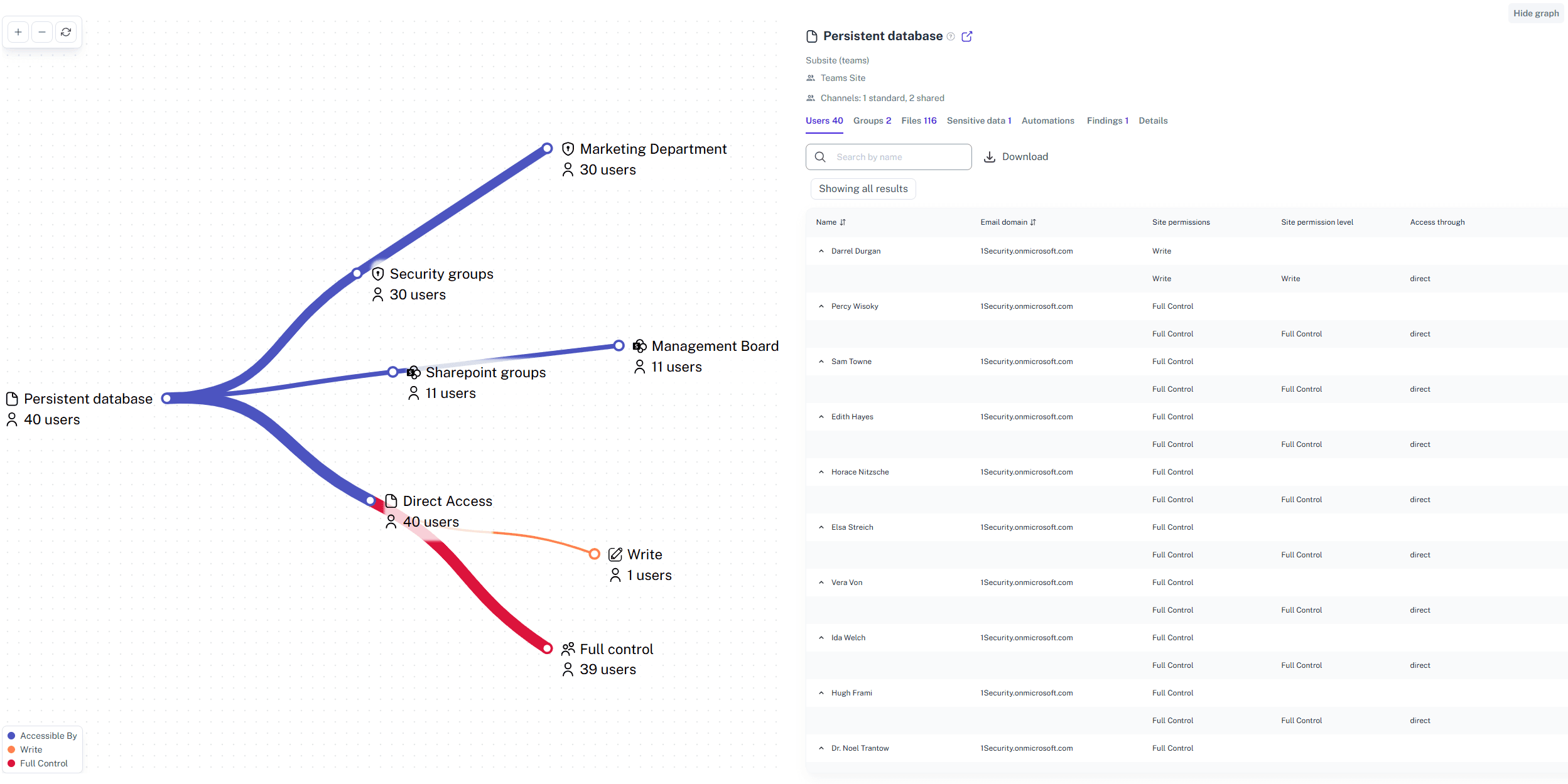
Faster investigations
Alerts include context on resources, exposure, and permissions, helping teams trace what changed and investigate incidents faster than manual log analysis or repeated CSV exports.
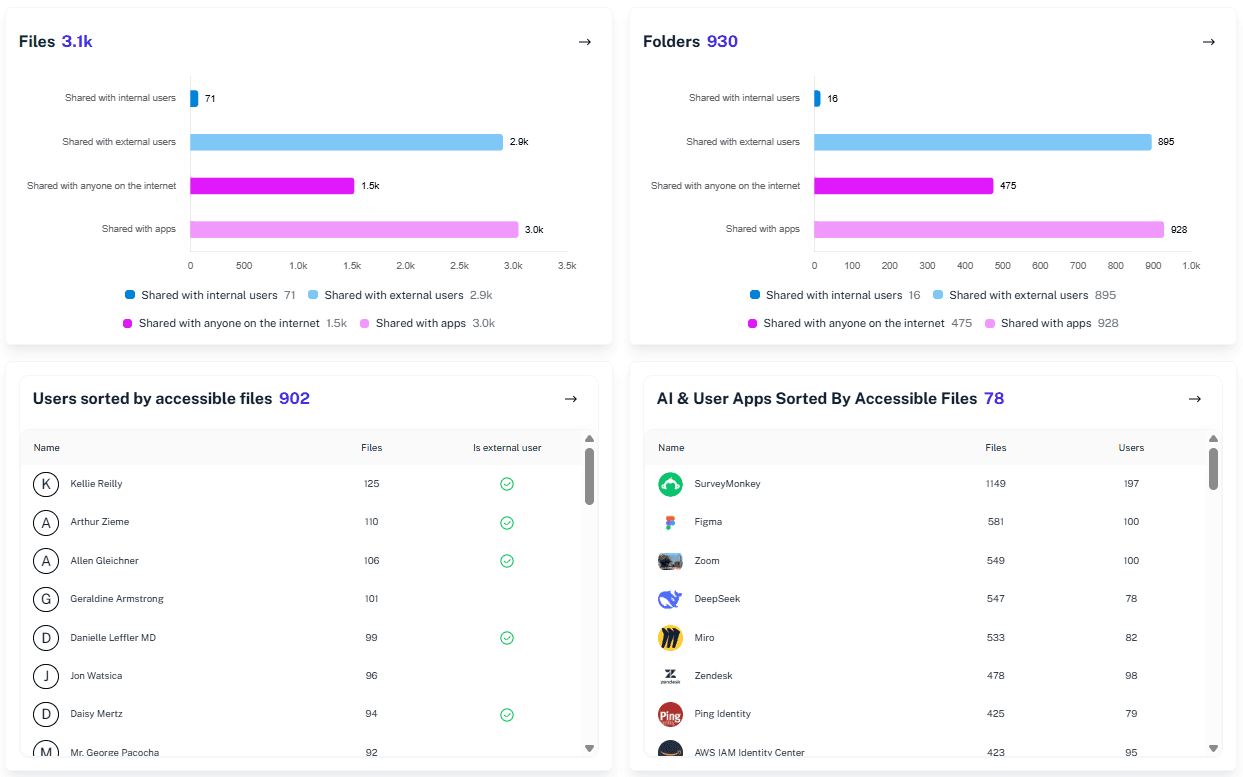
Remediation workflows
1Security pairs alerts with workflows and remediation options, such as addressing risky external sharing and privilege escalations, so teams can respond consistently and document actions taken.
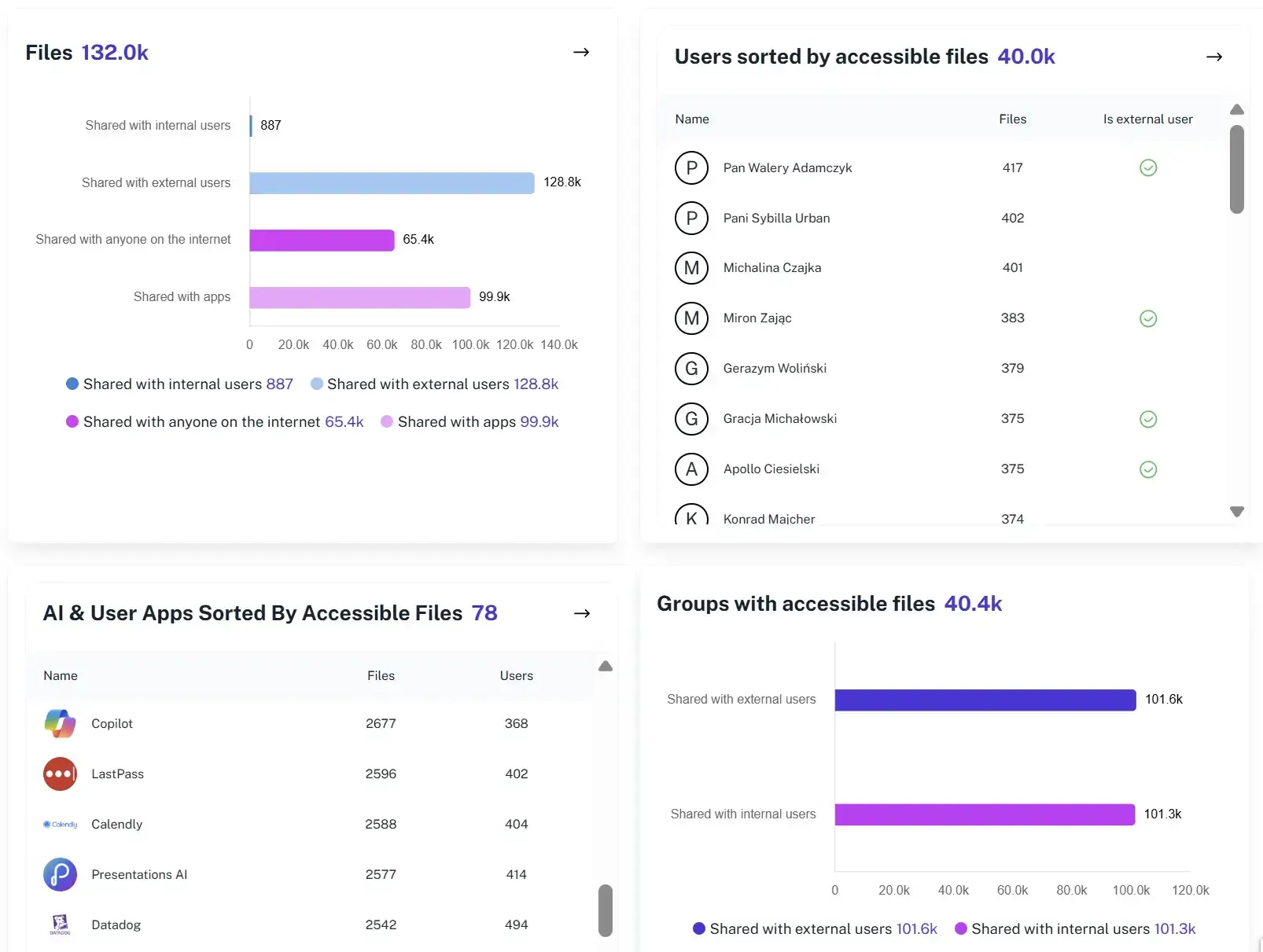
Incident timelines
Each alert is recorded with a clear, chronological timeline showing detection, investigation, and response actions, making post-incident reviews and audits straightforward.
Solving It with Other Methods
Most teams try to manage high severity alerts with native Microsoft tools and manual workarounds. It technically works, but only if you enjoy switching portals, waiting for logs, and hoping nothing important happens meanwhile.
Why Office 365 High Severity Alert Matters?
High severity alerts are meant to protect your tenant, not test your patience. 1Security enriches alerts with context, filters distractions, and speeds investigations, helping teams respond confidently instead of guessing whether an incident is real or routine.
"With 1Security monitoring, we finally have continuous oversight of Microsoft 365. What used to be a blind spot is now a real-time dashboard our auditors can trust."
Head of IT Security, European Bank"Real-time alerts on risky changes saved us from a major incident. 1Security tells us immediately when something unusual happens—before it becomes a breach."
Microsoft 365 Admin, Higher Education Institution"Before 1Security, we wasted days digging through different Microsoft 365 admin centers. Now, we get a single view of risks and permissions in minutes."
IT Manager, Mid-Size Technology CompanyWho Benefits Most?
1Security supports organizations of all sizes — from highly regulated industries to fast-growing mid-size firms.
Works seamlessly with your ecosystem
1Security connects natively with the tools you already use — giving you full visibility and control without adding complexity.









Frequently asked questions
Everything you need to know about the product.
Do you support ISO 27001, SOC 2, HIPAA, and GDPR work?
Yes. 1Security maps findings and evidence to common control frameworks, helping organizations demonstrate compliance more efficiently.
Can non-technical stakeholders use it?
Yes. Plain-language reports and read-only views make it easy for compliance, legal, and business stakeholders to see the evidence behind findings without needing admin rights.
Is this only for large enterprises?
No. While designed for complex environments, 1Security is equally valuable for mid-sized organizations running Microsoft 365 or Office 365 that need strong visibility into access, activity, and compliance.
How does 1Security improve visibility for Office 365 high severity alerts?
1Security adds user, location, and data context to high severity alerts, so teams quickly understand impact without jumping between Microsoft admin portals.
Can 1Security automate responses to high severity alerts?
Yes. You can configure guided actions for defined high severity triggers, such as identifying risky links or access changes, helping teams respond consistently before issues escalate.
Does this help with audit and compliance preparation?
Yes. Every high severity alert is logged with a clear timeline and supporting evidence, making audits, incident reviews, and regulatory reporting easier without last-minute data collection.
How does 1Security reduce false positives in high severity alerts?
1Security uses context and historical patterns to reduce alerts caused by expected administrative activity, helping teams focus on real security risk instead of routine changes.
Is this useful when preparing Microsoft 365 for AI tools like Copilot?
Yes. By adding context to high severity alerts, 1Security helps teams spot risky access patterns early and ensure AI tools only surface data that is appropriate and secure.
Gain visibility. Ensure compliance. Boost productivity.
Stop guessing who has access to your sensitive data. With 1Security, you gain the visibility, automation, and confidence needed to protect your Microsoft 365 environment.