Office 365 Incident Report
Microsoft 365 incidents rarely kick down the door. They sneak up as a question you wish you didn’t have to ask. Who accessed this file? When did it change? Was it shared outside? Teams dig through logs and admin portals while the clock keeps ticking. 1Security brings structure to Office 365 incident reporting, turning scattered signals into a clear, defensible incident report.
What is the challenge?
Doing It with 1Security
When an incident hits, it feels like a blackout. 1Security becomes the flare that lights up the room by connecting permission and access signals across Microsoft 365, keeping investigations fast, focused, and grounded in data.
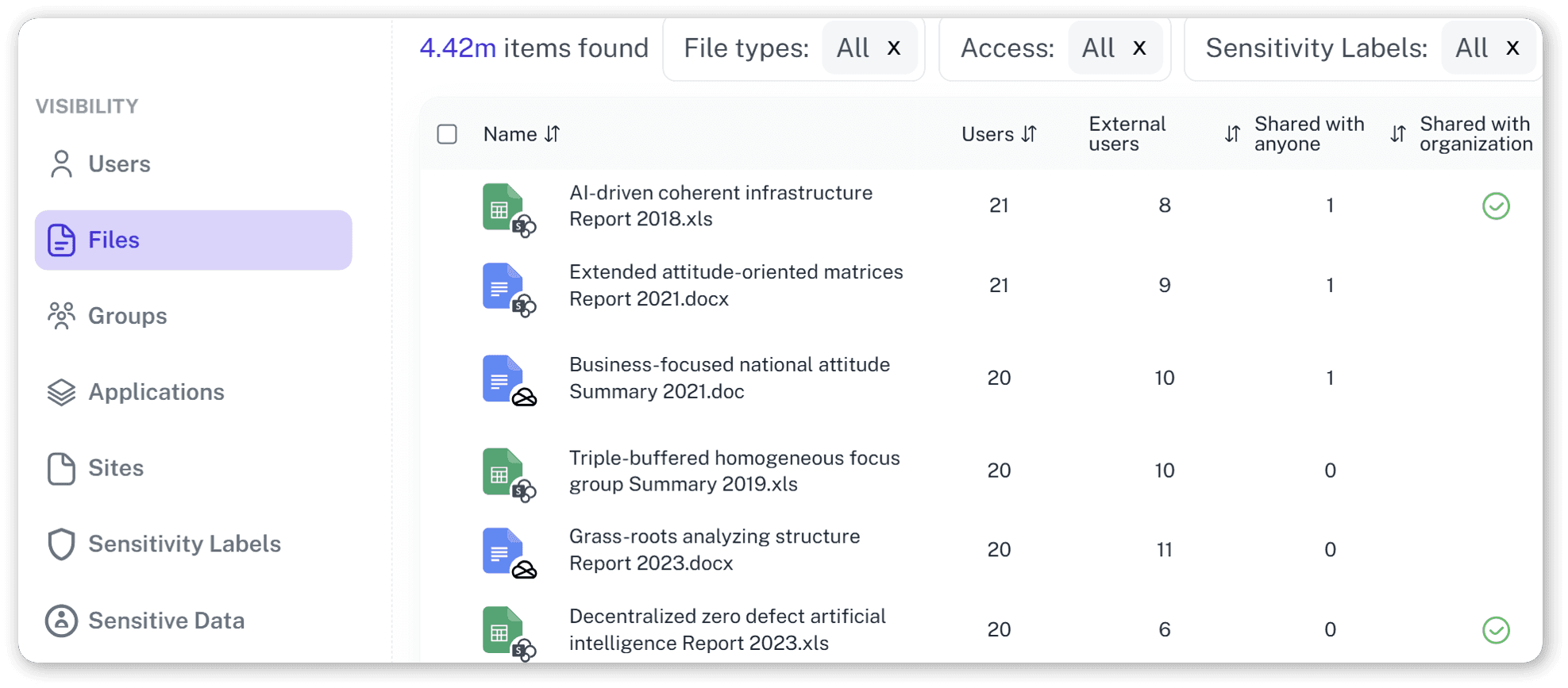
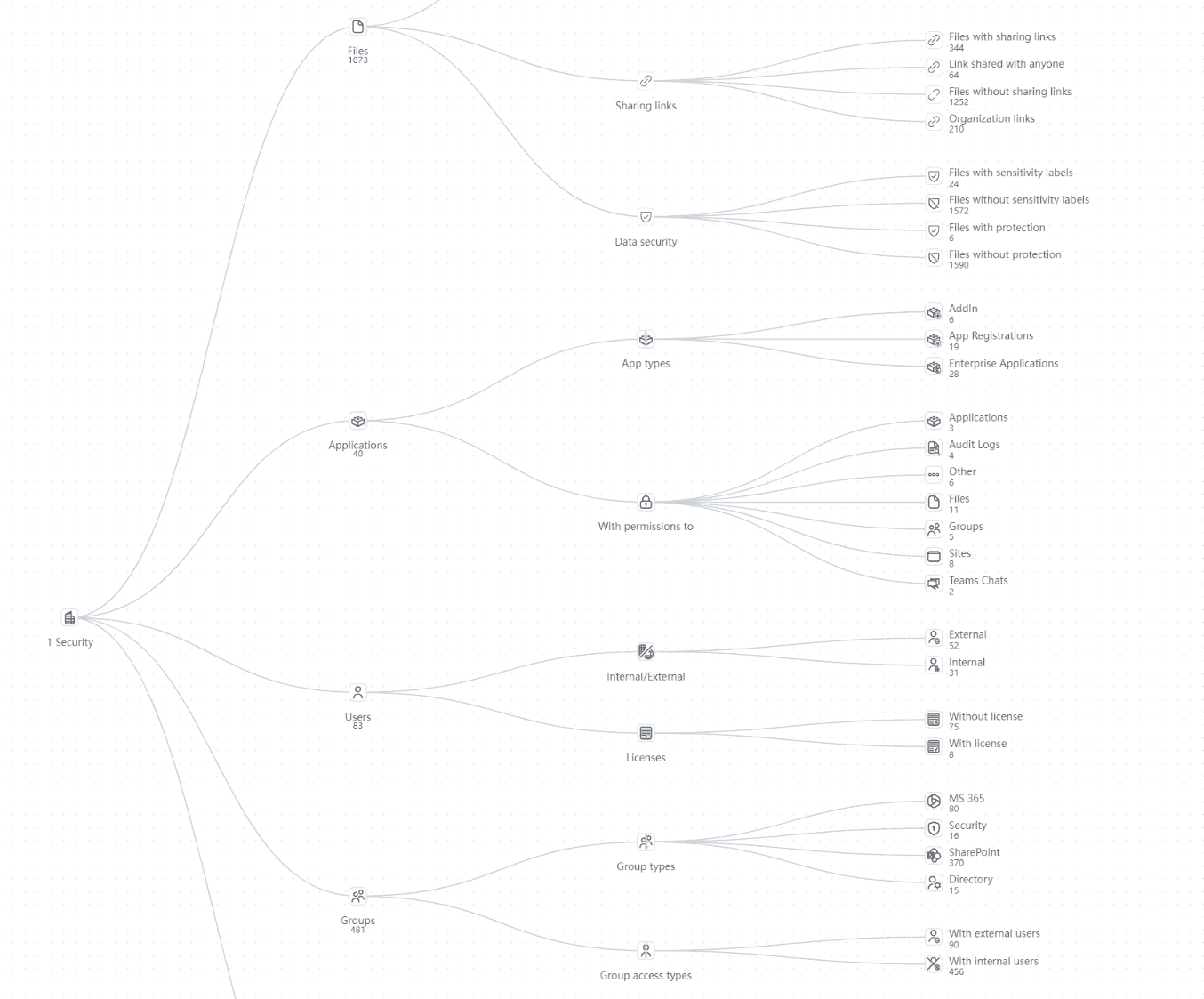
Unified Incident View
See access, activity, and permission signals from across Microsoft 365 in one view, giving investigators a clear starting point without jumping between admin centers.
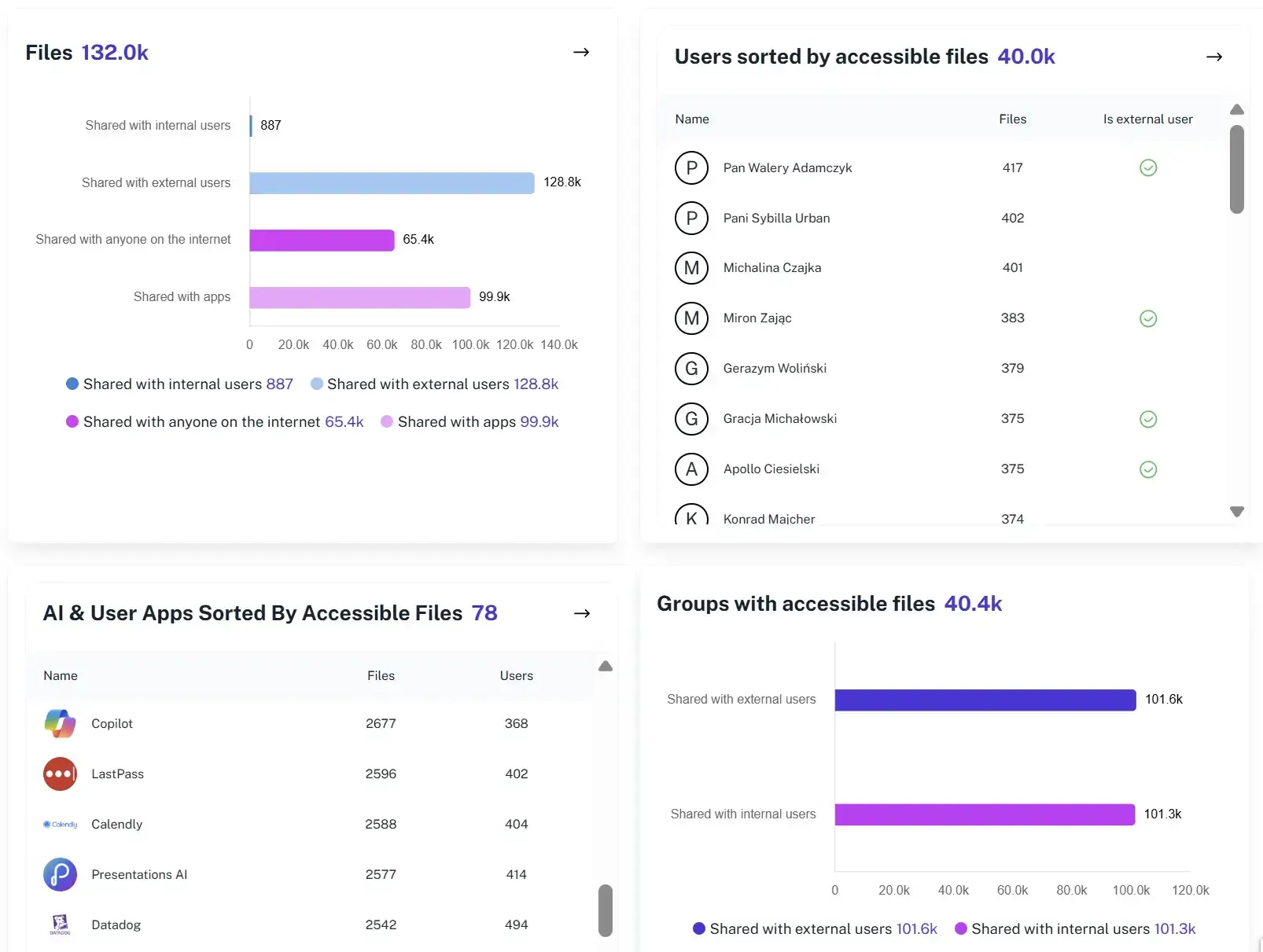
Access Timeline Context
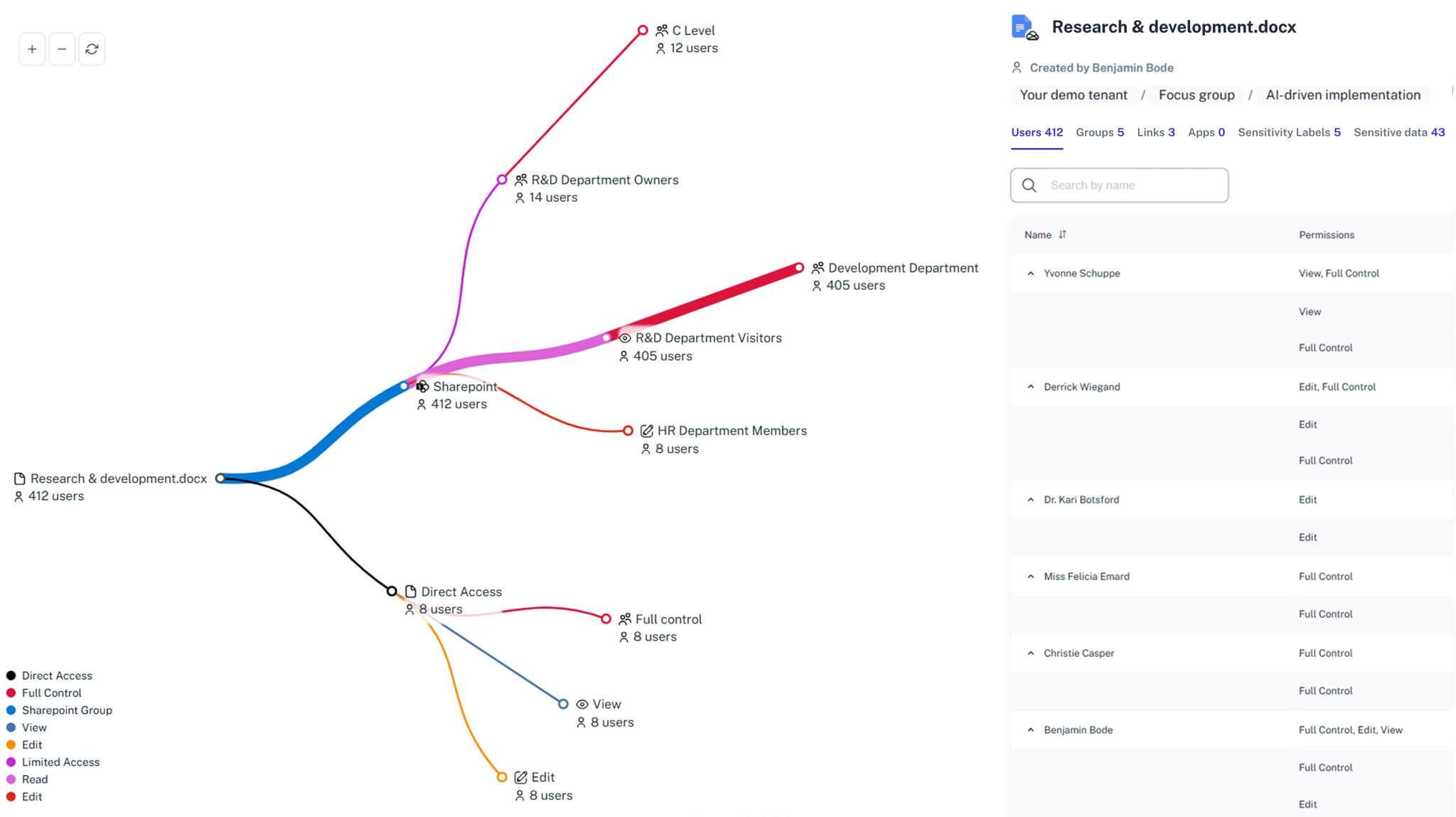
Understand who had access before, during, and after an incident, even when permissions changed over time, so access paths can be explained with confidence.
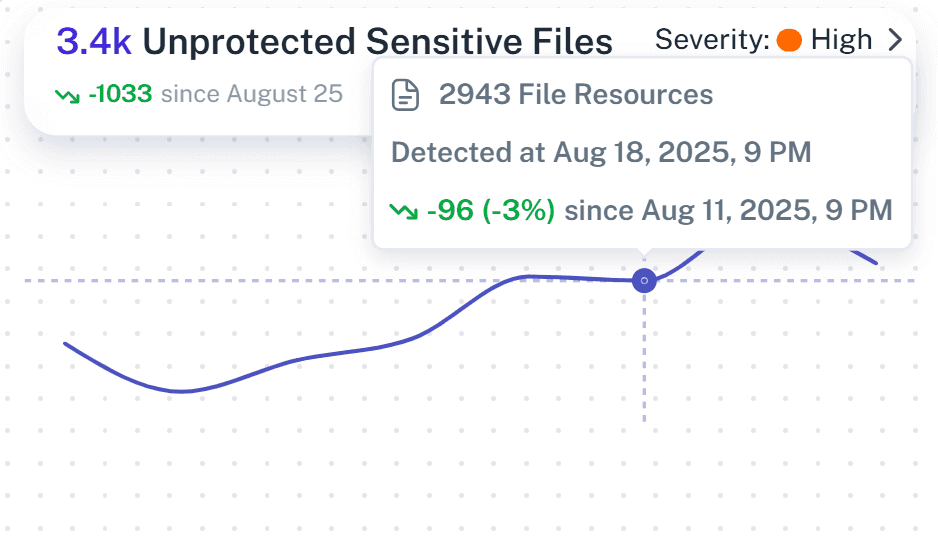
Activity Correlation
Review file access, sharing, and permission updates together in one view, so investigators can spot what changed without jumping between tools.
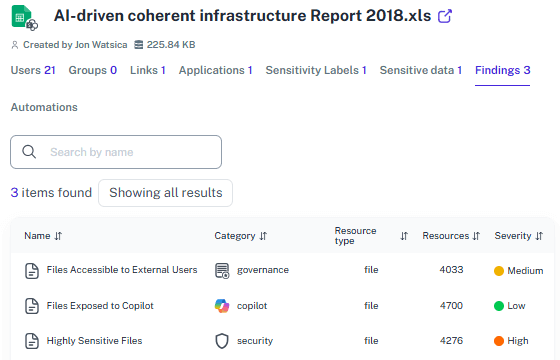
Audit-Ready Evidence
Generate consistent incident report documentation with clear context, so reports are ready for audits, compliance reviews, and internal investigations.
Plain-Language Reporting
Turn technical security information into clear incident reports that leadership, compliance, and legal teams can understand without extra explanation.
Faster Response
Shorten incident response time by removing manual exports and repeated log searches that slow teams down during incidents.
Solving It with Other Methods
Office 365 gives you plenty of ways to collect incident data. Unfortunately, it also leaves you to connect the dots yourself, usually while the clock is ticking and auditors are asking questions.
Why Office 365 Incident Report Matters?
An incident report is the difference between “we’re looking into it” and “here’s exactly what happened.” 1Security turns frantic reconstruction into structured, repeatable incident reporting that doesn’t rely on memory... or luck.
"We spent days trying to explain a single file exposure, jumping between logs and screenshots without a clear timeline. 1Security let us rebuild what happened and produce a clean Office 365 incident report in hours."
Head of IT Security, Financial Services Firm"Incident reporting meant pulling data from different tools whenever auditors asked follow-up questions. With 1Security, we finally had consistent incident evidence."
Compliance Manager, Healthcare Organization"When leadership asked what actually happened, we didn’t know the answer, just fragments of data. 1Security gave us a report we could stand behind and explain with confidence."
Microsoft 365 Administrator, Research InstitutionWho Benefits Most?
1Security supports organizations of all sizes — from highly regulated industries to fast-growing mid-size firms.
Works seamlessly with your ecosystem
1Security connects natively with the tools you already use — giving you full visibility and control without adding complexity.










Frequently asked questions
Everything you need to know about the product.
How does 1Security help with Office 365 incident reporting?
1Security brings access, activity, and permission context together, so teams can quickly understand what happened and produce clear, defensible incident reports.
How does this work with Microsoft audit logs?
1Security builds on Microsoft audit logs by adding context and structure, making investigations easier to follow without replacing native logs.
Is this suitable for compliance audits and reviews?
Yes. Incident reports provide consistent, well-structured evidence that supports compliance audits and internal investigations without last-minute rework.
Can I investigate incidents after permissions have changed?
Yes. 1Security keeps historical access and permission context, allowing teams to investigate incidents even after changes have occurred.
Can reports be shared with compliance, legal, or leadership teams?
Yes. Reports are written in plain language and structured for sharing, so non-technical stakeholders can understand what happened without extra explanation.
Do you support ISO 27001, SOC 2, HIPAA, and GDPR work?
Yes. 1Security maps findings and evidence to common control frameworks, helping organizations demonstrate compliance more efficiently.
Can non-technical stakeholders use it?
Yes. Plain-language reports and read-only views make it easy for compliance, legal, and business stakeholders to see the evidence behind findings without needing admin rights.
Is this only for large enterprises?
No. While designed for complex environments, 1Security is equally valuable for mid-sized organizations running Microsoft 365 or Office 365 that need strong visibility into access, activity, and compliance.
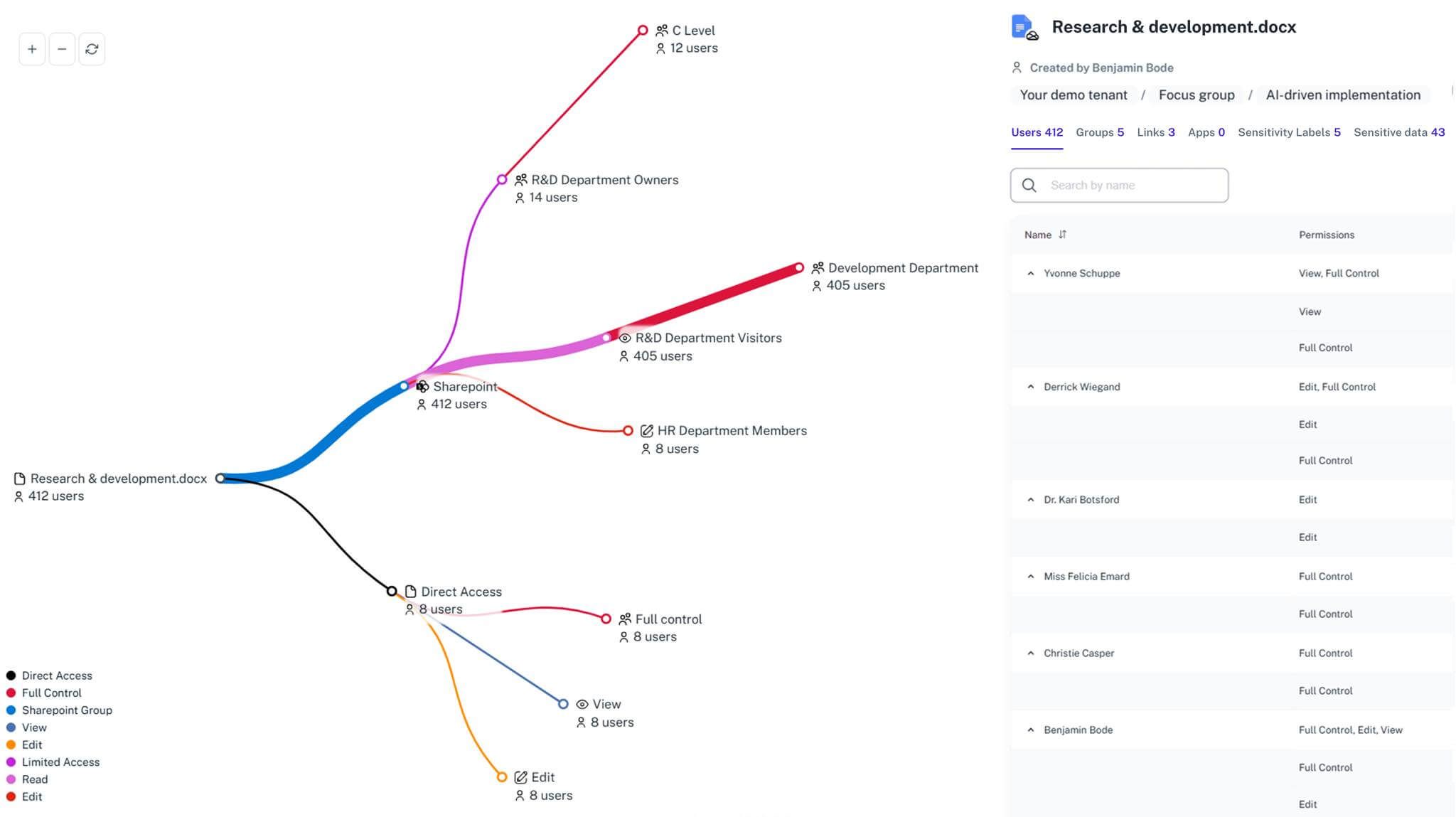
Gain visibility. Ensure compliance. Boost productivity.
Stop guessing who has access to your sensitive data. With 1Security, you gain the visibility, automation, and confidence needed to protect your Microsoft 365 environment.