Office 365 login report
Investigating native sign-in logs is like being handed a 10,000-piece jigsaw puzzle where every piece is blank. By the time you figure out if an alert is a real breach or just Bob logging in from a coffee shop, the damage is done. 1Security decodes this chaos, giving your team the exact context they need to spot real threats and ignore the noise.
What is the challenge?
Doing It with 1Security
Put down the magnifying glass and step away from the endless CSV exports. Eliminate the blind spots left by fragmented native tools. 1Security delivers the clear, consolidated overview you need for efficient microsoft 365 management.
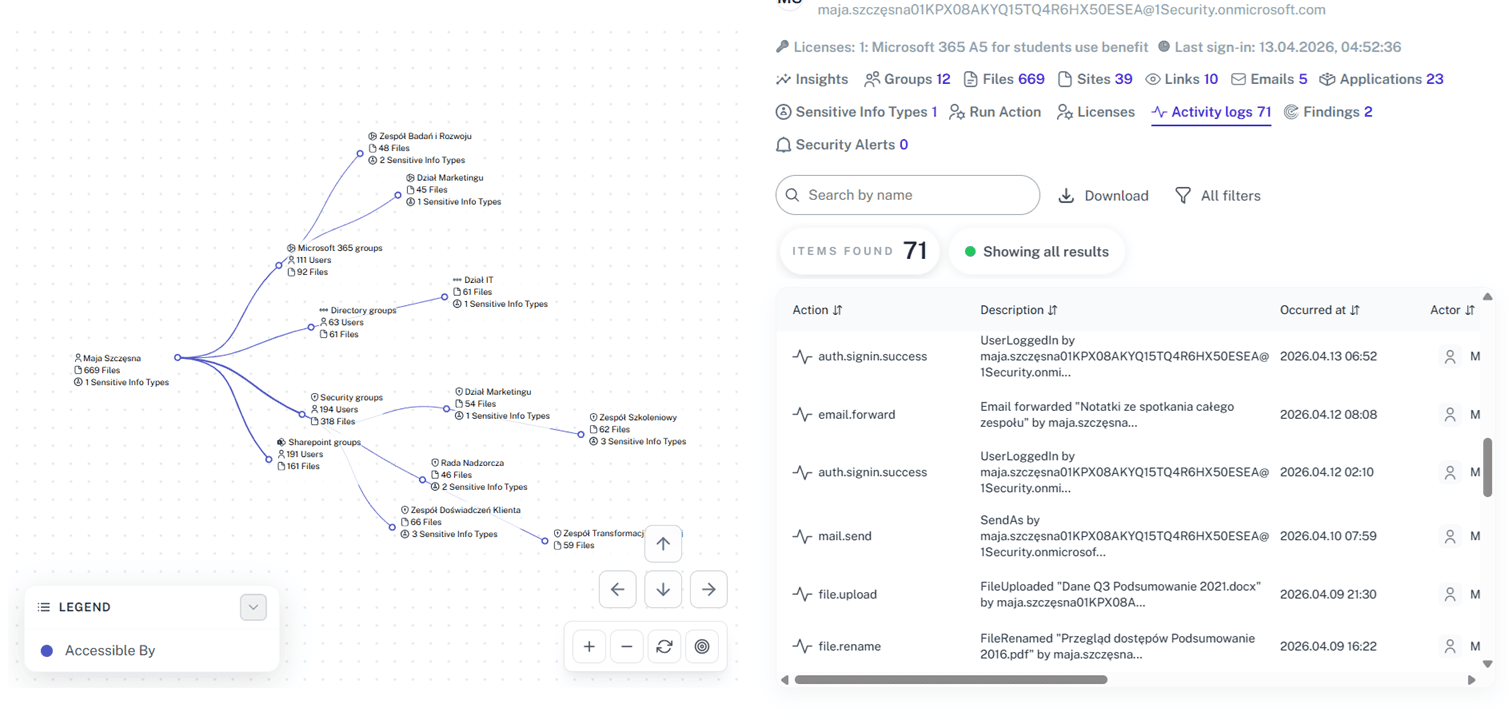
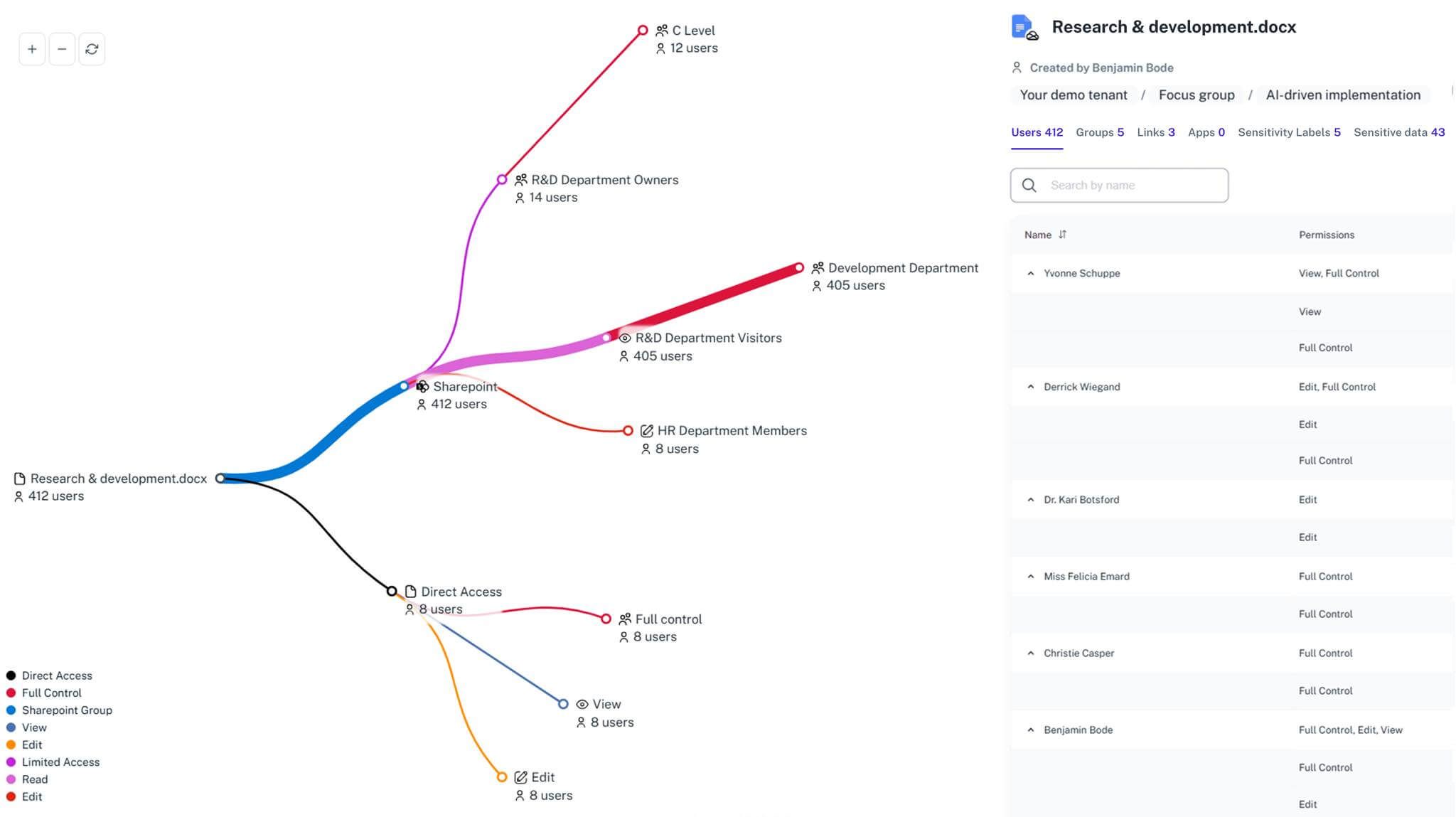
Unified Access Map
Our intuitive 365 reporting tool lets you quickly get a list of user sign-ins and mailbox access from one centralized, searchable dashboard.
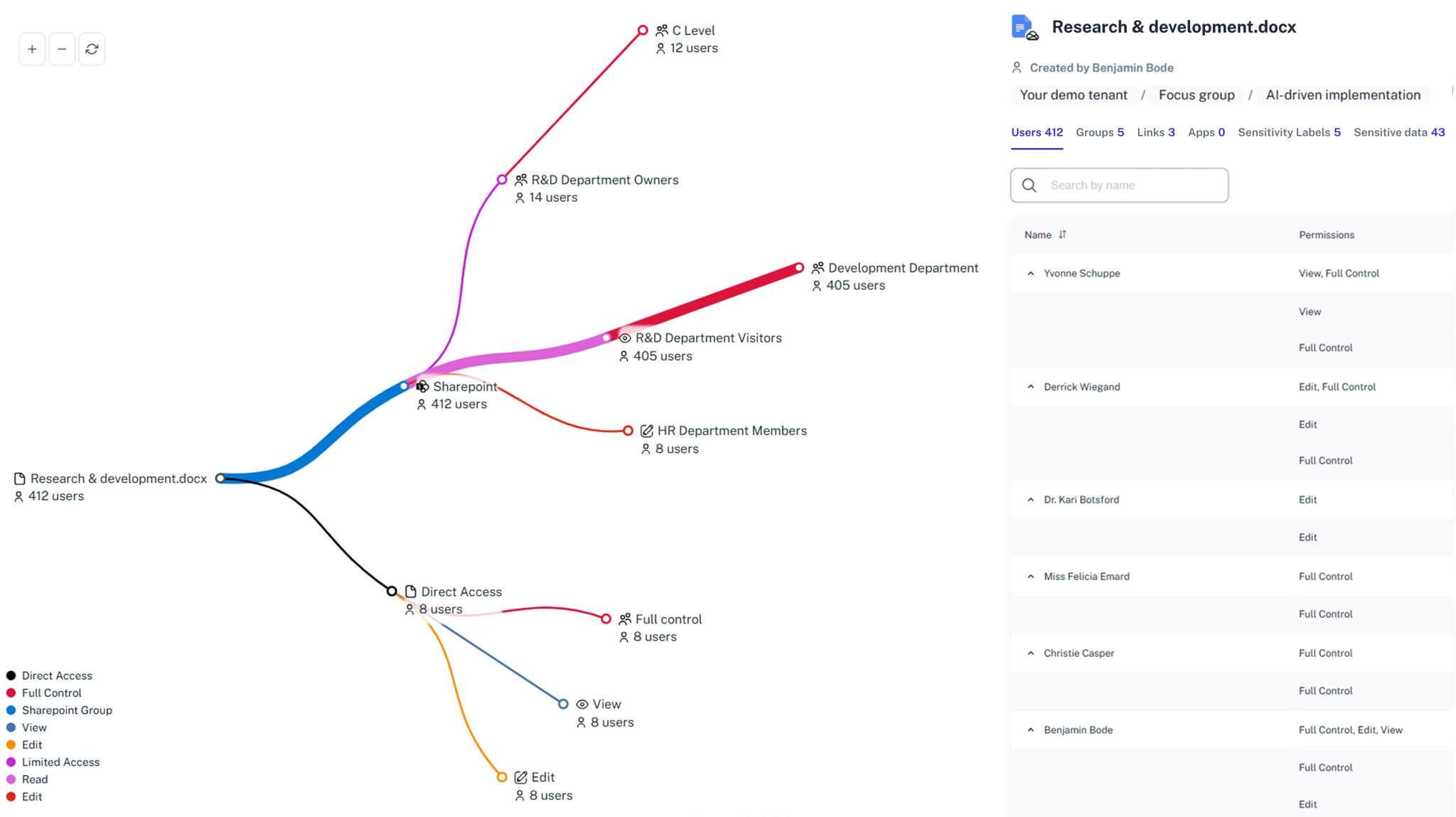
Anomalous Pattern Detection
Instantly identify risky user login activities across your entire 365 tenant before they can turn into full-scale data breaches.
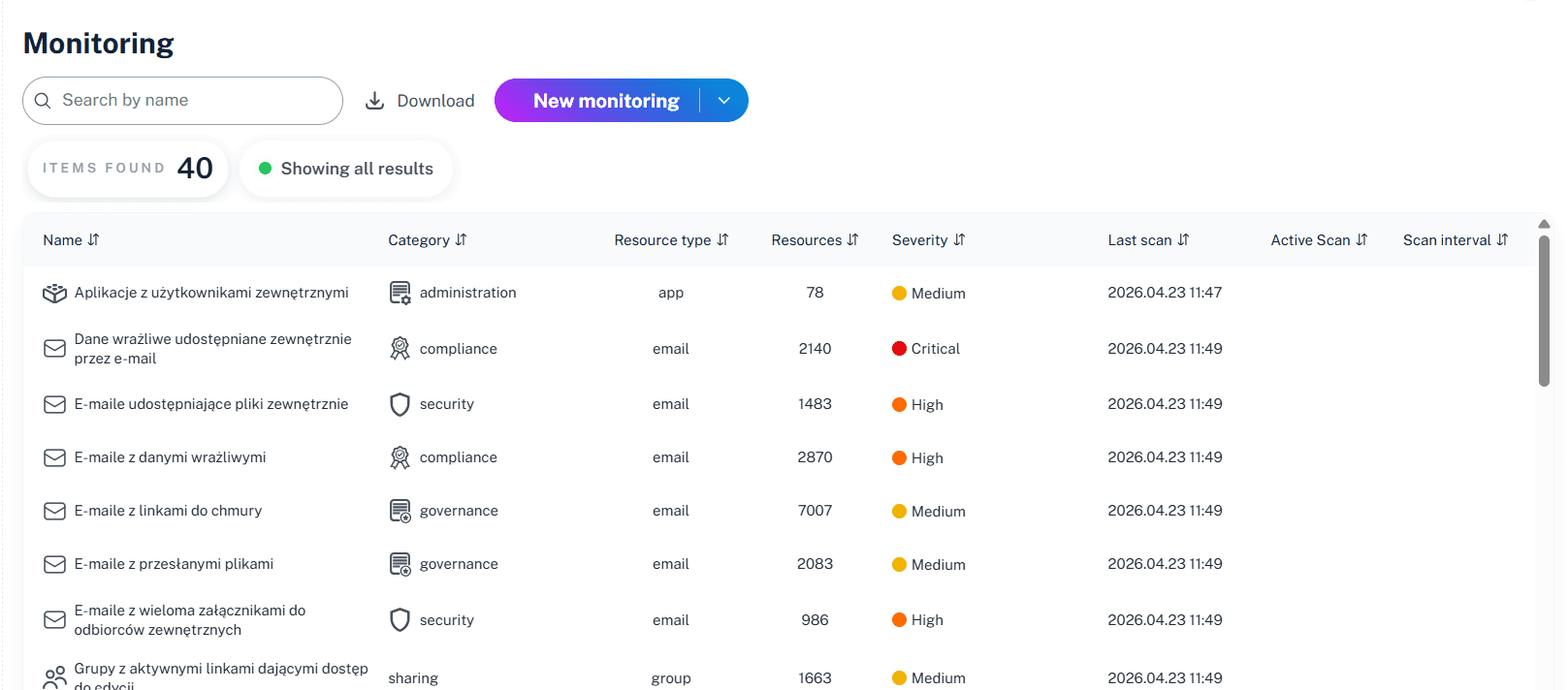
Sensitive Data Correlation
Instantly see if a suspicious sign-in activity targets your most confidential onedrive folders or critical entra id configurations.
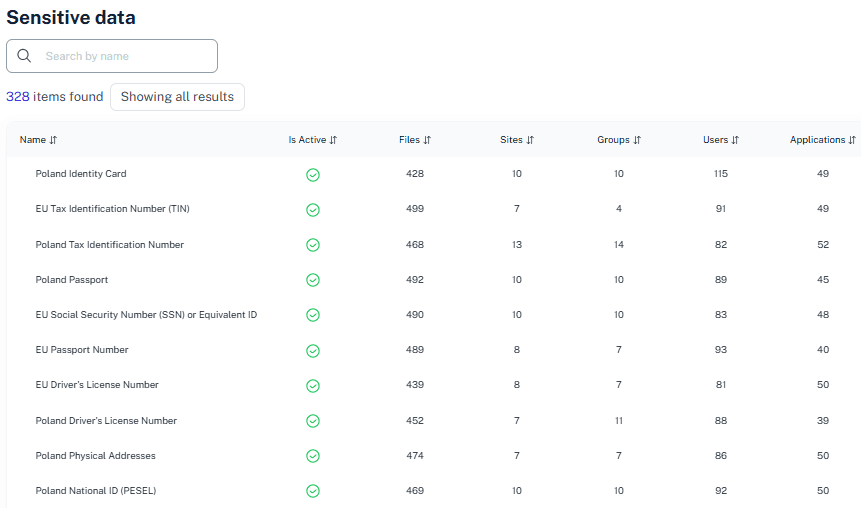
Automated Audit Reporting
Easily get a comprehensive report that maps a detailed login audit to frameworks like GDPR to ensure ongoing security and compliance.
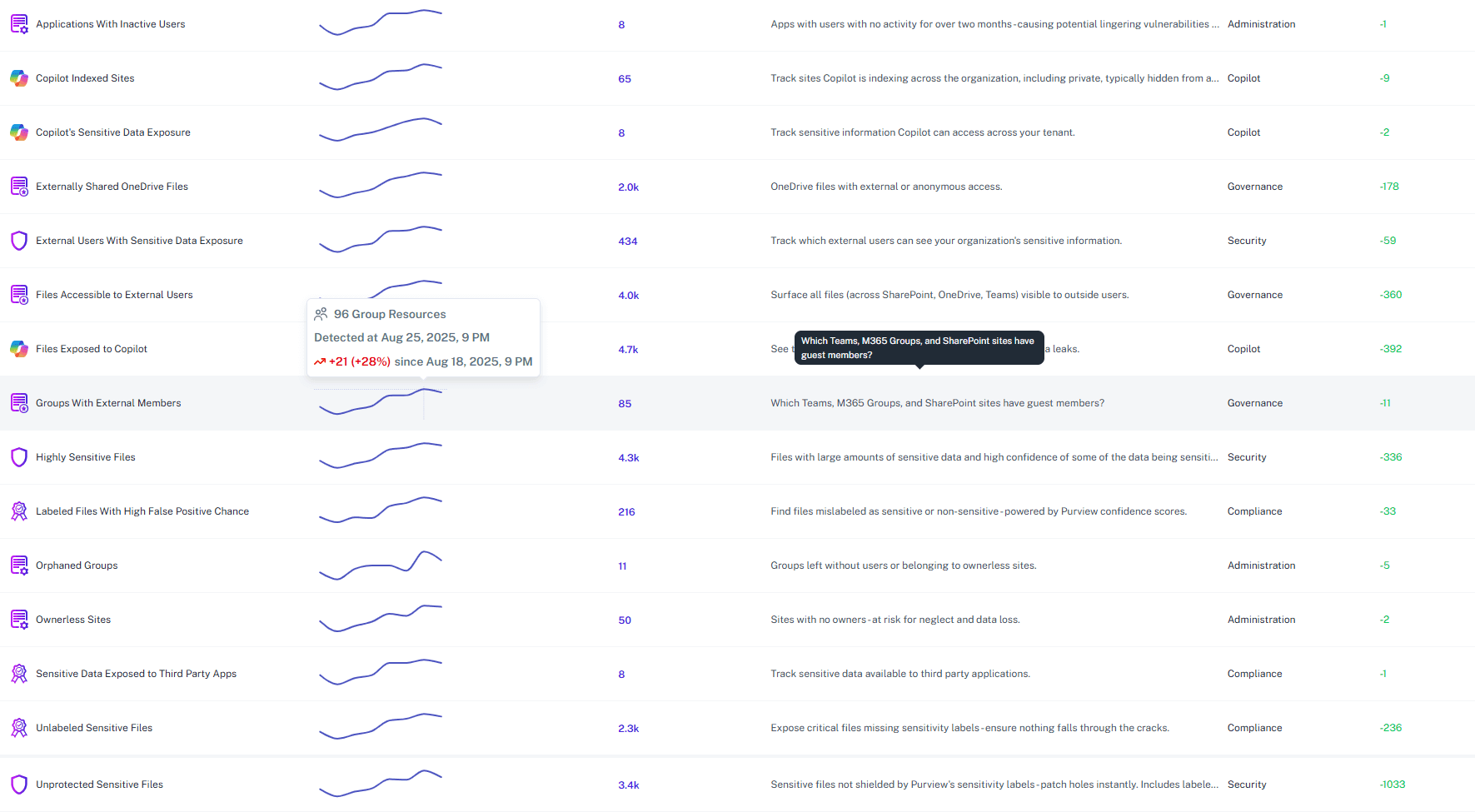
Credential Monitoring
Track not just human logins, but also risky azure ad application permissions to effectively monitor azure ad safely and prevent exposure.
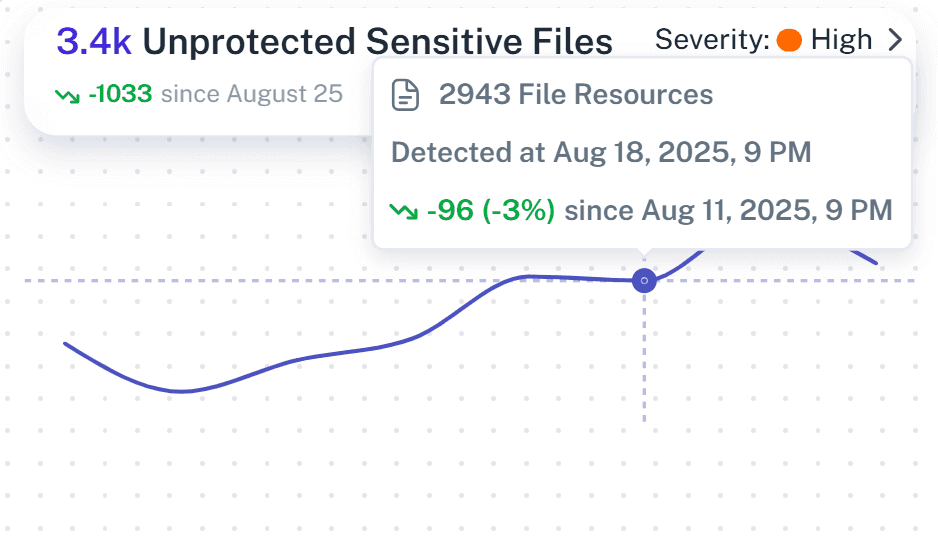
Real-Time Alerts
Receive smart notifications prioritizing impact, so you stay informed and can act on high-risk 365 usage immediately before damage is done.
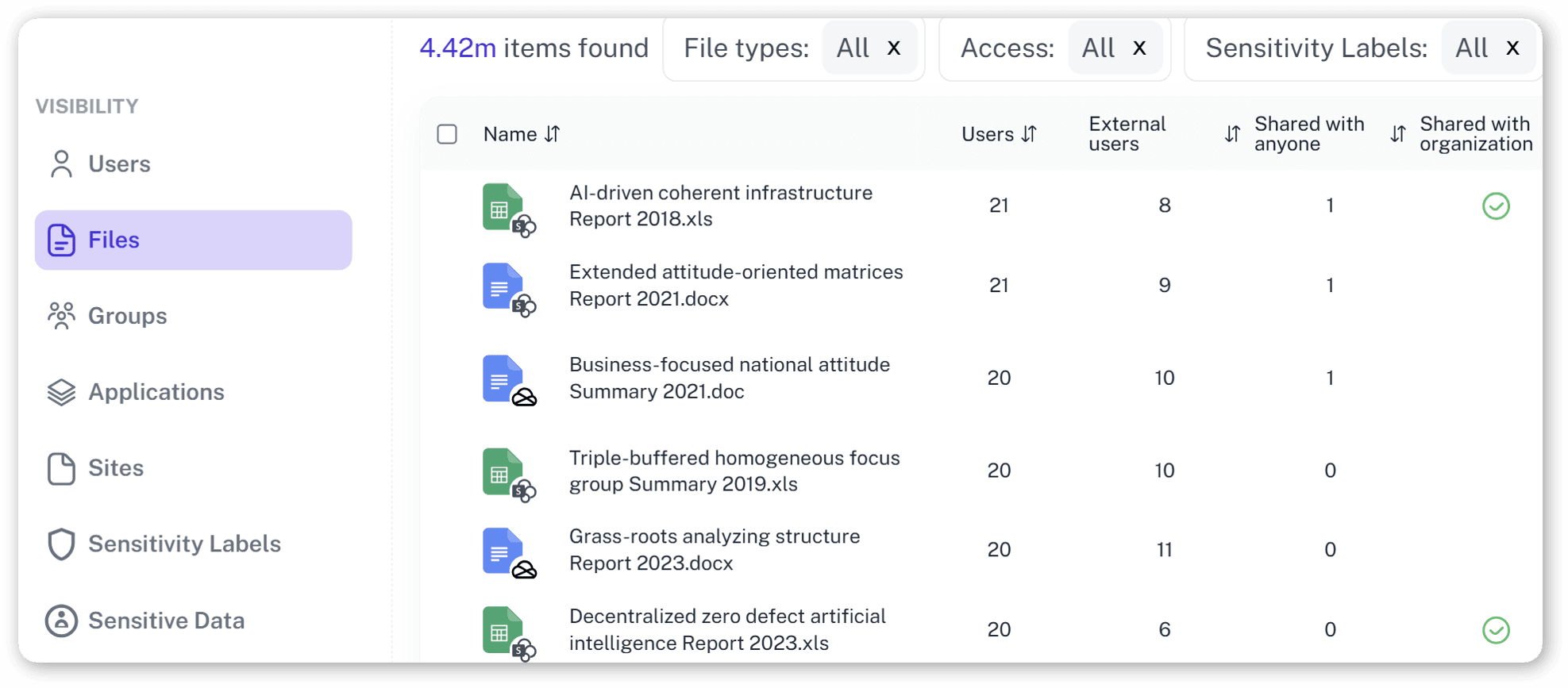
Complete Visibility
Confidently track offboarding, new users, and third-party users using your critical microsoft 365 organization resources in real time.
Solving It with Other Methods
Many orgs try to handle this manually, relying on that one admin who understands the ancient scripts. But using microsoft natively through scattered admin center tools is highly inefficient and risky. It turns a simple security check into a desperate archaeology expedition.
Why Office 365 login report Matters?
Stop treating your microsoft 365 environment like a digital escape room. 1Security gives you complete visibility, detects risky sign-ins in real time, and simplifies compliance so you stay in control instead of getting buried alive in audit logs.
"We discovered a service account accessing legacy sites. 1Security showed us the exposure across microsoft office 365 immediately, and we saved a lot of time."
CISO, Global Financial Services"Proving access governance used to take weeks of graph powershell exports. Now, the tool offers the full evidence trail in minutes"
IT Director, Public Research University"When we suspected a leak, 1Security allowed us to travel back in time to see exactly what files the compromised office 365 users had touched."
Security Lead, Mid-Size Tech FirmWho Benefits Most?
1Security supports organizations of all sizes — from highly regulated industries to fast-growing mid-size firms.
Works seamlessly with your ecosystem
1Security connects natively with the tools you already use — giving you full visibility and control without adding complexity.










Frequently asked questions
Everything you need to know about the product.
Can a 365 report actually show me what a user did after they logged in?
Yes. Activity reports are available that connect login events directly to specific file access, so you see the full context of their session without having to run a complex cmdlet.
Can I track microsoft entra application access as well as human users?
Absolutely. 1Security monitors both human and non-human identities so you are able to identify apps over-accessing your m365 data.
How does this help with external access in office 365?
It identifies when external accounts enter and reveals if they touched files they shouldn't see, providing the exact activity date.
Do you keep login history longer than the native Microsoft Graph tools do?
Yes. We provide the extended visibility needed for forensic investigations, bypassing the limited retention times that native reports provide information for.
Can I hand these Office 365 reports to a non-IT manager without them getting completely lost?
Our platform turns technical logs into clear, visual maps. You can get a quick view of who has access, making it incredibly simple for management to review azure risks without needing an IT translator.
Do you support ISO 27001, SOC 2, HIPAA, and GDPR work?
Yes. 1Security maps findings and evidence to common control frameworks, helping organizations demonstrate compliance more efficiently.
Can non-technical stakeholders use it?
Yes. Plain-language reports and read-only views make it easy for compliance, legal, and business stakeholders to see the evidence behind findings without needing admin rights.
Is this only for large enterprises?
No. While designed for complex environments, 1Security is equally valuable for mid-sized organizations running Microsoft 365 or Office 365 that need strong visibility into access, activity, and compliance.
Gain visibility. Ensure compliance. Boost productivity.
Stop guessing who has access to your sensitive data. With 1Security, you gain the visibility, automation, and confidence needed to protect your Microsoft 365 environment.