On 25 September 2026 Microsoft rebuilt Copilot around three tabs: Home, Code and Autopilot. The first two are improvements to things you already know. The third is a different kind of object, and the security guidance published in the week since has mostly treated it as a bigger Copilot.
Here's the difference in one paragraph. Copilot answers a person, with that person's permissions, when that person asks. Autopilot has its own identity in your tenant, its own memory and its own workspace. You give it a name, a role and a goal, and it keeps working: watching channels, following up on threads, picking a project back up days later, with nobody typing anything. Microsoft's own description is "your digital teammate", and for once the marketing phrase is technically precise. It's an account that does work.
That changes what "ready" means. For Copilot the readiness question was what each employee could find. For Autopilot it's what one tireless identity can reach, what it does with it at three in the morning, who answers for it, and what it costs, because it's billed by usage and it doesn't stop.
Almost every guide you'll read this month covers the first quarter of that. They'll tell you to check licences, turn on spending policies, apply sensitivity labels and "review SharePoint permissions". All correct. The last item is carrying most of the actual risk in three words, and nobody opens it up.
This guide does. It has three parts. The first is a fair summary of what's typically covered, so you have the standard checklist in one place. The second is the part that's missing from nearly everything published so far: the twelve specific exposure paths a new identity inherits in a real tenant, why each one exists, and how to count it. The third covers what you'll be asked after launch, which is ownership, usage, spend, changes and behaviour.
One thing worth knowing before you start, because it reshapes the whole exercise. An organisation-wide sharing link doesn't put a file in front of anyone until that person opens the link. That's why years of "People in your organisation" links have caused far fewer incidents than their numbers suggest: people don't go back and click links in old threads. An agent whose job is to read those threads and follow up on them does. The single largest dormant exposure in most tenants is the one a diligent agent is best placed to wake up.
What Autopilot actually is
Stick to what Microsoft has said in its own words, because a lot of early coverage is extrapolation.
Autopilot was previously called Scout. It's described as a persistent agent you set up with a name, a role and a goal. It watches channels, follows up on threads, runs recurring work and resumes a project days later without waiting for a prompt. It "lives in your tenant with its own identity, memory, computer and workspace", and it's built on Microsoft IQ, the layer Microsoft uses to ground Copilot in how your organisation works. It shows up in Teams, Outlook, chats, channels and documents, where colleagues can @mention it, "with permissions, audit and governance behind it".
On money: a Copilot user licence covers chat and the Office apps. Autopilot runs on usage-based billing in Copilot Credits, on the logic that it works when no licensed person is present. Admins get spending controls, end users can see their own credit usage and balance, and cost management in Agent 365 is being extended across the new surfaces.
On availability: Autopilot moved to private preview at the end of September, with most of the new Copilot reaching tenants through the Frontier programme first.
Now the part that matters as much as the facts: what hasn't been published. At the time of writing, Microsoft hasn't released the full admin control documentation for the preview. Early reporting says each agent identity needs a human sponsor and admin consent, that sensitive actions can be held for human approval, that Purview labels and DLP policies apply to what it sends and writes, and that the mail and calendar features pair the agent with a user account and are limited to preview tenants for now. Those are reasonable and consistent with how Entra Agent ID already works, but treat every one of them as provisional until it's in Microsoft's documentation.
That uncertainty isn't a reason to wait. Everything in part two of this guide concerns your tenant, which you can inspect today, and none of it depends on how the preview's final switches are labelled.
Why an identity of its own changes the question
Giving an agent its own identity is the right design. It means actions are attributed to the agent and not to whoever happened to launch it, it means you can audit it, apply Conditional Access to it and switch it off. Compare that with the alternative, an automation quietly running on a human's token, and it's clearly better.
It also means the agent has a reach of its own, and it helps to be exact about where that reach comes from. There are three sources.
What you grant it. Someone decides the agent needs the project site, the shared mailbox, the team. This is the part that gets a review, because a human is making a decision and can see what they're deciding.
What the tenant hands to any identity inside it. Every grant addressed to a broad audience, every link that works for the whole organisation, every group that contains more than its name implies. Nobody decides this part. It was decided years ago, in pieces, by people solving that day's problem. How much of it applies to an agent depends on what kind of directory object the agent is. The conservative assumption, and the one to plan for, is that an agent paired with a user account for mail and Teams is treated the way a new employee's account is.
What other people route through it. Autopilot can be @mentioned by colleagues. That's a feature, and it means the people asking the agent to do things aren't only its owner. Whether an agent will fetch something for a colleague that the colleague couldn't open directly is a question for Microsoft's final design. It's the classic confused-deputy shape, and it's worth asking your Microsoft contact about explicitly.
Here's how the two products compare on the points that drive a security review.
| Microsoft 365 Copilot | Copilot Autopilot | |
|---|---|---|
| Acts as | The person asking | Its own identity |
| Works when | Prompted | Continuously, toward a goal |
| Reach is | Whatever that person can open | Its grants, plus what the tenant gives any internal identity |
| Can change things | Through the user, in the app | On its own, as part of the job |
| Follows links in threads | Only if the user does | It's the job description |
| Cost | Per-user licence | Usage, in Copilot Credits |
| Has an owner | The user is the owner | A sponsor, who can change roles or leave |
| Audit trail | Under the user's name | Under the agent's name |
Read the rows on the right as a description of a new starter who never sleeps, reads everything they're pointed at, and has been told to show initiative. You'd want to know what that person's badge opens.
Part one: what every guide covers
Credit where it's due. The standard readiness checklist is good advice, and you should do all of it. Here it is in one place.
Licensing and billing. Confirm who holds Copilot licences. Understand that Autopilot is metered in credits on top of that. Create a spending policy before anyone starts an agent, with limits at tenant, group and user level, and decide who gets alerted when a limit is close.
Preview enrolment. Decide deliberately whether the tenant joins Frontier. It's a tenant-level opt-in, and it brings more than one feature with it.
Identity hygiene. Multifactor authentication everywhere, legacy authentication blocked, Conditional Access policies reviewed so that agent identities are covered by something intentional and not swept up or missed by accident.
Sensitivity labels and DLP. Label the content that matters, make sure the labels that should encrypt do encrypt, and check DLP policies cover the locations and actions an agent could use. Labels travel with the file, which makes them one of the few controls that still works after a permission mistake.
SharePoint controls. Use the oversharing reports in SharePoint Advanced Management, review sites shared with "Everyone except external users", consider restricted content discovery for sites that shouldn't feed AI, and run site access reviews with owners.
Human approval. For actions with consequences, such as sending external mail, deleting, or sharing, require a person to sign off.
A named sponsor. Every agent should have a human who's accountable for it.
Acceptable use. Tell people what they can and can't ask an agent to do, and what to do when it brings back something it shouldn't have.
If you do all of that you'll be ahead of most organisations. Now look at what the list has in common. Seven of the eight items are about the agent or about policy. One is about the data, and it's phrased as a review of sites. The trouble is that in Microsoft 365, access isn't only a property of sites. It's a property of links, folders, single files, groups inside groups, mailboxes and now other agents. A site-level review reads the front door of each building and reports that the doors look fine.
The second gap is time. Every item on that list is a pre-launch task. None of it tells you what the agent did last Tuesday, whether that was normal for it, who's using it, or what it has cost since it started.
Parts two and three are those two gaps.
Part two: the twelve exposure paths
Each of these is a concrete way content becomes reachable by an identity that nobody chose to give it to. For each one: how it comes to exist, why an always-on agent makes it matter more than it did, how to count it, and what to do. They're ordered roughly by how often they turn out to be the problem.
1. Organisation-wide links. When someone picks "People in your organisation" in the share dialog, SharePoint creates one link that works for every account in the tenant. In many tenants this was the default link type for years, so there are a great many of them, often on folders, which means everything later saved into that folder is covered too.
As mentioned at the top, these links are quieter than they look. A file behind one doesn't appear in a colleague's search results until that colleague has opened the link, at which point they're recorded as having access. The exposure is latent. It needs someone to come across the URL and click it.
An agent that watches channels and follows up on threads comes across URLs all day. If its job is to chase the status of a project and the status lives in a spreadsheet somebody linked in a chat eighteen months ago, opening that link is the agent doing its job well. The link was created for a team of six. It works for the agent because the agent is "in the organisation".
To count it: list files and folders by link scope, keep the organisation scope, and cross it with sensitive content. The total will be large and mostly harmless. The intersection with payroll, contracts, credentials and health data is the list that matters, and it's usually a few hundred items in a tenant with millions of files. What to do: remove or replace those links with specific-people links, and change the default link type at tenant and site level so the pile stops growing.
2. Anyone links. A link that requires no sign-in behaves like a bearer token written into a URL: whoever holds the URL holds the access. That includes software. An agent with a browser and a mandate to follow up doesn't need its identity to be granted anything to open an anonymous link it found in a thread or a document.
There's a second-order problem that's specific to agents: attribution. Access through an anonymous link is recorded as anonymous. If an agent opens one, the careful per-agent audit trail that its own identity was supposed to give you has a hole in it at exactly the point where the content was least protected.
To count it: files with anyone-scope links, split by whether they have a password, whether they have an expiry, and whether the link grants edit. The combination to hunt is public, sensitive and permanent. Most teams find that list is short. What to do: expire them, set a tenant-wide maximum lifetime for anonymous links, and for sites that never need them, turn the capability off at site level.
3. "Everyone except external users" and public teams. This is the one the standard checklists do mention, so only two additions.
First, the grant is often not on the site. It's on a library, a folder or a single file, placed there by someone who typed "everyone" into the share box to get past an access-denied message before a deadline. A site permissions report that reads the top level won't show it.
Second, public teams. A Microsoft 365 group set to Public makes its site readable by everyone in the organisation by design. People create public teams because the default was public or because "private" sounded unfriendly, and then use them for work that isn't public at all. Unlike a link, content exposed this way needs no click. It's directly discoverable from day one.
To count it: sites whose connected group is public, crossed with sensitive content inside; then files and folders carrying a direct broad-audience grant below site level. What to do: flip the groups that shouldn't be public to private, which is one setting, and strip the item-level broad grants.
4. Dormant sites. In a typical tenant, well over half of all sites have had no activity in a year. They're finished projects, departed teams, reorganised departments and abandoned experiments. Each one still holds its files and, more to the point, its permissions, frozen at whatever they were on the last busy day.
People don't browse dead sites, which is the only protection most of them have. An agent building context for a goal has no sense that a 2021 project site is stale. If it's reachable and relevant-looking, it's source material. That's a security problem when the old site holds sensitive data, and a quality problem even when it doesn't, because the agent will work from superseded figures with complete confidence.
Dormant sites also concentrate the other paths. They're where the old organisation-wide links are, where the guests who never left are, and where nobody's left to object.
To count it: sites with no activity in the last twelve months, sorted by sensitive detections, then filtered for external users or broad access. The combination of forgotten and still open is usually a short and alarming list. What to do: archive or lock what's finished, and for the rest, exclude it from AI discovery until an owner confirms it.
5. Nested groups. Microsoft 365 access runs on groups, and groups contain groups. Add an identity to one team and it inherits whatever that team's group is a member of, and whatever those are members of. The admin centre shows direct members. The effective membership, with nesting resolved, is a different and usually much larger number.
This matters at the exact moment you onboard an agent. The natural first step is to add it to the team it'll work with. That's one click and looks like a narrow grant. What it opens is every site, library and file that any group in the chain was ever given.
It also works in reverse. If the agent is given access to a site through a group, everyone nested into that group shares the path, which matters when you later try to work out who could have put content in front of the agent.
To count it: for the group you're about to add the agent to, resolve its parent groups and total the files and sites reachable through the whole chain, with the sensitive information types inside. If that number surprises you, it'll surprise the agent's sponsor more. What to do: grant the agent access through a purpose-built group with no parents, and check the resolved number before the first run.
6. "Temporary" access nobody revoked. Every tenant is full of access that was meant to last a week. The contractor added to the finance site for a migration. The auditor given direct access to a folder. The link shared "just until Friday". The employee who covered for a colleague on leave and kept the membership. The break-glass grant during an incident.
Microsoft 365 will expire some things for you if you've configured it: anonymous links and guest access can both carry lifetimes. A direct grant to an internal user, a group membership and an organisation-wide link have no natural end. They last until someone removes them, and nobody does, because removing access is a task with no requester.
For an agent this shows up in two ways. Its own grants will go the same way: access given for the pilot goal will still be there for the fifth goal. And the people around it carry years of leftovers, which defines what they can ask it for and what they can place where it will read.
To count it: links past their expiry date that still exist, direct user grants on individual files and folders (a direct grant on a single item is almost always an exception someone made in a hurry), external users on sites with no recent activity, and group members who haven't touched the group's content in a year. What to do: give every agent grant an end date in whatever system you use to track it, and run the leftovers through owner review in batches.
7. Folders and files with their own permissions. By default a file inherits permissions from its folder, the folder from its library, the library from the site. Any of them can break that inheritance and carry its own list. Sharing a single file with one person does this implicitly. Over a decade, a busy site accumulates thousands of items whose access has nothing to do with the site's.
This is the structural reason site-level reviews underreport. The owner looks at the site's members, sees twelve sensible names and approves. Three levels down there's a folder shared with a group of four hundred, and it isn't on the page the owner was shown.
It cuts both ways, which is worth remembering. Some unique permissions are tighter than the site, and those are fine. The ones to find are wider than their parent.
To count it: you need access resolved per file, not per site, and then a comparison: items reachable by more identities than the site that holds them. What to do: for wide folders that are wide by accident, restore inheritance. For those that are wide on purpose, move them to a site whose membership matches, so the exception stops being invisible.
8. A sensitive file in an open location. The previous seven paths are permission mistakes. This one isn't. The location was shared broadly on purpose, and correctly, because it held the canteen menu, the brand templates, the all-hands slides. Then someone saved an export of customer contracts there because it was the first library that came up in the save dialog.
Nothing changed in the permission model. No alert fires, because nobody shared anything. A permission review passes, because the site is supposed to be open. The only way to see this is to know what's inside the file.
Agents make it worse in a specific way: they produce files too. An agent that compiles a report from sensitive sources and saves it to the team's general channel has just performed this exact mistake, at speed, and it'll do it again tomorrow.
To count it: content detections crossed with the breadth of the location. Sensitive information types found in files whose effective audience is the whole organisation. What to do: move the file, and treat any location where this keeps happening as a training problem with a specific team.
9. Sites and groups with no owner. Ownership is the control everything else assumes. Access requests go to owners. Access reviews are answered by owners. "Should the agent be here" is a question for an owner. When the last owner leaves the company, the site or group carries on working exactly as before, with nobody to ask.
Ownerless containers are where your remediation stalls. You find a risky grant, you want confirmation before removing it, and there's nobody to confirm. So it stays.
To count it: sites with no owners, groups with no owners, and the same again where the only owners are disabled accounts, which is the same thing with extra steps. Cross with sensitive content to prioritise. What to do: assign owners before the agent arrives. It's dull work and it unblocks everything else on this list.
10. Other people's OneDrives. Every user has a personal site, and it's the least governed storage in the tenant. Nobody reviews it, it has one owner by definition, and it's where people keep the working copies of the most sensitive things they handle. It's also where people share from most casually, because it feels private.
A folder shared with the whole organisation from someone's OneDrive is path one in a place no site review will ever visit. When that person leaves, their OneDrive is typically handed to their manager and then deleted on a timer, or kept, depending on retention settings. Either way the shares can outlive the person's own memory of making them.
To count it: organisation-wide and anonymous links whose target sits in a personal site, with sensitive detections, grouped by owner. What to do: this one's best handled by the owners themselves. Send each person their own list.
11. Mail and shared mailboxes. If the agent gets a mailbox, or access to a shared one, mail becomes an access path. Shared mailboxes are the nested groups of the mail world: permissions accumulate, nobody prunes them, and the contents are a decade of attachments.
Mail is also how files travel outside the permission model entirely. An attachment is a copy. Whoever can read the mailbox can read the copy, whatever happened to the permissions on the original. A file locked down last year may be sitting, intact, in forty inboxes.
And mail is the main road in for content written by strangers. An agent that reads incoming mail and can take actions is reading instructions from outside your organisation all day. That's the profile where prompt injection stops being a conference topic. It doesn't need a vulnerability, only a persuasive paragraph in a message the agent was always going to read.
To count it: which mailboxes the agent identity can open, who else has access to the same mailboxes, and how many sensitive files left or arrived as attachments. What to do: keep the agent out of shared mailboxes unless the goal requires one, and require human approval for any action triggered by mail from outside.
12. Other agents. This is the newest path and the least mapped. An agent that's been granted access to a set of sites is, in effect, a door to those sites for everyone entitled to use it. If Autopilot can call another agent, or if a colleague can reach content by asking an agent that holds a grant they don't, the agent itself has become a way in.
Most tenants already have more agents than anyone has counted: Copilot Studio agents built in an afternoon, declarative agents published to a team, vendor agents that arrived with a product. Each has knowledge sources. Few have had those sources reviewed as an access grant, which is what they are.
To count it: for each existing agent, resolve its knowledge sources to actual content, list who's entitled to use it, and compare that against who could open the content directly. The difference is access that exists only through the agent. What to do: review agents with broad or tenant-wide file access first, and retire the ones nobody's used.
Twelve paths is a lot to hold. The pattern underneath them is simpler. In every case the access was created for a person, at a moment, for a reason, and outlived all three. People are a weak way to exploit that, because they're busy and incurious about other teams' folders. An agent with a goal is neither.
Part three: what you'll be asked after launch
Suppose the cleanup went well and the first agents are running. Within a month, someone senior will ask one of the following. None of them is answered by a pre-launch checklist.
Who owns this agent? There are four different groups of people around an agent and they get blurred constantly. The sponsor or owner is accountable for it. The entitled audience is everyone allowed to use it. The active users are the ones who actually do. And the builder is whoever configured it, who may be none of the above. When the sponsor changes job, the agent keeps running on a goal that nobody currently in post agreed to. Orphaned agents are the service accounts of this decade, with the difference that a service account doesn't decide what to do next. Keep the four lists separate, and alert on the day an owner's account is disabled.
Who's actually using it? Entitlement and use diverge fast. An agent entitled to a department of three hundred and used by four people is either a failed rollout or a very concentrated capability, and you'd want to know which. Usage by person also tells you where the confused-deputy question is live: if the heaviest user of the finance agent is someone outside finance, that's worth one conversation.
What did it change? This is the question that has no equivalent in Copilot readiness, and it's the one that will matter most. An agent that only reads can leak. An agent that writes can also be wrong at scale: overwrite the figure, send the follow-up, share the file, tidy the folder. Because Autopilot acts under its own identity, its modifications are attributable in the audit log, which is a real gift. Use it. You want, per agent, a list of what it created, modified, shared, sent and deleted, broken down by type and visible without anyone writing a query. Review the write activity weekly for the first month, even if nothing looks wrong, so you know what normal looks like.
What has it cost? A meter that runs around the clock produces surprising invoices. Spending policies cap the damage, and they're the first control to set. They don't explain it. For that you need credits per agent and per user, over time. One practical detail worth knowing: the credits usage report in the Microsoft 365 admin centre keeps thirty days and, today, has no API. If you don't export it on a schedule, then in January you can't answer what an agent cost in October. Put the export in someone's calendar now, or use a tool that keeps it for you.
Cost is also a security signal, which is less obvious. An agent whose credit burn doubles with no change in its goal is doing something different from last week. It could be a loop, a larger context because its reach grew, or someone using it for a purpose it wasn't set up for. Each of those is worth knowing early, and the finance report is often where it shows first.
Is it behaving like itself? You can't write rules for what an agent should do, because the whole point is that it decides. What you can do is compare it to its own history. An agent that's read sixty files a day for a month and reads nine hundred today has told you something, whatever the reason turns out to be.
Volume is the crude version. The sharper measure is composition: what share of the agent's activity touches sensitive content. An agent whose total activity is flat while its reading drifts from project documents toward payroll and contracts won't trip a volume alert. It's the pattern you'd most want to catch, and it needs every read classified at the time it happens, since the file may be changed or deleted by the time anyone investigates.
Has its reach changed? An agent's reach can grow with nobody touching the agent. Someone adds its group to another group. Someone shares a folder with the team it sits in. A site it could already read gains a library of HR exports. From the agent's configuration screen, nothing happened. Reach has to be recomputed from the permission side on a schedule and compared with last week's number.
What does it remember? Autopilot has memory, which is what lets it resume work days later. That's new territory for most security teams: content the agent read from a location you've since locked down may persist in a form you can't easily inspect. Be honest with yourself that this is mostly opaque from the outside today. Ask Microsoft what the retention and deletion controls for agent memory are, and whether revoking access to a source has any effect on what was already learned from it. The practical conclusion is to fix reach before the first run, since afterwards may be too late for whatever it already took in.
What was it told? The goal and instructions are the agent's job description. They can be edited. A change from "summarise open issues for the project team" to "summarise open issues and send them to the client" is a one-line edit with a large blast radius. Keep a history of instructions and treat a change as an event worth a notification.
A rollout order that works
Most organisations will be tempted to start an agent, see what happens, and clean up in response. The sequence below costs about two weeks and avoids the difficult meeting.
- Measure before you have access. You don't need the preview to count the twelve paths. Do it now, while there's no pressure.
- Find the intersections. Sensitive content crossed with each broad path. These are short lists. Don't try to fix the tenant. Fix these.
- Keep the worst sites out of AI discovery. For sites you can't clean in time, use the native setting that keeps their content out of Copilot's organisation-wide search. It's reversible and it buys you months.
- Assign owners. To sites, to groups, and to the agent. No owner, no launch.
- Set the spending policy and the export. Limits at tenant, group and user level, and a scheduled export of the credits report.
- Start one agent on a narrow goal. Give it a purpose-built group with no parents. Compute its resolved reach. If the number is bigger than what you granted, find out which path produced the difference before the first run.
- Read its first week. What it opened, what it changed, what it cost. This is your baseline, and it's also the most persuasive thing you can show whoever's deciding on the wider rollout.
- Then widen. One goal, one team at a time, with the same check on reach each time.
Then keep a standing review. It doesn't need to be long if the numbers are already computed.
| Question | Signal to check | How often |
|---|---|---|
| Does every agent still have an owner who works here? | Owner account status | Weekly |
| Did any agent's reach grow? | Files and sites reachable, versus last week | Weekly |
| What did agents modify, share, send or delete? | Write activity by type | Weekly, daily in month one |
| Is any agent behaving unlike itself? | Activity and sensitive-share against its own baseline | Continuous, alert-driven |
| Who's using each agent? | Active users against entitled users | Monthly |
| What did each agent cost? | Credits per agent and per user | Monthly, with history kept |
| Did anyone change an agent's instructions? | Instruction history | On change |
| Are the short lists still short? | Sensitive content crossed with each broad path | Monthly |
How 1Security does it
Everything in part two is a counting problem, and counting access in Microsoft 365 is what 1Security was built for. It connects read-only, with one consent, on the licences you already have, and resolves every path to every file ahead of time: direct grants, group membership with nesting unrolled, sharing links, mail. So each of the twelve paths is a filter with a number on it and not a project.
Link scope, link type, missing passwords and passed expiry dates are filters on files and sites. Orphaned indicators, meaning no owners, no users or no activity in a year, are filters on sites and groups. Groups show direct members next to total members with nesting resolved, plus the files and sites the whole chain unlocks. Sensitive content comes from two engines, Purview's detections and our own scan with more than 300 detectors plus OCR, so a contract export in an open library is flagged where it landed. The intersections are saved as policies with a live count, so the short lists stay visible after the cleanup instead of being rediscovered next year.
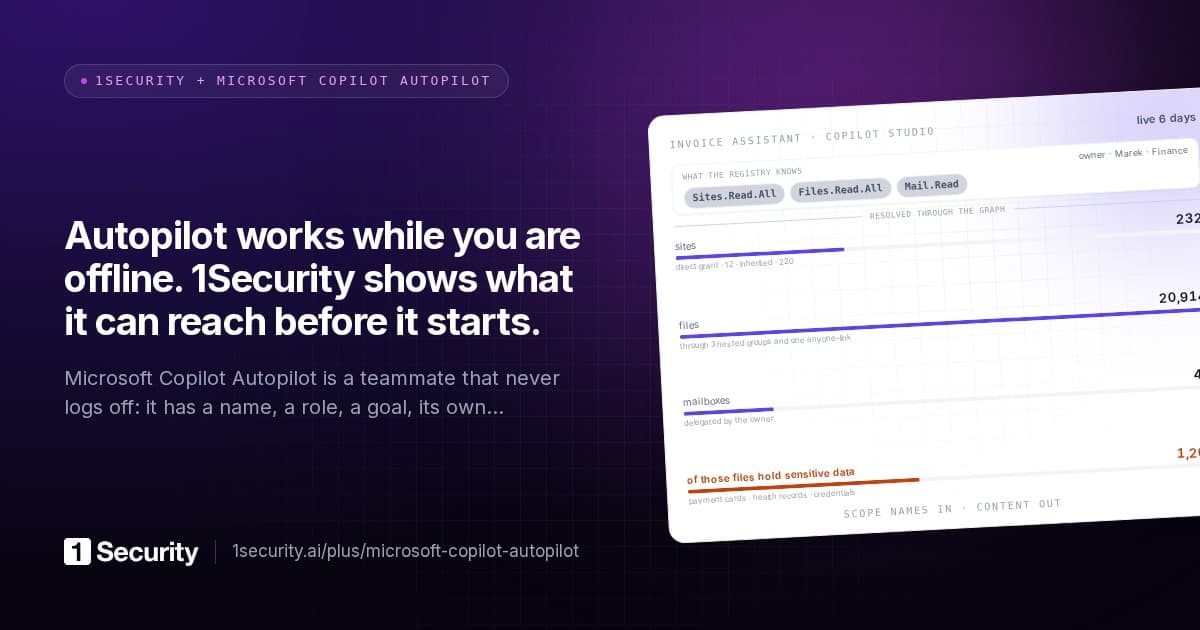
Agents are a domain of their own on the same graph. Each agent is a row with its reach in files, sites, users and mailboxes, the sensitive information types inside that reach, and the path that produces each part of it. The people around it are kept as separate lists: owners and sponsors, the entitled audience, and the users actually seen in the logs. Access that exists only through an agent appears on the user, file and site side as "via agent", with the agent named, and drops away when the agent loses the grant or is disabled.
Activity is per agent, by action type, from the same audit pipeline as everything else, with three years of history. Consumption is a tab: interactions from the audit log, Copilot Credits from the admin-centre report imported on a schedule so the history outlives Microsoft's thirty days, and Azure-side tokens and cost where agents run there. Each agent has its own anomaly baseline against its previous thirty days, including the detector that watches the share of its activity touching sensitive content, with every read classified at ingestion. A change in an agent's instructions between imports is recorded as a drift event.
On the fixing side, write access is a separate opt-in consent. Removing links and grants, blocking a site from Copilot's organisation-wide search, disabling an agent's Entra identity and quarantining a Copilot Studio agent are actions staged behind a review window, seventy-two hours by default, routed to resource owners where you want that, and read back from Microsoft before they're recorded as applied.
Now the limits, plainly. Autopilot is in private preview and Microsoft is still publishing how its identities are provisioned and controlled. 1Security reads Entra agent identities through its standard consent, and Autopilot's identity lives in Entra, but we'd be overclaiming if we said we'd seen every preview configuration. We don't see inside an agent's memory. We don't analyse what an agent does in systems outside Microsoft 365. And the credits history depends on the report Microsoft provides. The data side of this guide, which is where the risk is, doesn't depend on any of that.
Frequently asked questions
Is Copilot Autopilot the same as Windows Autopilot? No. Windows Autopilot is the device provisioning service and has nothing to do with this. The shared name is unfortunate, and it'll make searching your own documentation harder for a while.
Is Autopilot safe to turn on? It respects the permissions it's given, it has a real identity, and its actions are audited. Those are the right foundations. Whether your tenant is ready for it depends on whether what an internal identity can reach matches what you'd want a tireless new starter to read and act on. In most tenants it doesn't yet, for reasons that predate AI entirely.
We already did a Copilot readiness project. Is that enough? It's most of the data work, and it carries over. Three things are new: the agent has its own reach to review, it can change things and those changes need watching, and it's billed by usage. If your Copilot project reviewed permissions at site level only, paths one, two, seven and eight in this guide are probably still open.
Do organisation-wide links really matter if files don't show in search until someone clicks? For people, that behaviour has kept most of them harmless. For an agent that reads threads and follows links as part of its work, the click is no longer unlikely. That's the main reason this path moves to the top of the list.
Do sensitivity labels solve this? They help a great deal where they encrypt or restrict, because the protection travels with the file. Coverage is the catch: in most tenants a minority of sensitive files carry a label. Measure the gap between what's detected as sensitive and what's labelled, and treat labels as one strong layer among several.
How should we budget for it? Start with a hard cap in the spending policy and one agent. Measure its first two weeks, then multiply. Credit consumption depends heavily on how much context an agent reads to do each task, which is one more reason reach matters: an agent that can see less also costs less.
What's the single most useful thing to do this week? Count the files that are both sensitive and reachable by the whole organisation, through any path. It's one number, it takes a day with the right tooling, and it turns a general worry about AI into a list with owners on it.
Do we need Agent 365? Agent 365 is where Microsoft is putting agent governance and cost management, so if you're going to run agents in number, you'll likely want it. It governs the agents. It doesn't tell you what's exposed in the content they'll read, which is a property of your tenant and needs measuring either way.