Assessments are easy to sell and easy to run. Point a tool at a Microsoft 365 tenant, wait, and receive a number.
Twelve thousand files carry an "anyone with the link" URL. Four hundred sites hold sensitive data and are reachable externally. Two hundred accounts haven't signed in for ninety days and still hold licences and access.
Everyone in the room agrees the numbers are bad. Then the meeting ends, and one of three things happens.
The three ways this usually goes
It becomes a project. Somebody gets assigned the cleanup. They work through a spreadsheet, opening files one at a time. After a fortnight they've handled a few hundred, the source data has drifted, new links have been created in the meantime, and the project quietly loses its owner. This is the most common outcome and the least talked about.
It becomes a script. An administrator writes PowerShell. It works. It runs once. It has no review step, no record of what it changed, and no owner after the person who wrote it moves teams. The next time the same problem appears nobody is willing to run it, because nobody can say with confidence what it will do to today's tenant.
It becomes a policy nobody enables. The tool has an automatic remediation feature. It fires immediately when something matches. Everyone who has ever operated a production tenant reads that sentence, imagines it removing a link the CEO depends on at 4 p.m. on a Friday, and leaves it switched off.
All three failures share a cause. The gap between knowing and fixing isn't a knowledge gap. It's a trust and scale gap, and no amount of better detection closes it.
What has to be true before anyone will press the button
Ask an administrator why they won't enable an automatic fix and the answer is never "I disagree with the rule." It's some version of I don't know what it will do.
That breaks down into four requirements. A remediation system that misses any one of them sits switched off forever.
1. Show the blast radius before it acts. Not an estimate. Not a marketing number. The count of resources in this tenant that match right now, and one click to the actual list. A fix you can preview is a decision. A fix you can't preview is a leap.
2. Give it a delay with a veto. The two industry defaults are both broken. "Fires immediately" never gets enabled, so nothing gets fixed. "Requires approval" grows a queue nobody clears, so nothing gets fixed. Both fail in the same direction.
3. Keep a record. Not "the automation ran." Which resource, which action, which arguments, who approved it, when. If you can't hand a per-resource ledger to an auditor, you didn't fix anything. You asserted it.
4. Stay inside Microsoft's own model. No shadow permission layer, no parallel state. Disabling an account should be accountEnabled = false in Entra. Removing a link should be a SharePoint link removal. Whatever happens has to be visible and reversible in the Microsoft admin centres, and anything an admin changes there has to be picked up on the next evaluation.
The grace period inverts the default
Requirement two is worth dwelling on, because it's the design decision that makes the rest usable.
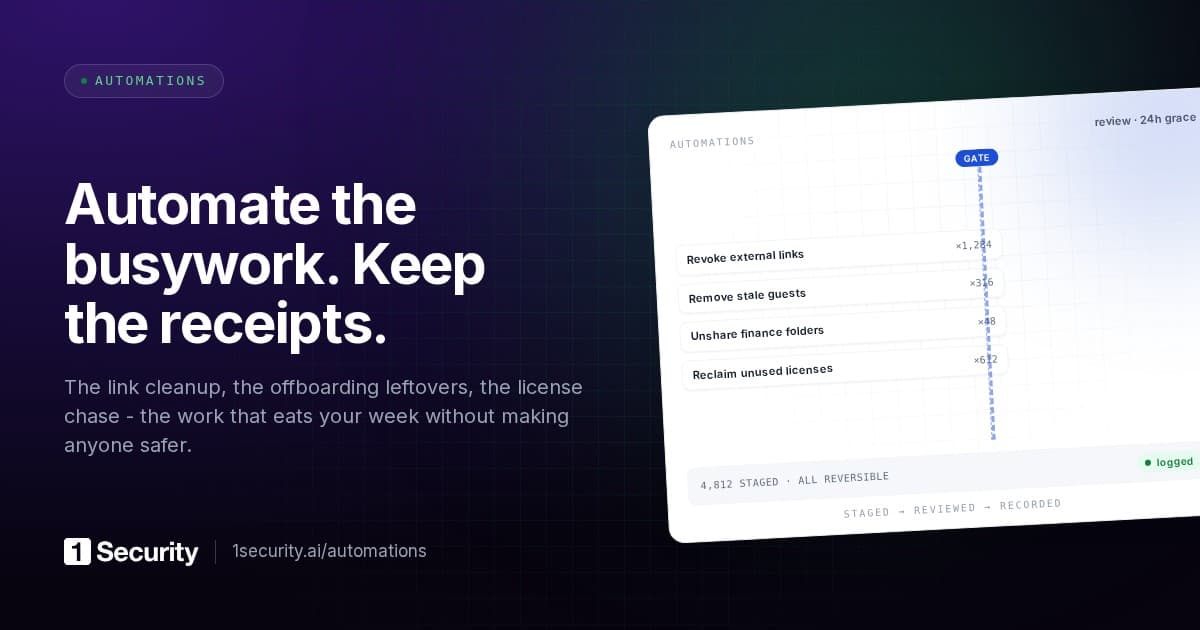
Give an automation a review window and it stops acting when it matches. Instead it stages a proposal for each resource and starts a countdown. Seventy-two hours is a sensible default, with instant, twenty-four hours and seven days as the other useful settings.
While the clock runs, four things can happen.
- Approve. Execute now, without waiting out the window.
- Reject. Never do this to this resource, and snooze it, so the policy can't re-propose the same fix tomorrow.
- Withdraw. Drop it from this run only. The policy will propose it again shortly. Use it to clear the queue, not to say no.
- Do nothing. When the window elapses, the action proceeds.
That last option is the whole design. The default is progress. Your attention is only required for exceptions, which is the only arrangement that survives contact with a real backlog. An approval queue where inaction means nothing happens will always lose to the rest of someone's job. An approval queue where inaction means the fix proceeds is a queue people actually read, because reading it is how they exercise a veto they care about.
The reject case needs one detail that sounds minor and isn't. Rejection has to be remembered. If rejecting a proposal only drops it from today's run, the policy re-proposes the same fix tomorrow, and within a week the reviewer has learned that their decisions don't stick. Snoozing rejected resources, for thirty days say, with the option to release early, is what makes the veto real.
And bulk review has to apply by match, not by a frozen list of identifiers. Select a filtered slice, approve it, and proposals that arrived while you were reading should be included rather than silently skipped. Otherwise the queue quietly never empties and nobody can work out why.
The rollout that actually works
There's a pattern that gets a remediation loop from zero to running, and it takes about a week.
Pick the suggestion with the largest count that you already agree with. Usually that's removing organisation-wide links from sensitive files. Not the most sophisticated policy, but the one where you have no internal argument to have.
Enable it with a review window and manual approval. Nothing executes without a human. The window doesn't auto-release yet.
For one week, review the queue rather than the tenant. You aren't auditing files. You're auditing the policy's judgment. Are the proposals things you'd have done by hand? Are there categories of resource that keep appearing and shouldn't?
When the proposals stop surprising you, switch approval to automatic and keep the window. You now have a loop that runs itself and that you can still veto at any point.
The reason this works is that it front-loads the trust problem into a week of reading instead of asking for it in a single click. And the thing you learn during that week, which is which resources keep showing up wrongly, is exactly the thing that would have made the automation dangerous if you'd turned it on cold.
Fixing is where the graph earns its keep
One more reason this is harder than it looks, and why "just remove the permission" is usually wrong.
Access to a file in Microsoft 365 arrives through several paths at once. A direct grant. A sharing link. Group membership. Site membership. Inheritance from a parent. Removing one path and declaring the problem solved is the most common mistake in permission cleanup, and it's invisible: the report says the direct grant is gone, and the person still has access through the group.
A composite action has to resolve every path the access arrives through, remove what can be removed automatically, and ask before touching the paths whose removal would affect other people, with the blast radius shown per source. Removing someone from a group to revoke their access to one file is technically effective and occasionally catastrophic.
This is the part that can't be scripted casually. It requires the permission graph to be resolved first, which is why remediation and visibility belong in the same system rather than in two products with an export between them.
Proving it happened
The last requirement turns this from an operational win into an audit artefact.
Four numbers on a screen: active automations, runs in the last thirty days, resources remediated in the last thirty days, open matches waiting. Plus a per-resource ledger of every change, and a liveness indicator saying when the engine last evaluated.
That last one matters more than it sounds. A dashboard looks exactly the same whether the engine is running or died last Tuesday. "Last evaluation three minutes ago" is cameras-on evidence, and it's the difference between a control you can attest to and a screen you hope is working.
Manual actions belong in the same ledger. When someone selects rows on a list and runs an action by hand, that record should sit alongside the policy-driven runs, so "who changed what" is one story rather than two.
How 1Security does it
The Automations screen opens on a board of suggested remediations, a curated catalogue of twenty-six policies in thirteen groups across AI safety, oversharing, hygiene and cost. Each card shows how many resources in your tenant match right now, evaluated by the same policy engine that powers trends, against your live permission graph, and refreshed continuously. On a tenant that has never enabled anything, the board still tells you how big each problem is.
Suggestions get counted, never executed. Until you explicitly enable one it raises no alert, sends no mail and performs no action. Suggestions whose defaults are illustrative, like an allowed-domains list or an owner to assign, get flagged for review and left unchecked, so nothing ships with example data in it.
Enabled automations stage proposals with a review window, seventy-two hours by default, with approve, reject-and-snooze, withdraw, or let the clock run. Bulk decisions apply by match rather than by a frozen list. Every proposal carries its resource, its policy, the action and its arguments, and a live countdown.
Actions execute natively through Graph and the SharePoint admin APIs, across sites, files, users, groups, apps, devices, email and licences. The same catalogue powers manual, one-off actions from any list or drawer, landing in the same ledger.
Write access is separate and opt-in. The read-only application can't change anything, and remediation requires a second, explicitly consented write application. Until it's connected, the screen counts and previews and the actions stay unavailable. Detection needs no premium licensing: suggestion counts, previews and the permission graph behind them work on Business Basic.
Frequently asked questions
What's the safest first automation? Removing organisation-wide links from sensitive files, with a seventy-two-hour window and manual approval. Large count, uncontroversial intent, and a queue that teaches you how the engine thinks.
What if an automation makes a mistake? Every action is a native Microsoft operation, so it's visible and reversible in the Microsoft admin centres. That reversibility is a direct consequence of not maintaining a shadow permission model, which is why that design choice matters more than it sounds.
Does the window mean things sit broken for three days? Only the first time. After the initial pass, new matches arrive individually rather than in a backlog, so a seventy-two-hour window applies to a trickle. You can also approve anything immediately.
Can I remediate without granting write access? You can find, count, preview and alert without it, which is the whole read-only product. Changing something in Microsoft 365 requires permission to change something in Microsoft 365. What you can insist on is that the permission is separate, explicit, and granted on the day you decide.