The message arrives mid-morning. Not a ransom note on a locked screen, nothing that stops anyone working. A short text with a list of folder names: last quarter's board pack, a spreadsheet called salaries_2026_final, the signed contract with your largest customer, a thread of the CEO's emails about a redundancy round. Pay within 72 hours or it goes public. You call the backup team. They check, and everything is fine. Every file is where it should be. That's the problem. Nothing was taken away; something was copied.
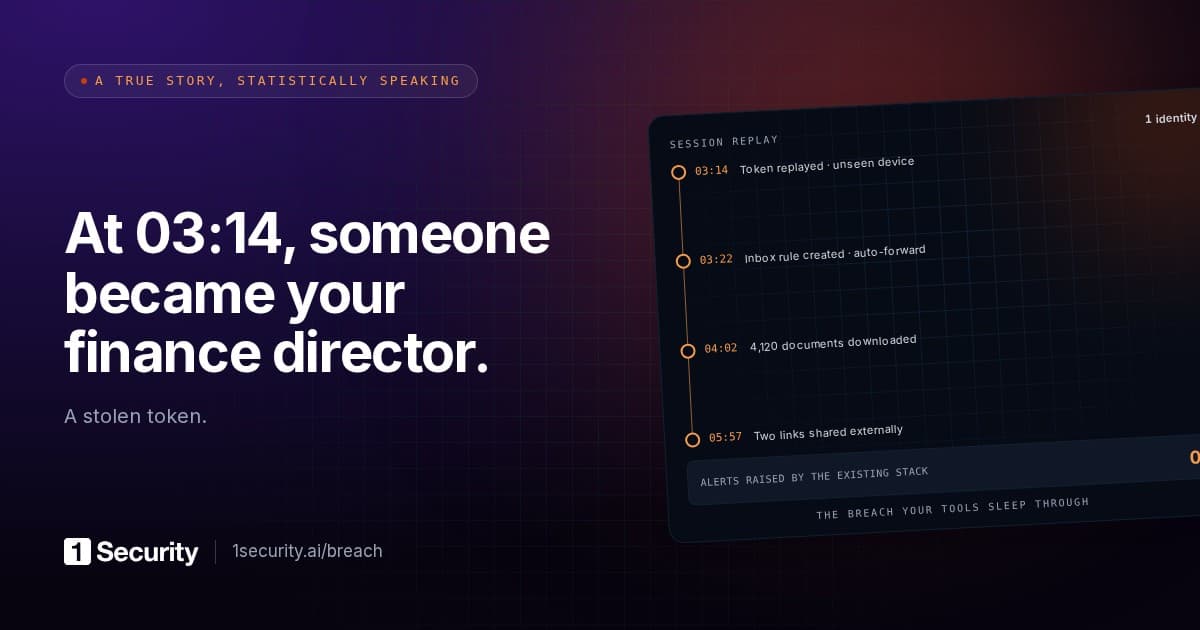
Arctic Wolf described exactly this pattern in a security bulletin on 3 September 2026, tracking a cluster it calls PREY-0058. The actors phoned staff while impersonating IT help desk teams, sent them to an adversary-in-the-middle login page that captured credentials and MFA tokens, and went to work inside Microsoft 365 "without exploiting any software vulnerability". In SharePoint they ran broad API queries to map accessible sites, then "a wildcard query (*) to list all documents available in SharePoint", paginated through the results, pulled files in bulk, pivoted to Exchange Online and harvested mailboxes. The demand was "typically delivered within hours of exfiltration", with "a 72-hour response window and threats of public data exposure". The line that matters most: "Unlike ransomware operations, these actors do not encrypt or destroy data."
Trend Micro's predictions report for 2026, published in November 2025 as "The AI-fication of Cyberthreats", says the same thing from the forecasting side: "The future of ransomware isn't about just encryption, but also the exploitation of trust itself." It expects campaigns "driven by data rather than encryption alone", with attackers who "rent cloud GPUs, automate data mining" and use AI "to personalize coercion in real time". Read that as: the sorting of what they stole, the picking out of what will hurt, is being automated too.
Here is the fact to carry into your next planning meeting. If you're an essential or important entity under NIS2, the regulatory clock on this incident started the moment you became aware of it, and the first deadline, 24 hours later, does not ask you to understand what happened. Article 23(4)(a) asks for an early warning which "where applicable, shall indicate whether the significant incident is suspected of being caused by unlawful or malicious acts or could have a cross-border impact". Two yes-or-no judgements. No root cause, no scope, no list of affected systems. Teams that wait until they understand the incident before telling anyone miss the first deadline for no reason the directive recognises.
A leak you can't restore from backup
The old ransomware playbook had a recovery story. Encrypted files could be restored, systems rebuilt, and "how long were we down" had an answer in hours or days. A copied dataset has no recovery. You can't un-know what the other side knows, and you can't restore a customer's trust from a snapshot.
What makes this a Microsoft 365 problem is the shape of the theft. Nobody broke a server. One account was used exactly as its owner could have used it, and everything that account could open was in scope. From the service's point of view, a legitimate user was reading files they were allowed to read.
So the real question is what one account can reach, and in most tenants that's far more than anyone intended:
- Files shared with everyone in the organisation. The "People in your organisation" link type and the Everyone except external users group make a document reachable by any signed-in account. Convenient for an all-hands deck. Also how a salary spreadsheet ends up one search away from an intern's stolen session.
- Anonymous links that still work. Anyone-with-the-link shares created years ago, with no expiry, are a credential that was never rotated. We covered that in anyone with the link is a credential.
- Teams with too many members. A project team created in 2021 for a merger, still holding the data room, still with 140 members because nobody owns it and nobody removes anyone.
- Permissions nobody reviewed since migration. Lift-and-shift from on-premises file shares carried over access lists that already made no sense, and the move was when they were forgotten.
The attacker needs no admin rights for any of this. They need one person's session and the discovery queries Arctic Wolf documented; deciding which of the 80,000 files are worth threatening you with no longer needs a human either. The identity side of the same incident, the mailbox rules and extra MFA methods that survive a password reset, is in compromised account blast radius. This post stays on the data and the regulatory consequence.
The clock starts at "becoming aware"
NIS2 (Directive (EU) 2022/2555) puts the reporting duty in Article 23. Paragraph 1 requires essential and important entities to notify their CSIRT or competent authority "without undue delay" of any incident with a significant impact on their services. Paragraph 4 sets the schedule, and every deadline in it is anchored to one phrase: "of becoming aware of the significant incident".
| Deadline | What Article 23(4) asks for |
|---|---|
| 24 hours from awareness | Early warning: whether unlawful or malicious acts are suspected, whether cross-border impact is possible (point (a)) |
| 72 hours from awareness | Incident notification: update the early warning, initial assessment of severity and impact, indicators of compromise where available (point (b)) |
| On request | Intermediate report on relevant status updates (point (c)) |
| One month after the notification | Final report: detailed description with severity and impact, the type of threat or root cause, applied and ongoing mitigation, cross-border impact where applicable (point (d)) |
Three things in that table get misread.
Awareness is the trigger, not confirmation. For a data-theft case, awareness usually arrives as the ransom message, so the attacker decides when your clock starts, and they've been inside for hours or days before it does. Every hour between the first bulk download and your detection is time you don't get back. Detection latency, which security teams have always treated as a security metric, is now a regulatory exposure too. Article 21(2)(b) lists incident handling among the mandatory risk-management measures, and Article 6(8) defines incident handling to include actions "to prevent, detect, analyse, and contain or to respond to and recover from an incident". Detection is inside the duty, not in front of it.
The 72-hour notification asks for an initial assessment. Initial. Severity and impact as you currently understand them, plus the indicators of compromise you have: "these accounts, these sites, roughly this many files, these source addresses", from evidence rather than guesswork. In practice that's the compromised account's activity log over the days before the message, with the FileDownloaded and MailItemsAccessed events Arctic Wolf names as the fingerprints of bulk collection.
The final report wants the root cause within a month. Point (d)(ii) asks for "the type of threat or root cause that is likely to have triggered the incident". For an account takeover, root cause lives in sign-in and activity logs from before anyone noticed. Microsoft 365 Audit (Standard) keeps those records for 180 days by default, and a stolen session may have been used for weeks before the demand. Late detection plus no log export means the one-month report says "unknown" in the field the regulator reads first. The final report is written from logs you kept.
In Poland, the amended act on the national cybersecurity system (ustawa o KSC, in force since 3 April 2026) mirrors the schedule in art. 11 ust. 1 pkt 4-4c and art. 12, with the serious incident reported to the sectoral CSIRT: early warning within 24 hours, notification within 72 hours, intermediate report on request, final report within a month. Same clocks, different recipient.
The 1Security NIS2 documentation describes how the three deadlines are read from a detection's first-seen time and which Article 23(4) point each report template answers. The honest caveat, there and here: whether an incident is "significant" under Article 23(3) is a call for your counsel, and a tool can only hand over the evidence.
Why the first deadline gets missed anyway
The pattern is consistent. The security team learns of the extortion message and, sensibly, wants to understand before speaking: scope the accounts, pull the logs, check the listed files are real. Legal wants certainty before anything goes to a regulator. Management asks whether it can be kept quiet. Twenty hours pass in meetings about whether it's really an incident.
The directive anticipated this. Recital 102 says the early warning "should only include the information necessary to make the CSIRT, or where applicable the competent authority, aware of the significant incident and allow the entity concerned to seek assistance", and that reporting should not divert resources from incident handling. The 24-hour warning is designed to be cheap. Suspected malicious act: yes. Possible cross-border impact: you have customers in three countries, so possibly. Send it, then go back to the investigation.
The teams that meet the first deadline decided in advance who writes the early warning, who signs it off, and that it does not wait for the forensic picture. Half a page in a runbook, and the cheapest NIS2 control there is.
What to check this week
The exposure, the part that decides how bad the ransom list looks, can be shrunk before anyone phones your help desk, and none of it needs a premium licence.
| Check | Why it matters in a data-theft case | What good looks like |
|---|---|---|
| Files shared with everyone in the organisation | One stolen session reaches all of them, and the wildcard search finds them first | Org-wide sharing limited to content genuinely for everyone; sensitive files shared to named people |
| Anonymous links with no expiry | They work for anyone, forever, and never show up as a sign-in | Expiry enforced at tenant level; existing anyone links reviewed, oldest first |
| Teams and sites with no active owner | Nobody removes members, nobody notices a new one | Every team has a current owner; ownerless ones archived or reassigned |
| Mass-download detection | Bulk FileDownloaded and MailItemsAccessed in one session is the signature of collection | An alert on volume per user per hour, tested against a known account |
| Access recertification | Permissions drift upward and never come back down | Owners confirm membership and sharing on a schedule, removals actually applied |
| Audit log export | The one-month root-cause report is written from these | Logs leaving the tenant into something you control, before you need them |
Order matters. Org-wide shares and anonymous links first, because a stolen session reaches them without touching a single permission. Mass-download detection next, because it shrinks the gap between "attacker started collecting" and "we became aware", the gap NIS2 doesn't forgive. Recertification stops the rest growing back.
A short FAQ
Our backups are immutable and tested. Doesn't that cover ransomware? It covers the encryption variant. The Arctic Wolf cluster encrypted and destroyed nothing, so there was nothing to restore. The damage is the copy, and the remedy is having left less reachable.
Does data-theft extortion count as a "significant incident" under NIS2? That's an Article 23(3) judgement: severe operational disruption or financial loss for you, or considerable damage to other people. A leak of customer data or salaries can meet the second test with zero disruption. Your counsel decides, but decide fast; the 24-hour clock doesn't wait for the decision.
Can Microsoft tell us what was taken? The audit log records file access and download events per account, within its retention window. It doesn't record what the attacker did with the files afterwards, and if the first collection happened before your retention horizon, nobody can reconstruct it.