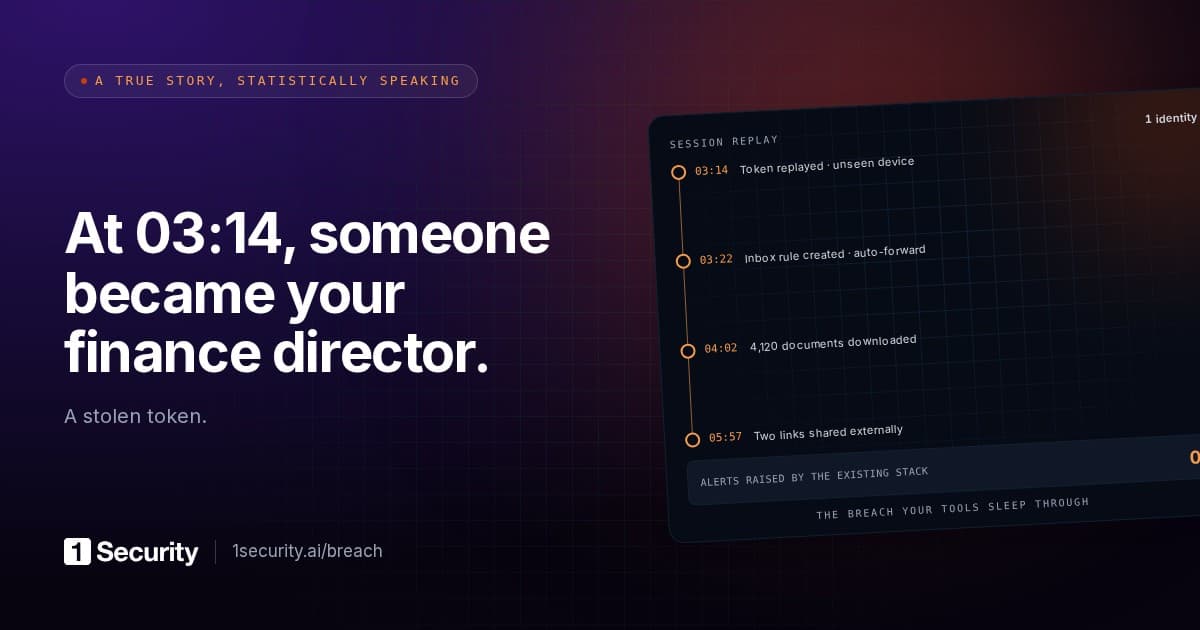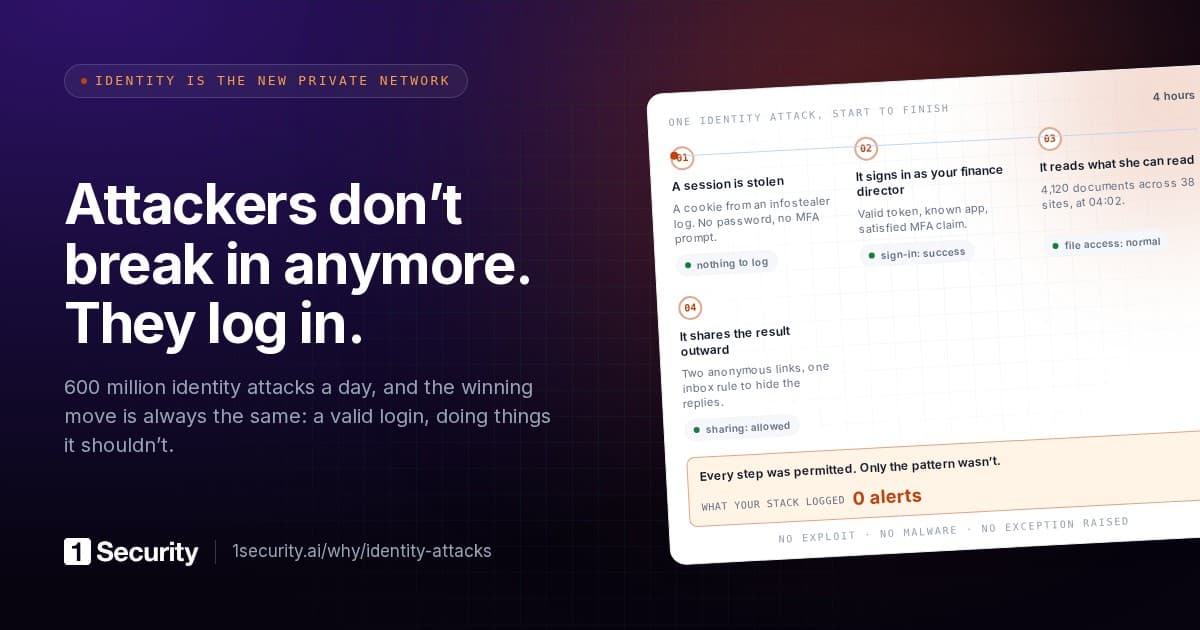
The ticket arrives on a Tuesday. A user got an odd follow-up from someone they'd been emailing, clicked a OneDrive link, signed in, approved the Authenticator prompt, saw an empty folder and closed the tab. You pull the Entra sign-in log. Interactive sign-in, correct user, correct password, MFA satisfied, Conditional Access passed, status Success. Nothing failed. The only odd thing is the user's instinct.
That log entry is the problem. In an adversary-in-the-middle phish the attacker's proxy sits between the victim and the real login.microsoftonline.com, relays every step, and keeps the session cookie Microsoft hands back at the end. Proofpoint's 1 October 2026 write-up on TA419, a China-aligned group working through US AI-policy circles, describes exactly this: a few harmless emails to get a reply, then a shortened link to a fake OneDrive loading screen, then a relayed sign-in in which the target's "password, MFA code, and conditional access checks all succeed" while the attacker "captures the resulting session cookies". The kit auto-submits one-time codes the moment they validate, so the victim has no window to notice.
One thing to settle before the runbook, because most teams assume the opposite. Microsoft documents what a password reset does to the tokens an attacker is holding, and the answer is narrower than most teams assume. The refresh-token revocation table on Microsoft Learn says a password change revokes password-based refresh tokens and browser cookies, and nothing else: non-password-based sessions stay alive, and the row for "password expires" reads "stays alive" in every column. Already-issued access tokens aren't in the table at all. Microsoft's emergency revocation guide spells that out: for applications using access tokens, the user loses access "when the access token expires", and the default lifetime is 60 to 90 minutes (up to 28 hours under continuous access evaluation, where a reset or an explicit revoke is a critical event that pulls the token back within minutes). The same page states that Microsoft Entra ID "can't directly revoke a session token issued by an application". A password reset, on its own, is not a kick.
Why the log looks clean
Microsoft's token theft playbook defines the attack in one sentence: threat actors "compromise and replay tokens issued to a user, even if that user has satisfied multifactor authentication. Because authentication requirements are met, the threat actor is granted access." The victim did the MFA. The attacker inherits it.
That inheritance shows up in the log as an absence. Microsoft's description of the sign-in log's Authentication details tab says it tracks "how frequently authentication requirements are satisfied by token claims, such as when users aren't interactively prompted". A replayed session is exactly that case: the attacker's requests ride the existing claim and never raise an MFA prompt of their own. You won't find a failed MFA or a second Authenticator push. What you can find, if you look, is the same session continuing from an IP address, device and user agent the victim has never used, often a residential proxy chosen to make the location plausible. Arctic Wolf's September 2026 bulletin on the PREY-0058 cluster, which reached Microsoft 365 through help-desk vishing rather than email but ended with the same captured credentials and MFA tokens, notes the actors keep "a fixed residential IP per session" for precisely that reason.
Passkeys and other origin-bound methods fix the capture step, because the credential is bound to the real domain and the proxy can't complete the ceremony. Proofpoint recommends them for TA419's target set; Arctic Wolf recommends FIDO2 or certificate-based authentication for high-risk accounts. Roll them out. Most tenants still carry a long tail of users on Authenticator codes or SMS, though, and for them the honest planning assumption is that one session will be stolen this year and the log will say Success.
The attacker didn't choose the blast radius. You did.
Proofpoint doesn't say what TA419 did after capturing sessions, and that's the right place to stop reading the report and start reading your own tenant. A stolen session is worth exactly what the account can open, and that was decided long before the phish, by sharing habits, group memberships and a few decisions nobody remembers making.
Take the account you'd most expect to be phished, a mid-level person who talks to outsiders, and walk through what a valid session reaches:
| Workload | What the session reaches | What usually makes it bigger than expected |
|---|---|---|
| Exchange Online | Mail, attachments, calendar, contacts, and the ability to send as the user | Shared mailboxes granted "full access for the whole team", delegated calendars, years of retained mail |
| OneDrive | The user's own files, plus every file other people have shared with them | "Shared with me" is often larger than the user's own library, and nobody reviews it |
| SharePoint | Every site the account can open | "Everyone except external users" added once for a project, organisation-wide links created years ago, permissions inherited from parent sites |
| Teams | Chats, channel messages, meeting recordings and the files behind every team | Teams whose creator has left, with membership that never shrank |
| Entra ID directory | Who reports to whom, group membership, email addresses, often phone numbers | Directory read is on by default for members, and it's the map for the next phish |
Arctic Wolf describes the PREY-0058 actors doing exactly this walk, mechanically: they "map accessible sites" through API queries, list every document, paginate through the results and bulk-download, while pulling mail through a web-client application identity that leaves a flood of MailItemsAccessed and AttachmentAccessed events. They "do not encrypt or destroy data". Hours after the exfiltration an extortion demand arrives. There's no malware stage for an endpoint tool to catch, because none is needed. The account's permissions were the whole attack surface.
That's the uncomfortable inversion. In a ransomware incident the damage is decided by the attacker's tooling. In a stolen-session incident it's decided by the tenant's permissions, and the attacker only has to be patient enough to read them. Old organisation-wide SharePoint links are the usual worst offenders: created to save a few clicks, invisible in anyone's "shared with me", and just as open to a hijacked account as to the colleague they were meant for. We've gone deeper on both in one compromised account, what could it actually reach and anyone-with-the-link is a credential.
"Assume breach" has a test
Microsoft's Zero Trust model has three principles: verify explicitly, use least privilege, assume breach. Most organisations have done real work on the first one. The other two are where practice falls apart, and a stolen session is the incident that proves it.
Assume breach means you've already decided an account will be hijacked, and prepared the answer to two questions for the day it happens: what could this account reach, and what did it actually do? If the honest answer to the first is "we'd have to go site by site" and to the second is "we'd pull the unified audit log and see", you haven't assumed breach. You've assumed a good day.
Both questions have concrete shapes. The first is a reach inventory per identity: every site, library, shared mailbox, team and shared file the account can open, including what it gets through groups and links rather than direct permission. The second is an activity trail filterable to one actor and one window: files opened, downloaded, shared; mail read and rules created; consents granted; devices registered. The audit log holds raw events for the second. The first has no native screen at all. You either build it or guess.
Copilot and AI agents inherit the same problem: they read with the user's permissions, so every over-wide site is one the assistant can summarise.
What the regulations actually ask for
NIS2 doesn't say MFA settles the matter, and it's worth reading the clause rather than the summaries. Article 21(2)(j) requires "the use of multi-factor authentication or continuous authentication solutions, secured voice, video and text communications and secured emergency communication systems within the entity, where appropriate". Poland's transposition, the amended ustawa o KSC in force since 3 April 2026, carries the same measure with the same qualifier in art. 8 ust. 1 pkt 2 lit. l. MFA is one listed measure among many, and the "where appropriate" is in the text.
The blast radius lives one point earlier. Article 21(2)(i) requires "human resources security, access control policies and asset management", mirrored in the KSC act by art. 8 ust. 1 pkt 2 lit. m and n. A stolen session that walks fourteen SharePoint sites it had no business reaching is an access-control finding, and that's where an auditor who understands the incident will look. Our NIS2 guide maps each Article 21(2) point to tenant evidence; 1Security's compliance screen reads 21(2)(j) from Conditional Access coverage and 21(2)(i) from account and device hygiene.
The recovery order, and why the reset isn't the end
Microsoft's own response guide for a compromised mailbox puts the steps in a particular order, and the order matters because each step closes a door the previous one left open.
1. Disable the account, or reset the password if you can't. Disabling blocks new sign-ins while you work. If you reset instead, don't send the new password by email; the attacker may still be reading it.
2. Revoke sessions, immediately after. Revoke-MgUserSignInSession (the Graph action revokeSignInSessions) resets the user's signInSessionsValidFromDateTime and, per Microsoft, invalidates "all the refresh tokens issued to applications for a user (and session cookies in a user's browser)". This is the step that reaches what a password reset leaves behind. Two documented limits: there "might be a small delay of a few minutes before tokens are revoked", and already-issued access tokens survive until expiry unless client and service support continuous access evaluation (Exchange Online, SharePoint Online and Teams do, for current Outlook, Teams and OneDrive clients). Guest users aren't covered; their sessions are revoked in their home tenant.
3. Devices. Remove registered devices you can't account for. A device the attacker registered during the session keeps its own foothold.
4. Authentication methods. Microsoft's token theft playbook says to delete added MFA methods and devices before re-enabling the account. An extra Authenticator app or phone number is a second key to the front door, and a reset doesn't remove it. App passwords, where still in use, aren't revoked by a reset either.
5. Mailbox rules and forwarding, including hidden rules. Get-InboxRule -IncludeHidden and the mailbox's ForwardingSmtpAddress. Hidden rules that redirect finance or HR mail are the classic leave-behind; they're mailbox configuration, so they survive every identity-side step above.
6. OAuth consents and admin roles. Applications the user consented to during the session hold their own tokens, unrelated to the user's password, and keep reading mail and files until the consent is revoked. Check role assignments too.
Then the question the whole incident turns on: what did the session reach, and what did it read, download, share or send? Scope the audit log to the account and the window from the first attacker request to your revoke, and compare that activity against the account's full reach. The files they didn't get to are the ones you'll be asked about anyway.
The password reset is step one of six and the easiest to prove you did. The incident is over when none of the attacker's artefacts survive and you can name what they touched. Most response plans can produce the first sentence. The second is the work.